Website NZ

Why a Fresh Website is Your #1 SEO Tool

Why Your “Set and Forget” Website is Hurting Your Business

By SEO, Web Design

You launched your website years ago. It looked great, showed off your services, and you hoped it would bring in customers. Then life and the day-to-day of running your business took over. Your website became that project you finished, and you haven’t touched it since—a digital “set and forget.”

Here’s the hard truth: that approach is now actively working against you. In the eyes of both Google and your potential customers, a static, outdated website signals a business that is no longer active, relevant, or trustworthy.

Why a Fresh Website is Your #1 SEO Tool

Think of SEO not as a one-time technical fix, but as an ongoing conversation with both your customers and Google. Updating your website regularly is how you keep that conversation lively, relevant, and successful. Let’s break down exactly why this is so critical, and how we’ve helped other Kiwi businesses transform their results by breaking the “set and forget” habit.

1. Google Rewards Freshness: The Algorithm Loves an Active Site

At its core, Google’s mission is to provide the best, most relevant, and most current answer to a searcher’s question. Which result do you think it will prefer when someone searches for “campervan hire NZ 2026” or “sustainable home builders Auckland”?

  • A website with “Latest News” from 2020.
  • A site with a regularly updated blog, fresh customer testimonials, and updated service pages reflecting current offers.

The answer is obvious. Google has a built-in “freshness factor.” By regularly updating your site, you send clear signals that it’s a living, active source of information. This can lead directly to a rankings boost, especially for time-sensitive or competitive searches.

In simple terms: A regularly updated website is like a shop with its lights on and fresh stock in the window. A stale site is like a shop with dusty shelves—people assume it’s closed or doesn’t care.

2. It’s Your Chance to Answer New Customer Questions

Your business evolves. The questions your customers ask evolve, too. A few years ago, people might have searched for “home builder.” Now, they’re looking for “energy-efficient passive home design” or “campervan hire with bike racks.”

If your website only has the old content, you’re invisible to people asking new questions. Regular updates allow you to:

  • Create new pages or blog posts that target these emerging trends and keywords.
  • Expand your service pages to reflect new offerings or FAQs you hear daily.
  • Showcase recent work to prove you’re actively excelling in your field.

Every new, relevant page is another front door to your business online. More doors mean more opportunities for customers to find you.

3. Updating Old Content: Your Secret SEO Weapon

Creating new content is great, but one of the most powerful strategies is updating and republishing what you already have.

That service page or blog post from a few years ago that used to get traffic? It might be slipping because it’s outdated. The process is simple:

  • Find it: Identify pages with potential that are now underperforming.
  • Refresh it: Update statistics, add new insights, include recent case studies or testimonials, and improve the images.
  • Republish it: Change the “last updated” date and share it again.

Why does this work? You’re taking a page that already has some SEO authority and making it 10x more valuable. It’s like renovating a well-located house instead of building on a new plot—the results are often faster and more dramatic.

Real-World Transformations: From Static to Strategic

These concepts might sound abstract, but their impact is incredibly concrete. Let’s look at two recent Sky Media clients and the tangible results of moving from a “set and forget” to an “always fresh” mindset.

Case Study 1: Kia Ora Campers – Driving Online Bookings Off the Chart

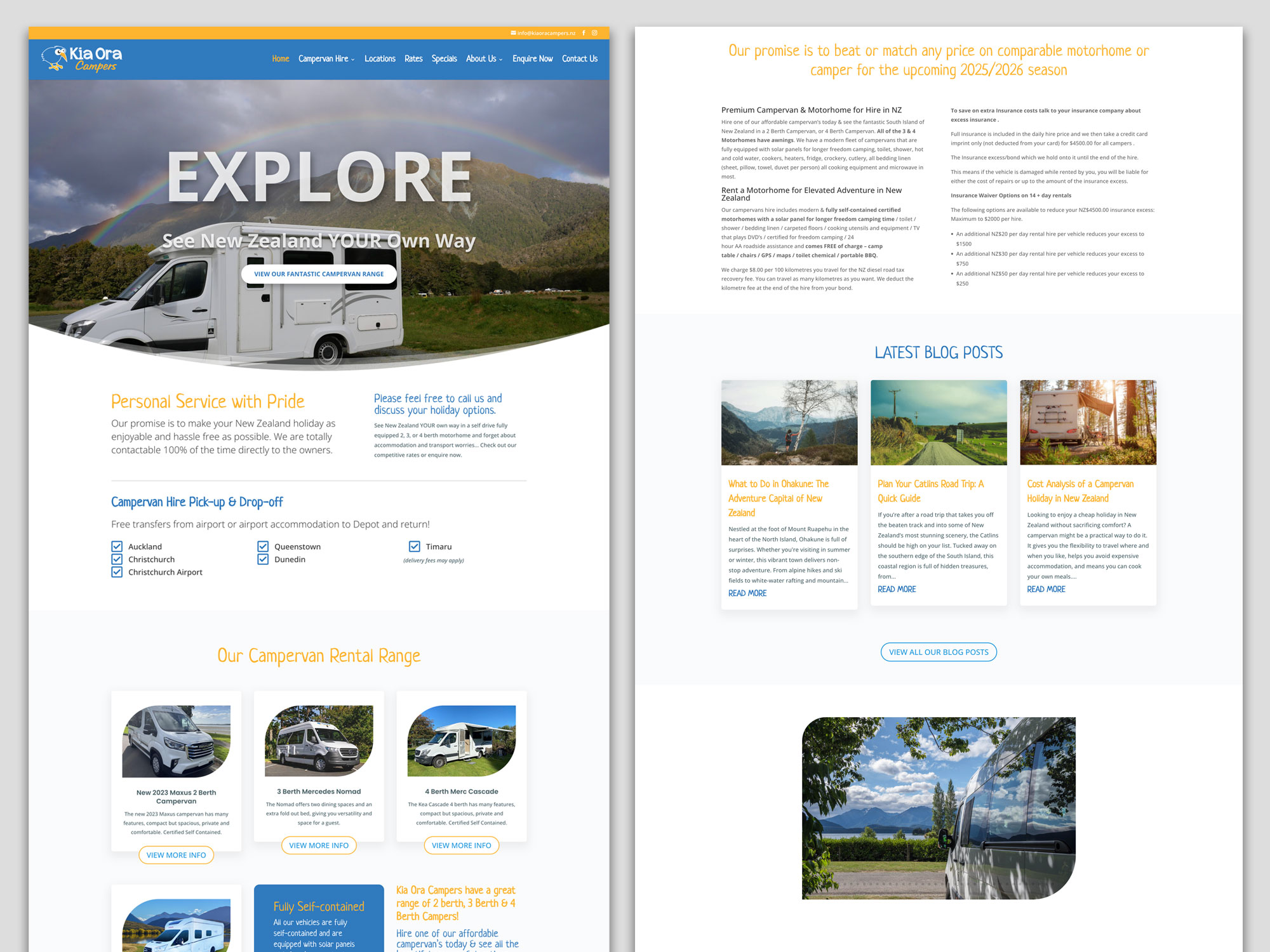
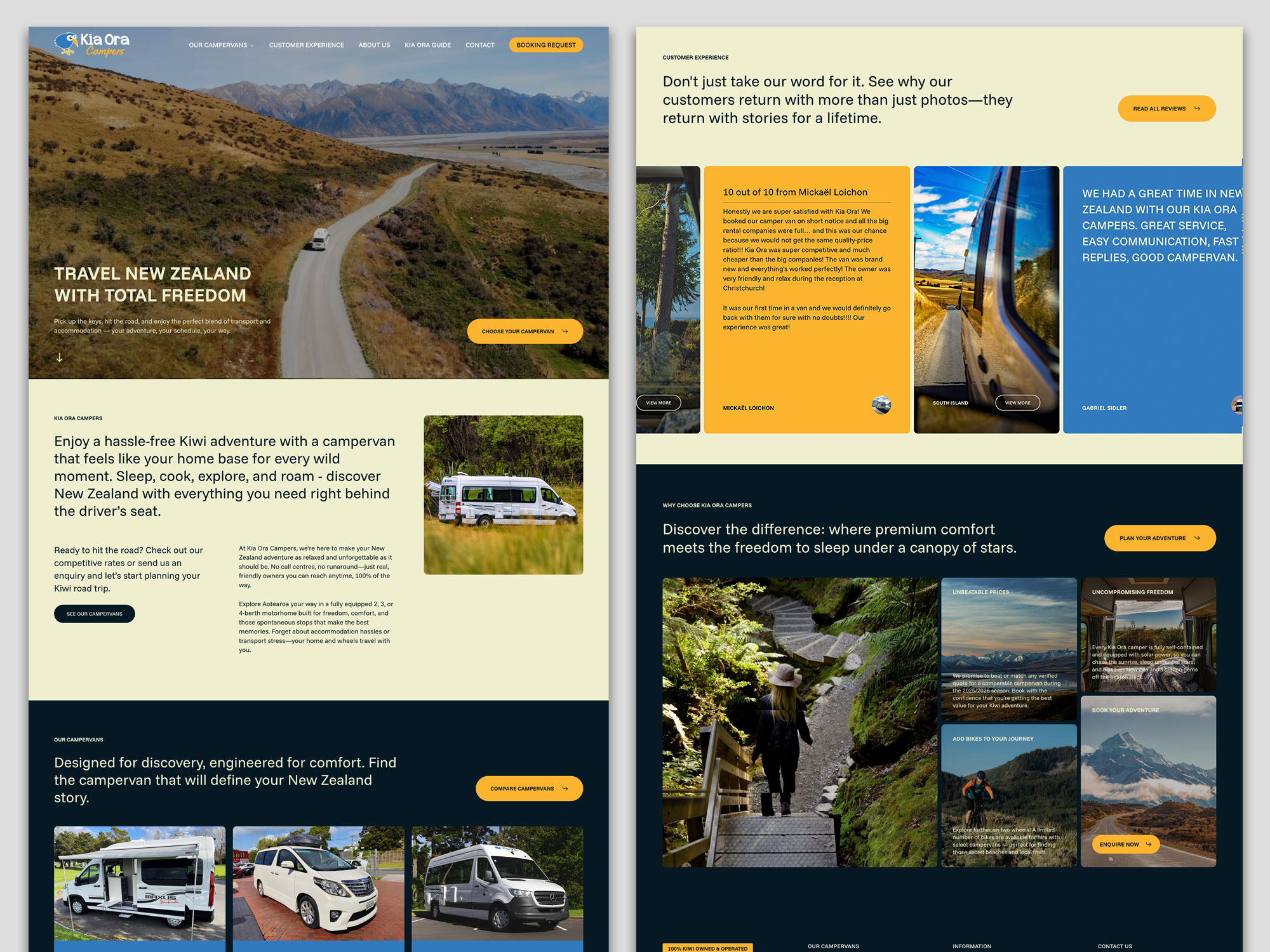
The ‘Before’ website: A Static Fleet List: The original Kia Ora Campers site functioned primarily as an online brochure. It listed vehicles and contact details, but the blog was hard to read, and key information for travellers (like detailed insurance explanations or current travel tips) wasn’t easily accessible. The site wasn’t actively working to answer the myriad questions potential renters have when planning a big trip.

Kia Ora Campers Website Before

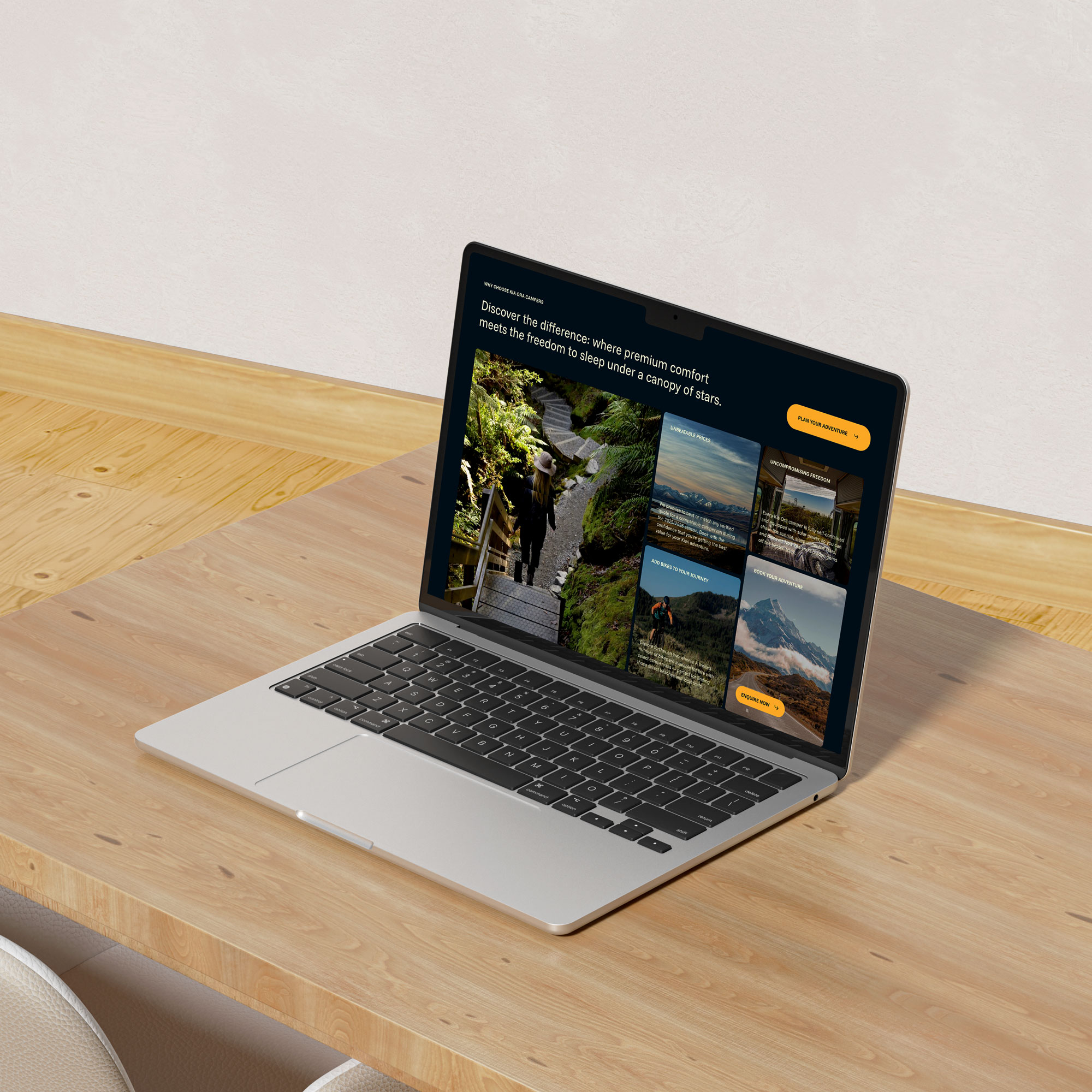
The ‘After’ Strategy – Becoming a Travel Resource: We worked with Kia Ora Campers to shift their site from a brochure to a comprehensive travel hub. The strategy centred on consistent, valuable content updates:

  • A Visual, Editorial-Standard Blog: Moving beyond basic posts, we developed a blog with a magazine-grade design. Featuring compelling layouts, high-quality imagery, and scannable sections
  • Transparent & Detailed Content: Key pages were expanded with clear, reassuring details on insurance, bond processes, and what “fully self-contained” truly means for freedom camping.
  • Fresh Social Proof: The integration of recent, detailed customer reviews builds immense trust.

The Result: The site is no longer just a list of vans; it’s a trusted planning tool. By consistently publishing content that targets what travellers are searching for.

Kia Ora Campers Website After

Case Study 2: Integrated Homes – Building Authority in a Competitive Market

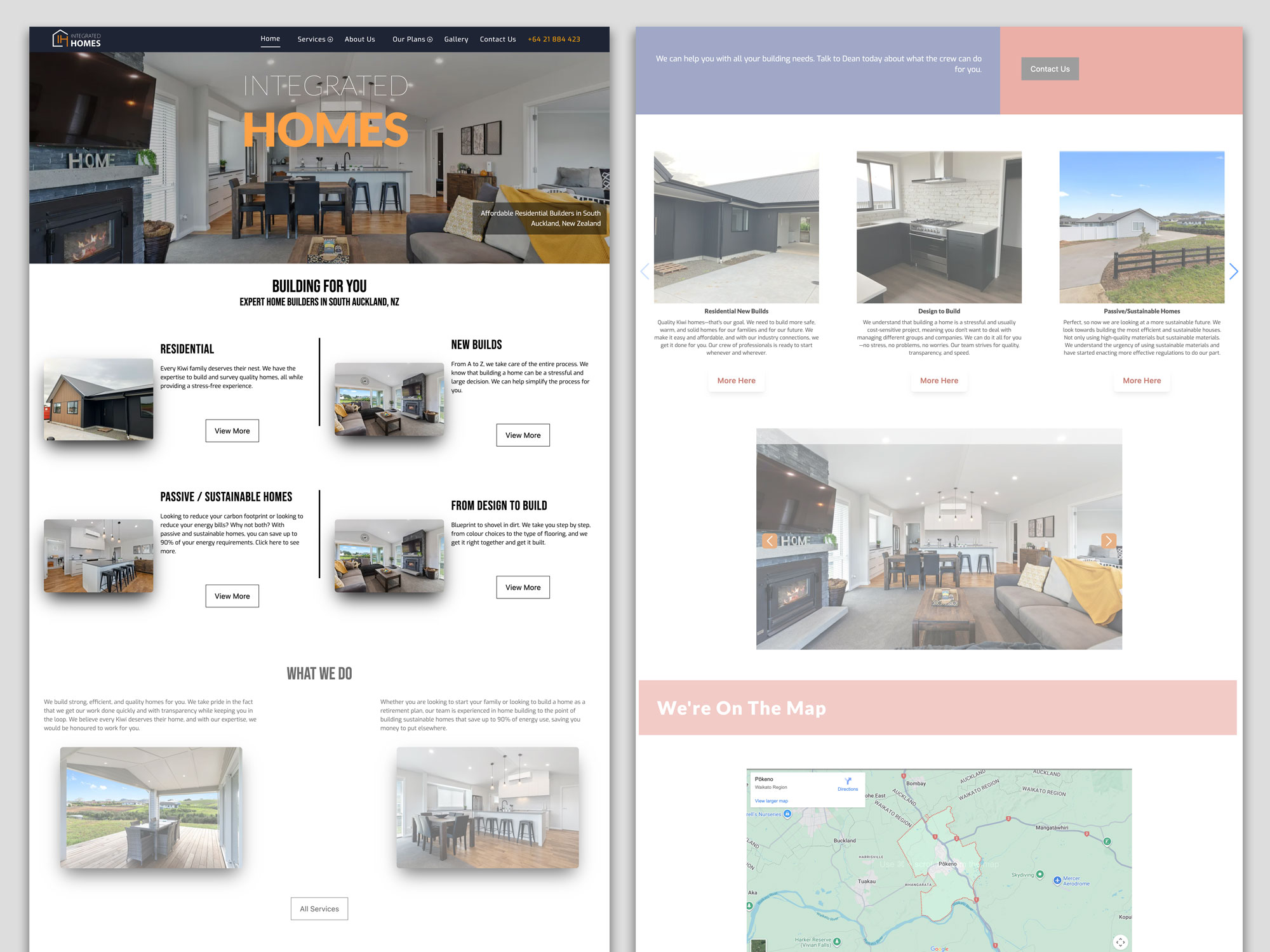
The ‘Before’ – A Generic Builder Site: Integrated Homes’ original site contained the essential information—they built quality homes—but it struggled to stand out in the crowded Auckland building market. The messaging was broad, and the site lacked the specific, expertise-driven content needed to attract clients looking for more than just a builder.

Integrated Homes Website Before

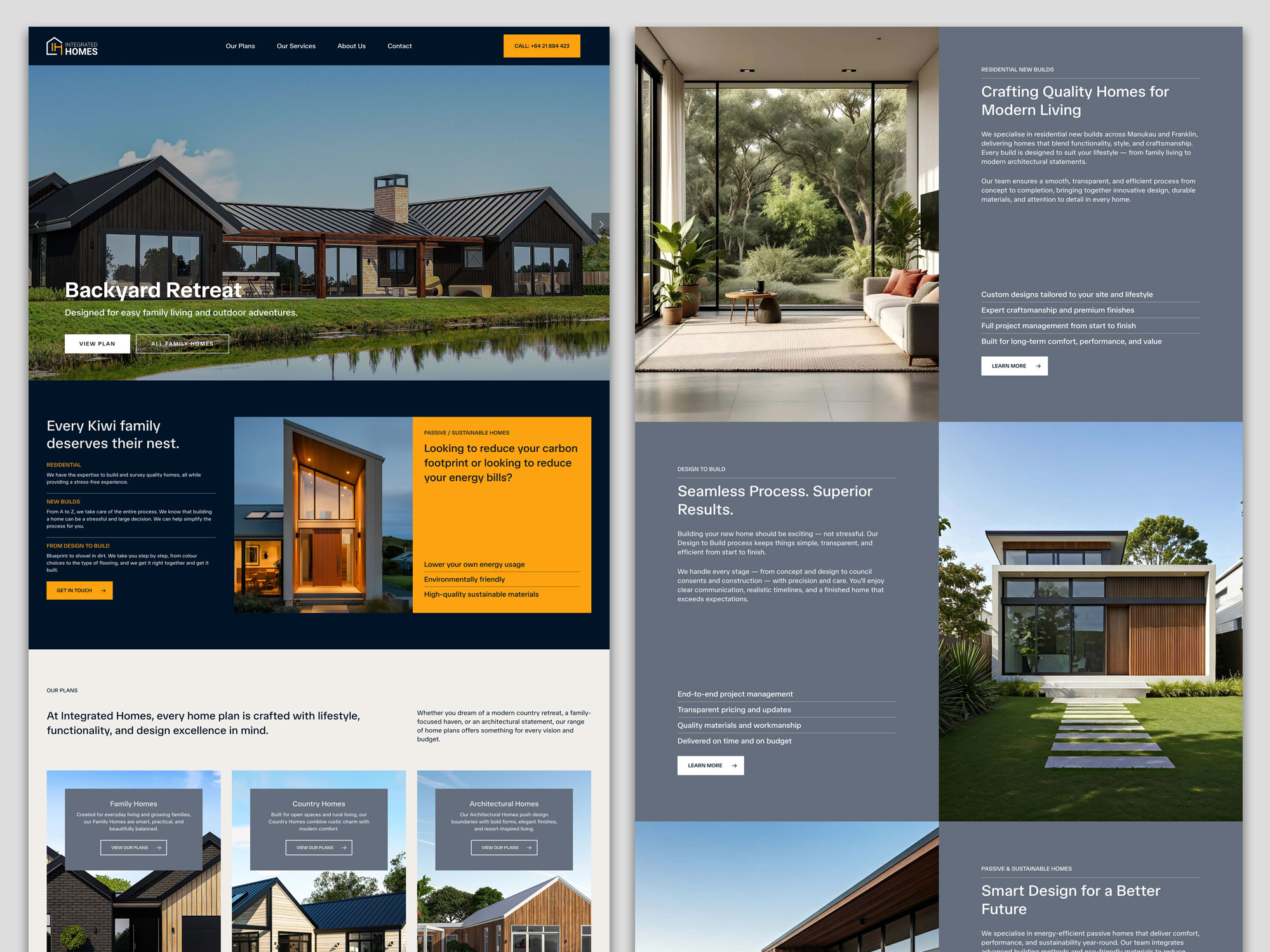
The ‘After’ Strategy – Owning a Niche with Expertise: Our focus was on positioning Integrated Homes as specialists, not generalists. This was achieved through targeted updates and content that showcased deep knowledge:

  • Highlighting Specialisations: We worked to clearly define and promote their service pillars, especially “Passive / Sustainable Homes,” moving it from a bullet point to a key differentiator. The content explains the benefits (like “saving up to 90% of your energy requirements”) in clear, compelling language.
  • Project-Focused Storytelling: The site now uses its house plans more effectively, presenting homes like “Your Own Elmshade Resort” or “Your Brick solid Windermere Home.” This tells a story of craftsmanship and results, not just showing pictures.
  • Building Trust through Transparency: Pages were updated to prominently feature certifications (LBP, NZCB Halo), clearly stating “Our team prides itself on our experience and quality craftsmanship.”

The Result: By consistently emphasising their specialised expertise in sustainable building and showcasing completed projects with narrative depth, Integrated Homes is able to attract clients who are specifically looking for their skill set.

Integrated Homes Website After

4. Building Trust and Authority: The Human Element

Regular updates build what Google calls EEAT (Experience, Expertise, Authoritativeness, Trustworthiness). This is shown through:

  • Fresh testimonials and case studies: Proof you’re doing great work now (as seen in both case studies above).
  • Industry commentary: Showing you’re engaged and knowledgeable.
  • Updated “About Us” and credentials: Like Integrated Homes’ builder certifications.
  • An active, helpful blog: Like Kia Ora’s travel guides, which build authority before a customer even picks up the phone.

A static website erodes trust. An active, updated website builds it with every visit.

5. Technical Health: Keeping the Digital Lights On

Websites are built on software that needs updates for security, speed, and mobile-friendliness. An outdated backend is a major risk and can slow your site down, causing both Google and users to bounce away. Regular maintenance is the non-negotiable digital equivalent of a Warrant of Fitness for your online presence.

“But I’m Too Busy Running My Business!” Your Action Plan

This is the most valid concern. You’re an expert in building or hospitality, not in content marketing. The key is to start small and be consistent, or partner with experts (like us) to handle it for you.

  1. Audit Your Key Pages: Pick your top 3 service pages. Are the descriptions, prices, and benefits accurate and compelling? Update them first.
  2. Add Fresh Proof: Upload your two most recent client testimonials or project photos this month.
  3. Revive One Old Piece: Find one blog post or page that has good history but old info. Spend an hour updating it.
  4. Schedule Time: Block out 90 minutes in your calendar next month to repeat this process. Consistency is everything.
  5. Talk to Your Experts: This is what we do at Sky Media. We become an extension of your team, creating and implementing a manageable, strategic update plan that turns your website from a static cost into your hardest-working business development tool.

In conclusion, your website is the heart of your digital presence. Just like your physical business needs ongoing care, your website needs regular attention to thrive. By committing to regular updates, you’re ensuring your business remains visible, relevant, and trusted. The transformation for Kia Ora Campers and Integrated Homes wasn’t magic—it was the systematic application of treating their website as the living, growing asset it truly is.

Ready to move from “set and forget” to “always growing”? Contact the Sky Media team today for a free, no-obligation website audit. Let’s build a plan that works for your business.

Essential guide on how to write a website design brief for a successful project.

Your Blueprint for Success: How to Brief Your Website Design Team

By Tips and Guides, Web Design

You’ve made the exciting decision to invest in a new website. It’s a project filled with potential—the chance to revitalise your brand, connect with more customers, and finally have an online presence that truly works for your business. But before you see stunning mock-ups or click through a sleek new interface, there’s a critical first step that will make or break your entire project: the brief.

Essential guide on how to write a website design brief for a successful project.

Think of your website brief as the blueprint for a new house. You wouldn’t approach a builder and say, “Build me a house,” without discussing the number of bedrooms, the style of the kitchen, or the location of the bathrooms. The same goes for your website. A vague request like, “Make me a modern website that generates leads,” leaves far too much room for interpretation, delays, and budget overruns.

A powerful, well-constructed brief is your single most important tool for a successful partnership with your web agency. It aligns your vision with their expertise, setting the stage for a smooth, efficient, and rewarding process that delivers a website you’re proud of.

This guide will walk you through, step-by-step, how to create a comprehensive website brief that will get your project started on the right foot.

Why the Brief is Your Secret Weapon

Many business owners see the brief as a bureaucratic hurdle. In reality, it’s your strategic advantage. A great brief:

Creates Clarity and Alignment: It ensures everyone—your team and the agency—is on the same page from day one. There are no surprises about goals, scope, or style.

Saves You Time and Money: A clear brief reduces the back-and-forth, countless revisions, and scope creep that inflate budgets and delay launches. The agency can quote accurately and work efficiently.

Establishes a Measurable Goal: How do you know if the new website is a success? The brief defines the key performance indicators (KPIs) upfront, so you can measure the return on your investment.

Empowers the Agency’s Creativity: Counterintuitively, constraints encourage creativity. When an agency understands your boundaries and objectives deeply, they can innovate within that space to deliver truly brilliant solutions.

In short, the time you invest in the brief will be repaid tenfold throughout the project.

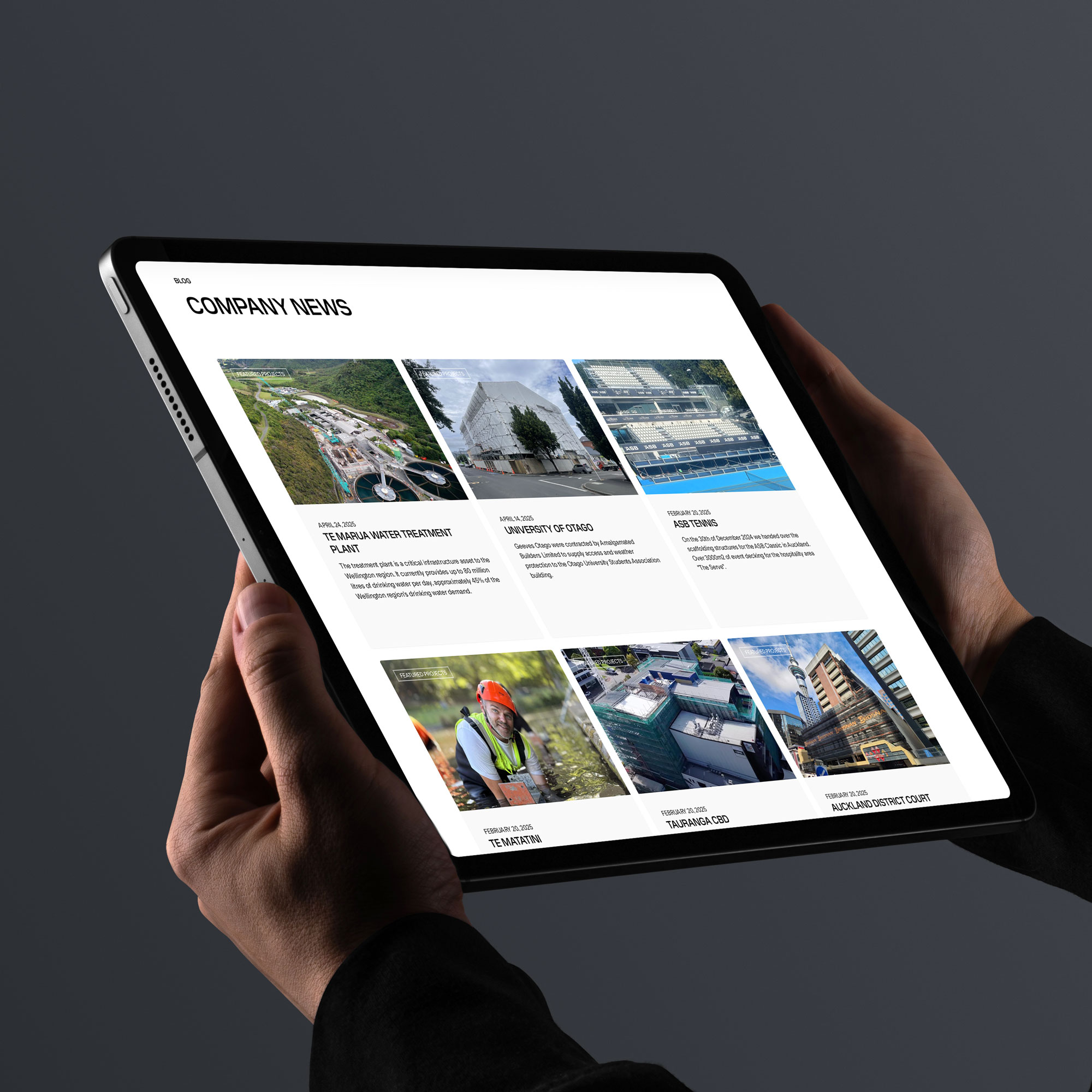
WordPress website design for TWC by Sky Media.

WordPress website design for TWC by Sky Media.

The Anatomy of a Perfect Website Brief: A Step-by-Step Guide

Ready to build your blueprint? Here are the essential components you need to include.

Step 1: Tell Your Story (The Company Overview)

Start by introducing your business to the agency as if they know nothing about you. This context is invaluable.

  • Who are you? What is your company’s name and what do you do?
  • What is your mission? What core purpose drives your business?
  • What are your core values? Is your brand playful and disruptive, or trusted and authoritative?
  • What is your unique selling proposition (USP)? What makes you different from and better than your competitors?

Pro Tip: Include links to any existing brand guidelines, logos, and your current website. This gives the agency an immediate feel for your brand’s world.

Step 2: Define the “Why” (Project Goals & Objectives)

This is the heart of your brief. Be specific about what you want this new website to achieve. Avoid vague statements.

Instead of: “I want more traffic.”
Write: “We aim to increase organic traffic from 5,000 to 10,000 monthly visitors within 12 months of launch, and grow our email newsletter sign-ups by 25%.”

Common website goals include:

  • Generate more qualified leads (e.g., contact form submissions, demo requests).
  • Increase online sales and revenue.
  • Improve brand awareness and perception.
  • Reduce customer support calls by providing better self-service resources.
  • Attract top-tier talent to our careers page.

Ask yourself: “If this website could only achieve one thing, what would that be?” This helps you identify your primary objective.

Step 3: Know Your Audience (Target Audience)

You wouldn’t design a children’s toy using the same language and colors as a financial report. Your website must be built for its intended users.

  • Who are your ideal customers? Create simple buyer personas. Give them names like “Marketing Mary” or “IT Director Ian.”
  • What are their demographics? (Age, location, job title, industry)
  • What are their pain points? What problems are they trying to solve that your business can help with?
  • What are their goals and motivations? What does success look like for them?
  • How do they search for solutions? What language do they use? What information do they need to make a decision?

Pro Tip: If you have any customer interviews, survey data, or support tickets, share them. This is gold dust for the agency to understand your audience’s real voice.

Step 4: Scope the Work (Project Scope)

This section outlines the “what” of the project. It defines the boundaries and helps the agency provide an accurate quote. Be explicit about what you need built.

  • Number of Pages: Do you need a 5-page brochure site or a 50-page content-rich hub? (e.g., Home, About, Services, Blog, Contact)
  • Key Functionalities: What does the website need to do?
    • E-commerce shopping cart and payment processing?
    • A membership portal or login area?
    • A booking or appointment scheduling system?
    • A complex contact form with dropdowns and file uploads?
    • Integration with your CRM (like Salesforce or HubSpot)?
  • Content Creation: Who is responsible for writing the website copy and providing the professional photos? (Be aware, this is often the client’s responsibility unless specifically included in the agency’s scope).

Step 5: Paint a Picture of Success (Design & User Experience)

This is where you guide the agency’s creative direction. Don’t just say what you like; explain why.

  • Brand Guidelines: Reiterate any specific colors and fonts that must be used.
  • Desired Look & Feel: Use descriptive words. Do you want the site to feel:
    • Warm and inviting, or cool and professional?
    • Bold and energetic, or minimalist and serene?
  • Inspirational Examples (The “Do’s and Don’ts”): This is incredibly helpful. Provide 3-5 links to websites you admire and explain what you like about them (e.g., “I love the navigation on this site,” or “The use of animation here is engaging but not distracting”). Also, provide examples of what you don’t like.
  • User Journey: Briefly describe the ideal path you want a visitor to take. For example: “A visitor lands on our blog, reads an article, clicks a call-to-action to download a guide, and is then presented with a contact form to book a consultation.”

Step 6: Plan for Growth (SEO & Ongoing Marketing)

A website is not a “build it and forget it” asset. Discuss its future from the start.

  • SEO Strategy: Do you have an existing SEO strategy? Are there specific keywords you are already ranking for that you want to preserve? Does the agency need to conduct new keyword research?
  • Technical Requirements: Do you need the site to be multilingual? Is mobile-first performance a top priority?
  • Analytics: How will you track performance? Ensure Google Analytics 4 (GA4) and Google Search Console are part of the setup.
  • Ongoing Maintenance: Who will handle security updates, backups, and technical support after the site launches? Clarify if this is part of the agency’s ongoing retainer.

Step 7: Set the Stage (Practical Details)

Finally, lay out the logistical framework for the project.

  • Project Timeline: Do you have a specific launch date in mind? (e.g., tied to a product launch or a season). Be realistic and discuss this with the agency.
  • Budget Range: This is crucial. Providing a realistic budget range allows the agency to propose solutions that fit your financial constraints. It shows you are serious and saves everyone time.
  • Key Stakeholders: Who is the main point of contact on your side? Who has the final sign-off on designs and content?
  • The Next Steps: What do you expect to happen after you send the brief? A meeting? A formal proposal?
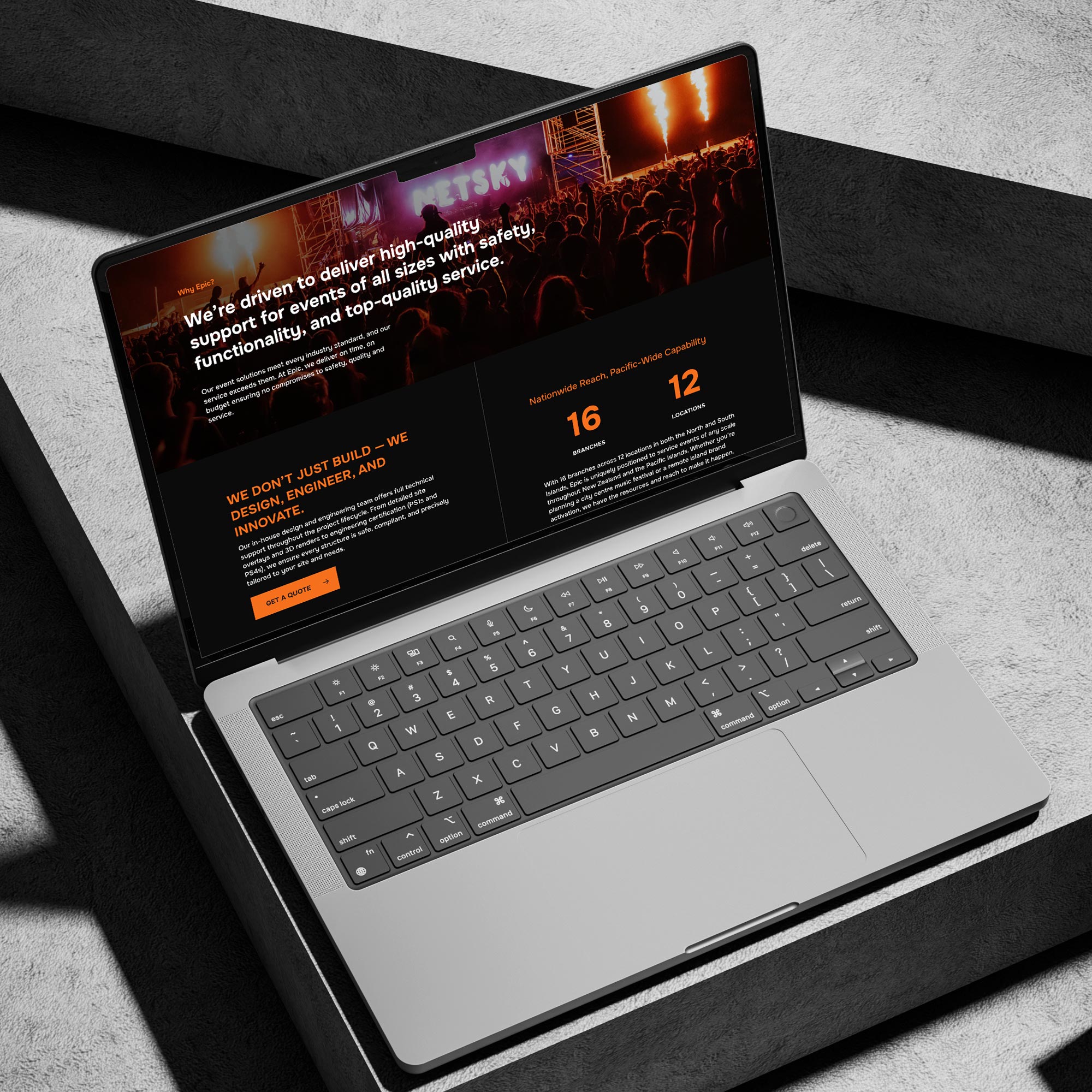
WordPress website design for Epic Events by Sky Media.

WordPress website design for Epic Events by Sky Media.

What to Do After You Send the Brief

Your job isn’t done once the brief is sent. The best client-agency relationships are partnerships.

  1. Schedule a Kick-off Meeting: Don’t just email the document. Schedule a call to walk through it together. This allows for immediate questions and discussion.
  2. Be Open to Questions: A good agency will probe deeper into your brief. Welcome their questions—it shows they are thinking critically about your project.
  3. Collaborate, Don’t Dictate: You are the expert on your business; they are the experts in web design and development. Trust their professional advice when they suggest a different approach based on your goals.

Common Pitfalls to Avoid

  • Being Too Vague: “Make it pop” is not actionable feedback.
  • Withholding Your Budget: This leads to proposals that are either unrealistically high or too basic for your needs.
  • Design by Committee: While feedback is important, having too many decision-makers can paralyse a project. Appoint a single point of contact.
  • Scope Creep: Adding new features and pages mid-project is the primary cause of budget and timeline blowouts. Please stick to the agreed-upon scope, or formally agree on changes and their impact.

Conclusion: Your Partnership Starts Here

A powerful website is the cornerstone of modern business. It’s your hardest-working employee, your 24/7 salesperson, and the face of your brand to the world. By investing time in creating a clear, comprehensive, and collaborative brief, you lay the foundation for a successful project and a final product that not only looks beautiful but also delivers tangible business results.

Your brief is more than a document; it’s the opening conversation in a partnership. Make it count.

Ready to turn your vision into a website that drives growth? The team at Sky Media are experts in translating ambitious briefs into stunning, high-performing digital experiences. Contact us today for a no-obligation consultation about your project.

SEO-friendly website design with fast loading speed and mobile optimisation

The Cost of Cheap Web Design: Why Investing in SEO-Friendly Websites Pays Off

By SEO, Web Design

Every business owner loves a bargain. When searching for affordable web design in NZ, you’ll quickly find countless freelancers and overseas agencies promising a complete website for just a few hundred dollars. At first glance, this sounds like a smart way to save money — after all, your business just needs a website online, right?

SEO-friendly website design with fast loading speed and mobile optimisation

Why “Affordable” Doesn’t Always Mean Cost-Effective

The problem is that cheap websites often cut corners. They rely on generic templates, bloated code, and outdated practices. While you may save upfront, you’ll likely face slow loading speeds, limited flexibility, poor mobile performance, and expensive fixes later on.

In the digital space, “cheap” almost always ends up being expensive.

The Role of SEO in Modern Web Design

Web design is no longer just about how a site looks — it’s about how it performs. A modern website needs to be built with SEO in mind from day one. Why? Because search engines like Google are the gatekeepers to your customers.

Google ranks websites based on technical quality, mobile responsiveness, Core Web Vitals, and how well a site is structured. If your website isn’t SEO-friendly, you’ll struggle to appear in search results, no matter how nice your site looks.

This is why at Sky Media, we design websites that are not only visually appealing but also search engine optimised. It’s a long-term investment that ensures your website works for your business, not against it.

Hidden Costs of Cheap Web Design

A cheap website may seem like a quick win, but the hidden costs add up fast. Some of the most common pitfalls include:

  • Poor User Experience: Visitors land on your site only to find it slow, hard to navigate, or not mobile-friendly. This leads to high bounce rates and lost customers.
  • Lack of SEO Optimisation: Most budget sites don’t come with SEO best practices built in. Without proper on-page optimisation, you’ll struggle to rank on Google.
  • Security Issues: Many cheap providers use outdated plugins and free themes, making your site vulnerable to hackers. Fixing security breaches is far more expensive than prevention.
  • Constant Redesigns: If your site doesn’t scale with your business, you’ll need a complete rebuild every couple of years, multiplying costs.

In short, that “affordable” web design could cost your business thousands in lost leads, reduced trust, and ongoing maintenance.

Why Investing in SEO-Friendly Web Design Pays Off

Unlike a template website that’s designed just to look good, an SEO-friendly website is built to generate business results. Here’s why the investment pays off:

  • Better Google Rankings. Higher visibility means more people find you organically, without paying for ads.
  • More Organic Traffic. With strong SEO foundations, your website becomes a steady stream of new leads.
  • Higher Conversions. Clean design, fast load times, and good UX make visitors more likely to contact you.
  • Long-Term ROI. While you may pay more upfront, a properly optimised website works for years and reduces the need for constant redesigns.

For example, many businesses that invest in our SEO packages in Auckland find that within months, their new website begins paying for itself by delivering consistent leads.

What to Look for in an SEO-Friendly Website

Not sure how to tell if a website is SEO-friendly? Here are the key features to look out for:

  • Clean Site Architecture: Organised menus and internal linking that help users (and Google) navigate your site.
  • Fast Load Times: Speed is critical — both for users and search rankings.
  • Mobile-First Design: With most NZ users browsing on mobile, your site must perform flawlessly on smaller screens.
  • Core Web Vitals: Meeting Google’s standards for speed, responsiveness, and visual stability.
  • On-Page SEO: Optimised meta titles, descriptions, headers, and image alt text.
  • WordPress SEO-Friendly Platform: Flexible, scalable, and easy to optimise as your business grows.

When you choose a provider, ask them to show examples of SEO-friendly builds. If they can’t explain how their designs support search engine rankings, that’s a red flag.

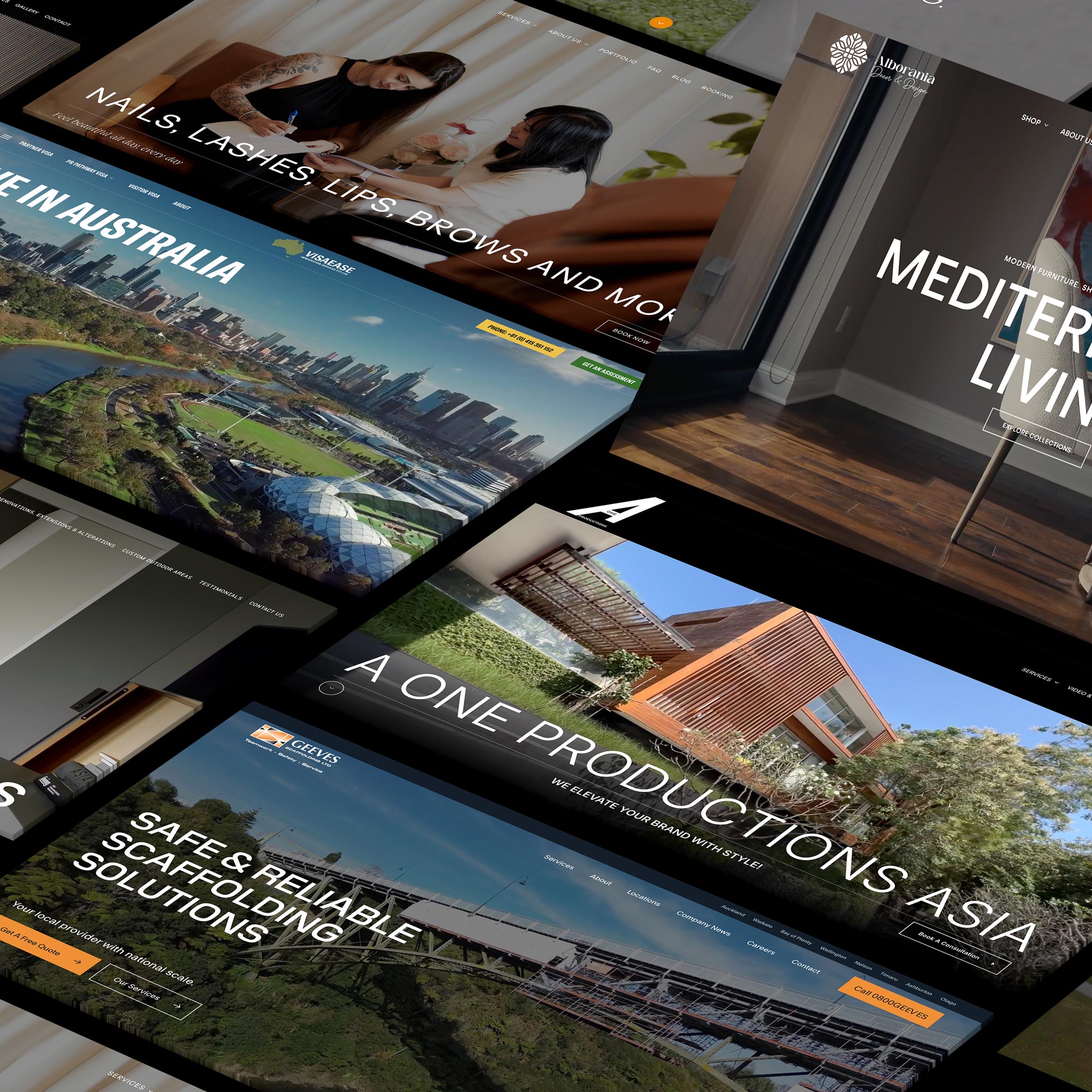
Modern SEO-friendly WordPress website for Geeves New Zealand

Modern SEO-friendly WordPress website for Geeves Scaffolding New Zealand.

Affordable Doesn’t Mean Cheap – The Sky Media Approach

At Sky Media, we understand that businesses want affordable web design in New Zealand without sacrificing quality. That’s why our approach is simple: deliver value, not shortcuts.

  • Transparent Pricing: We provide clear quotes so you know exactly what you’re paying for.
  • SEO Built-In: Every website we design comes optimised for search, ready to rank.
  • Flexible SEO Packages: From Auckland to Wellington and Christchurch, we tailor SEO packages that fit your budget and goals.

Affordable doesn’t have to mean cheap. It means getting a website that’s fairly priced, performs well, and grows with your business.

Final Thoughts – Invest Smart, Not Cheap

When it comes to your website, the cheapest option rarely pays off. A low-cost build may look fine at launch, but without SEO it won’t bring in traffic, leads, or sales. Over time, the hidden costs of cheap design — poor rankings, low conversions, constant fixes — can far outweigh the initial savings.

An SEO-friendly website is a smart investment. It’s the foundation of your online presence and a tool that drives long-term business growth.

If you’re serious about building a website that performs, don’t settle for the cheapest option. Invest in a partner who understands both web design and SEO packages in Auckland — and your website will pay for itself many times over.

Top Web Design Trends in New Zealand for 2025

Top Web Design Trends in New Zealand for 2025

By Web Design

The digital world is moving faster than ever, and New Zealand businesses can no longer afford to treat their websites as simple online brochures. In 2025, web design is about strategic digital experiences —designing websites that connect emotionally, drive conversions, and reflect Kiwi values of inclusivity and sustainability.

For businesses, keeping up with the latest design practices is critical. Whether you’re a small local business in Dunedin or a large eCommerce brand in Auckland, the same truth applies: your website is the front door to your business. When it’s outdated, confusing, or poorly optimised, you risk losing customers to competitors.

This blog explores the top web design trends in New Zealand for 2025, with a focus on Web Design NZ and how Kiwi businesses can implement these trends effectively.

Top Web Design Trends in New Zealand for 2025

1. Mobile-First Design

In 2025, mobile-first design isn’t just a best practice—it’s the default. With more than 70% of New Zealand internet traffic now coming from smartphones, websites that don’t prioritise mobile users are immediately at a disadvantage.

Why It Matters

  • Google’s mobile-first indexing: Google ranks websites based on their mobile versions first. If your site doesn’t perform well on mobile, your SEO rankings will drop.
  • Better engagement: Mobile users expect quick loading times, simple navigation, and content that fits their screen without endless zooming.
  • Local relevance: Many Kiwis search for services “near me” while on mobile. A responsive, mobile-friendly site ensures your business appears credible when people are on the go.

Best Practices

  • Use responsive frameworks like Bootstrap or Tailwind CSS.
  • Prioritise fast-loading images and compressed video.
  • Design tap-friendly buttons and larger fonts for easy reading.
  • Eliminate clutter—keep navigation clean and intuitive.

Local Example

New Zealand retailers such as Kathmandu and Farmers NZ have redesigned their sites with mobile-first layouts, ensuring smooth browsing experiences that boost online sales.

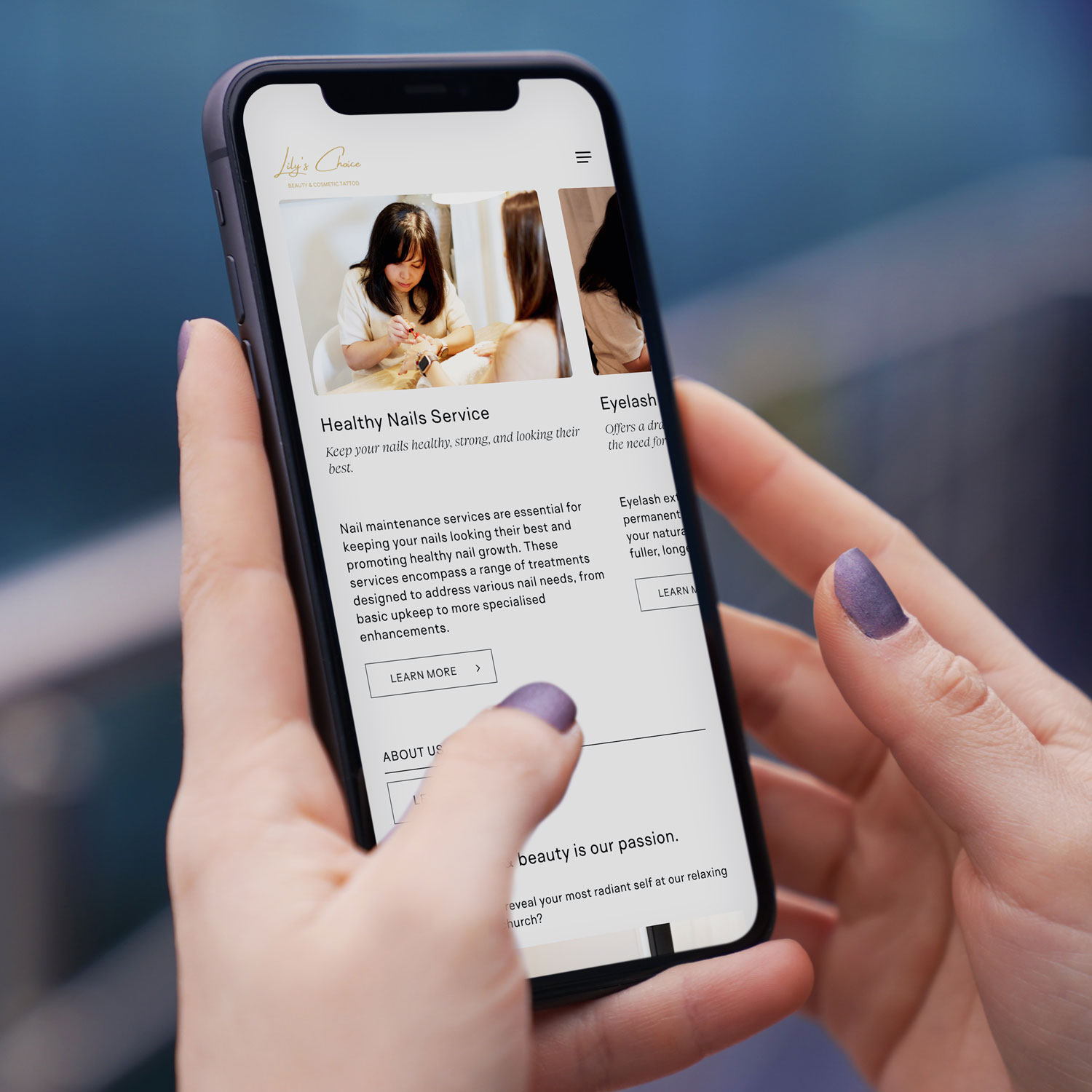
Mobile-first web design NZ example on smartphone for Christchurch based beauty & cosmetic tattoo business
Mobile-first web design NZ example on smartphone

2. Ethical, Sustainable, and Accessible Website Design

Kiwi consumers are increasingly valuing businesses that align with social and environmental responsibility. This has fuelled the rise of ethical, sustainable, and accessible design as a cornerstone of Web Design New Zealand.

Accessibility

An accessible website ensures everyone—including those with visual, auditory, or physical impairments—can use it effectively. Features include:

  • Screen reader compatibility for the visually impaired
  • Colour contrast testing for readability
  • Keyboard navigation support for users unable to use a mouse
  • Alt text for all images so search engines and screen readers can interpret visuals

Sustainability

Many New Zealand businesses are also reducing their website’s carbon footprint by:

  • Using efficient hosting providers powered by renewable energy
  • Optimising code to lower server demand
  • Limiting auto-playing videos and heavy animations that drain energy

Local Example

NZ’s Department of Conservation has a website optimised for accessibility and sustainability, reflecting the organisation’s environmental ethos while making content widely usable.

Why It Matters

Not only do sustainable and accessible designs align with Kiwi values, but Google also prioritises fast, efficient, and inclusive websites in search rankings. Investing in this area benefits both users and SEO performance.

Accessible web design New Zealand with inclusive layout

3. Meaningful Interactions

In 2025, visitors expect more than static pages—they want to engage with your brand through meaningful digital interactions. This trend is about using interactive design to improve customer journeys, not just add visual flair.

Examples of Meaningful Interactions

  • Micro-interactions: Subtle animations when a button is pressed or when a form is completed successfully. These give users instant feedback and reduce frustration.
  • Interactive content: Calculators, quizzes, or configurators that let users customise services or products before purchase.
  • AI-powered chatbots: Offering instant answers, personalised suggestions, and 24/7 customer support.
  • Dynamic product filters: Allowing users to refine searches in real time, enhancing eCommerce experiences.

Local Example

Tourism websites like 100% Pure New Zealand and airline portals such as Air New Zealand are leveraging interactive maps, booking tools, and AI chat assistants to keep users engaged and improve satisfaction.

Why It Matters

These meaningful interactions boost time on site, customer trust, and conversion rates. Instead of gimmicks, interactions are now designed to add clarity, reduce friction, and make navigation intuitive.

Interactive website design NZ with chatbot feature

4. Complex and Awe-Inspiring Hero Areas

Your hero section—the large banner or introduction area at the top of a homepage—has become more than a welcome mat. In 2025, hero areas are complex digital storytelling tools that instantly communicate your brand identity.

Key Features of Modern Hero Areas

  • Cinematic video backgrounds: Immersive visuals that capture attention instantly.
  • Oversized typography: Bold headlines that state your value proposition clearly.
  • Immersive motion graphics: Smooth, subtle animations that draw the eye to key messaging.
  • 3D visuals and AR elements: Giving websites a futuristic, cutting-edge feel.

Local Example

Businesses in Auckland and Wellington are blending Māori design motifs and storytelling elements into hero sections, reflecting New Zealand’s culture in a modern way. This creates a unique brand identity that resonates both locally and internationally.

Why It Matters

Your hero area is often where users decide whether to stay or leave. By making it visually compelling, culturally relevant, and strategically designed, you increase trust, professionalism, and engagement from the first second.

5. Smart CTA Placements to Improve Conversions

Your Call-to-Action (CTA) buttons are the most important conversion points on your site. In 2025, Web Design NZ is shifting to smarter placements that align with the customer journey.

Best Practices for Smart CTAs

  • Above the fold: A visible CTA (like “Book Now” or “Get a Free Quote”) should appear before the user scrolls.
  • Contextual placement: CTAs appear at the right moment—after a product description, service list, or testimonial.
  • Sticky CTAs: Floating action buttons that stay on-screen as users scroll.
  • Personalised CTAs: AI-driven buttons tailored to user behaviour (e.g., showing “Get 20% Off” to repeat visitors).
  • A/B testing: Continuously refining colour, text, and placement for maximum impact.

Local Example

E-commerce platforms like Trade Me have perfected CTA placements, ensuring that “Buy Now” and “Place Bid” buttons are always prominent, leading to higher sales.

Why It Matters

A website can look stunning but still fail if it doesn’t convert. Smart CTA strategies ensure design isn’t just attractive—it’s profitable. Businesses that test and refine CTA placements see significant jumps in lead generation and revenue.

Smart CTA placement in NZ website design for higher conversions

As we step into 2025, Web Design New Zealand is about more than just aesthetics—it’s about creating purpose-driven digital experiences. Mobile-first designs meet the demands of today’s browsing habits, ethical and sustainable websites align with Kiwi values, meaningful interactions improve usability, awe-inspiring hero sections capture attention, and smart CTAs drive real conversions.

For businesses across the country, adopting these trends means building not just a website, but a digital growth engine. Whether you’re in Auckland, Wellington, Christchurch, or a smaller town, staying ahead of these web design trends ensures your business remains competitive in an increasingly digital-first world.

If you’re looking to future-proof your online presence, investing in professional Web Design NZ services, Sky Media team will help you deliver websites that are modern, inclusive, and high-performing. Get in touch with us for a free consultation.

How to Get Your New Website Live with Sky Media

By Tips and Guides, Web Design

If you’ve been in business a while, likely, you’ll already have a domain name for an existing website. If that’s the case, we can connect your new website to your existing domain in one of two ways:

  • Transfer your domain URL to Sky Media – Provide your unique domain authentication identifier (UDAI) code and a screenshot of your DNS records.
  • Update your A record with your current host – Give the A record details to your webmaster or hosting company.

How to Transfer Your Website URL/Domain Name to Sky Media

By hosting with us, you’ll have Sky Media as your single point of contact for all things website-related. If you want to transfer your website URL/domain name to us, you’ll need to contact your current domain provider and ask for your unique domain authentication identifier (UDAI) and a screenshot of all DNS Records.

How to Get Your DNS Settings and UDAI Code for Your Website’s Domain Name

Your domain name system (DNS) settings are crucial for directing traffic to your website and email services, so we must get the correct information installed before we launch your new website. Here’s how to get yours:

Check with Your Current Webmaster

Who set up your existing website and purchased your domain? Who’s running your current site? They’ll likely have the information you require.

If you have a webmaster to manage your website and domain, simply ask them to provide your UDAI code and DNS settings. Sometimes, domain name companies (registrars like Crazy Domains and GoDaddy) automatically send the UDAI code to the email address associated with your account, after you initiate the request. Check your email inbox, including spam or junk folders, as you may find your UDAI code there. You can simply forward this email to us.

Check Your Domain Registrar Portal/Dashboard

Did you or someone you know purchase the domain? Who’s running your current site? They’ll likely have the logins for your domain registrar where you can access what you need.

  • Log in to the website where you purchased the domain e.g. godaddy.com or crazydomains.co.nz
  • Go to your domain management or settings section.
  • Look for DNS settings, often called “DNS Management,” “DNS Configuration” or similar.
  • Look for an option like “Request UDAI,” “Get Auth Code” or “Retrieve Authorization Code.”
  • Follow the prompts or instructions to generate and obtain your DNS settings and UDAI code.
  • If this is too much, just send your logins to us and we’ll do the rest on your behalf. Easy.

Still Stuck?

Check Your Domain Details on the Domain Name Commission NZ Website

If you’ve lost touch with your webmaster, can’t find a UDAI email, and cannot access logins to your domain registration site, then you can take a look online. DNC offers a tool to search publicly available information relating to DNS nameservers.

  • Go to https://dnc.org.nz/
  • Enter your domain name in the provided search bar at the top right e.g. https://skymedia.nz/
  • Look for the DNS information under name server (NS records).
  • Look for the UDAI code or Auth Code information in the results.

How to Point Your New Website to Your Existing Domain and Host via A Record

If you’d prefer to leave your domain and website with your current host (not recommended), that’s possible. You’ll just need to switch your domain’s A record to:

106.0.62.70 in their domain provider DNS settings.

An “A record” (address record) is a type of DNS record used to point a domain name/website URL to the corresponding IPv4 address of your website’s current hosting site (parking space on the web). The A record allows the internet to connect to the right server where your website’s files are stored. Without that, we’d all need to remember numbers for websites instead of names!

Bear in mind, if you opt for A record pointing and something happens with your website in the future, you’ll need to contact the domain registrar, not Sky Media. We can only take full responsibility for your website when we build the site and host the site and its domain. Unlike many domain registrars, at Sky Media, we provide swift replies from our NZ-based team via text, email and phone. We typically resolve website issues in a few hours.

How to Link Your Emails to Your New Website with Sky Media

At Sky Media, we recommend Microsoft 365 Outlook or Google Workspace for all business emails. We understand you may have your own personal preferences. We’re able to connect your existing emails to your new website, all you need to do is let us know your email. Importantly, we don’t host emails, we only connect them, so any email issues would always be resolved with Microsoft 365 Outlook or Google Workspace.

Finally, we know website details can seem complicated, so if you’d like our team to manage it, we can do so on your behalf for a small charge. Just speak to us, give us any details you have like logins and we’ll get it all done for you.

Did You Know the First Impression of Your Home Page Counts?

By Web Design

Your Home Page Matters More than You Might Think… The Home Page of your website is one of the most visited pages on your site and therefore it’s one of the most important pages.

When people land on your site, the first page they’ll see, more often than not, is your Home Page. In a matter of seconds (around 3 seconds on average) your site visitors will decide if you have what they’re looking for, and if you’re the best business to deliver.

From a visitor’s perspective, a poor-quality website, might mean a poor-quality product? Mistakes in the web copy, could mean mistakes in the real world? Outdated design could mean outdated tools? A slow, or frustrating experience online, could mean poor customer service and wasted time in real life? On the flip side, a modern easy-to-use website suggests a modern hassle-free company, while flawless copy suggests a fine attention to detail, and finally, high-quality imagery, or design gives the impression of a high-quality product, or service. What is your current website communicating to the world?

The first priority of a high-quality website should always be to capture attention in less than 3 seconds, while the next priority is to hold attention. A well-designed website will impress visitors with attractive words and images, build a sense of trust in the viewer, and clearly communicate the benefits of the offer, and how it exists to meet their needs. This top-quality approach places a business in the best light, making it the obvious choice against a whole host of competition.

A competitive strategically designed website will ensure site visitors are inclined to take the desired action e.g requesting a quote, making a purchase or signing up for an event. We use well-placed easy-to-use calls to action (CTA’s) to ensure site visitors can easily enquire, or buy, as soon as they make up their mind that they’re on the right website.

Yes, it literally pays to have a well-designed website, so modern business owners would be well placed to think of it as an investment, or an asset, rather than a business expense. At the end of the day, when a website meets, or better-yet exceed the expectations of visitors, they’ll more than likely stay. If it fails, they’ll leave and go elsewhere at the click of a button – It’s really that simple. The quality and ease-of-use of a website is the competitive advantage online. Is your website fit to meet your potential client’s needs? If it’s not yet fit to fly, that’s Sky Media’s specialty.

4 Common Mistakes When Building a New Website

By Web Design

Designing and building a new website can be fun and exciting, however it’s important to keep the purpose of the website front and centre at all times. What’s the product, or service? Who’s the website for? What do they want and need? How’s this website designed to give it to them?

At times, websites look attractive, but they’re not actually fit for purpose. When a website’s clear about what it does, why it does it, and who it does it for, then it’ll be fit for purpose. In most cases, a website exists for site visitors, which means the whole experience from end-to-end needs to be designed, so it meets (and even exceeds) their wants and needs, while eliminating uncertainty and stress. So, what are the 4 most common mistakes made when building a new website?

Using a Non-Responsive Website Design

Did you know that more than 50% of website traffic comes from mobile phone searches? A non-responsive website is hard to see on a small screen, so many readers will simply hit the back button and look for another website that’s designed to be viewed on a phone. A modern mobile responsive design ensures your website’s easy to use on any mobile device, plus it ensures your site doesn’t get deprioritised by Google for being out of date.

Complicated Navigation

Can people find what they want quickly and easily? If website visitors get stuck, or they can’t find what they want, they’ll leave the site. Poor website navigation is likely to drive potential clients towards your competitor’s websites. Considering the user-experience (UX) is critical when designing and building a website that’s easy for customers to use. If your website’s difficult, or stressful to use, more than likely, people won’t choose you.

Difficulty Finding Contact Information

Can visitors find you when they need to? Is it easy to see your contact information? These details should be easily accessible in the header (at the top) of every page with full contact details on the footer (at the bottom of the page). In addition, a clear link to an up-to-date Contact Page in your site’s menu will make it simple for customers to reach you, or your team with ease.

Unclear or Non-Existent Calls-to-Action

What do you want people to do on your site? It’s critical that your website communicates with the reader. Prominent calls-to-action (CTA) buttons politely invite visitors to take action, whether it’s clicking through to another page, buying a product, or requesting a consultation/estimate. Whatever steps you want visitors to take, calls-to-action should appear on each page to remind them to do so.

At Sky Media, we keep the user-experience (UX) front of mind, by always considering what it’s like to be a site visitor on each website. Is it difficult, or easy? Complicated, or clear? Pleasurable, or stressful? What is the user seeing? Is it helpful? Is it useful? Are people getting what they need from the site? Are they taking the actions we want them to take? Our down-to-earth digital marketing team designs and builds websites that create a positive user-experience from beginning to end. If you’d like a website that’s fit to fly online, speak to us.

Do I Really Need a Website for My Business?

By Web Design

Is it really important to have a website if you’re a business owner, retailer, or service provider?

Having a website means customers can always find you – anytime, anywhere. Even outside of business hours, your website can continue to find and secure new customers for you. It offers web surfers convenience, as they’re able to access the information they need from the comfort of their own home, in their own time, with no added pressure to buy.

A well-designed website can generate new business, and make life easier for existing customers, while placing your business in the best light. A high-quality website can enable your business to shine, whether it’s well-established, or brand-new, small, medium, or large.

A clear and concise website provides a quick and easy way of communicating information between buyers and sellers. You can list your opening hours, contact information, show images of your location or products, and use contact forms to facilitate enquiries from potential customers, or generate feedback from existing ones. You can even upload promotional videos to engage your customers and sell your business in an effective and cost-efficient way. All of this progress can happen while you’re off the clock, because a well-designed website will keep working when you’re not.

In the past when a business shut their doors at 5.30 pm, that was the day done, but with a website your business can be active 24/7/365. From a customer’s point of view, it’s better for them if they don’t have to travel to get what they want. They can buy your products, or research your services without having to wait until your physical store is open. This level of ease means new and existing customers can take action and get what they want, as soon as they feel the need.

In today’s modern world, people don’t expect to have to wait for answers, r solutions. Nowadays, there’s an expectation that companies will have a website. People tend to be distrusting of any business that doesn’t have a website and a branded email address. These are useful tools to share key information about your business, while also generating trust and enhancing the public perception of your business.

A digital marketing study done in 2018 showed 84% of consumers believe a business with a website is more credible than a business listed in an online directory, or on social media. By having a professional website, you’re boosting the credibility of your business, which is critical for attracting new clientele.

Best utilising your website to gain and retain a customer is the ultimate goal and the result of successfully meeting their wants and needs every step of the way. By understanding your ideal audience and how your product or service could provide a benefit to their lives, you can attract new customers via targeted advertising and a positive user-experience on your website.

There are 4.8 billion people online every day, accounting for more than half of the world’s population and these figures increase every year. For the most part, internet users are either looking for information, sharing on social media or using e-commerce websites. Gone are the days of turning to the Yellow Pages, nowadays it’s all about Google and Facebook. If you’re not online, where are you? To potential customers the answer could be, ‘Nowhere to be found.’

Is it Time for a New Website?

By Web Design

One of the most common questions we receive is, ‘When is it the right time for a new website?’ Look, there’s no one-size-fits-all answer, so the real question could be: Is your website showcasing your business in the best light?

You probably wouldn’t use the same tools, computer, vehicle, marketing, or business plan year after year, because things change, and things go out of date. Nowadays, everything’s changing so quickly, and that’s especially true in the digital era with technology. As a general rule, most websites stay up to date for 3 – 4 years at best.

If you’re not yet online and you have a business, (or want a business), then now is 100% the right time to get a website. If you already have a website, then it’s worth considering if it’s still fit for purpose. How do you know if it’s fit for purpose? Well, to start we’d recommend trying to answer the following 5 questions:

Do You Like Your Website?

It might seem like a silly question, but it’s a great place to start. Do you like your website? What does your team think? What about your friends and family? Is this a website you can be proud of? Ask yourself: What works well? What looks good? What doesn’t? Does your current website showcase you and your business in the best light?

Is Your Website a WordPress Website?

Wix? Squarespace? Yellow? Yes, they can often look the part, but these websites are entry-level. As if that’s not enough, with New Zealand’s own Yellow, you don’t even own your own website. With WordPress you own your website 100%, yes, no matter what happens, you have full rights to your own website, and so you should. We would expect (and suggest) no less.

1/3 of the entire internet uses WordPress, because it’s considered the world’s best. Why is it the world’s best? It’s fully customisable, high-speed, and SEO-savvy, making it Google’s preferred website platform. If you’re still using an entry-level platform, it may be time to consider moving to the world’s best?

Is Your Website Mobile Responsive?

More than 50% of web traffic comes from mobile devices and that will continue to grow, because nowadays everyone’s on their mobile phone. If your website’s not designed for mobile phones, where do you think 50% of your website visitors will go? To your competitor with a site that works on their phone!

Google knows phones are the way of the future, so nowadays they prioritise websites that are mobile optimised. If your website’s not compatible with mobile devices, Google will just say, ‘Get to the back of the line.’ If you don’t have a phone-friendly website, sorry to say, you’re well and truly behind the times.

Is Your Website Competitive?

You’re probably aware that your website is the online calling card for your business. Let’s be frank, if you were looking at your website, would you choose you, or would you go elsewhere? When you look at the websites of your top 3 competitors, how does your website fare? Sure, in the real world your business might be the best there is, but if your website doesn’t reflect that, how are people to know? Word of mouth, of course, but where will they go when they hear about you? Probably to Google, because that’s what we all do. If they like what they see, they’re far more likely to choose you. If you want to get the pick of the jobs, the cream of the crop, a leading website can make your business come out on top.

What’s Your Website’s Performance Like?

We’ve all been there… A website loads quickly, it’s easy to use and we find exactly what we need in seconds. Perfect. We’ve also been to outdated websites that are painfully slow to load… We can’t find what we want, and no matter how many times we click the mouse, or refresh the page, we’re getting nothing but delays, so what do we do? Abort mission!

With today’s attention spans, a high-speed user-friendly website is absolutely key. Our team can assess your page load speed, and look behind the scenes to find out how people perceive and receive your website. If you want to be fit to fly online, then a well-designed mobile and SEO optimised website is what it takes to reach new heights.

So, is your website fit to fly online? Is it showcasing you and your business in the best light? If not, perhaps it’s time to speak to us. We can design, develop and deliver a high-flying website in a matter of weeks, while you barely lift a finger. Our down-to-earth team makes the often overcomplicated world of digital marketing easy-peasy.

The Benefits of Landing Page Optimisation

By Web Design

A landing page is either a single standalone web page, or a specific web page (or pages) on a multiple page website that’s designed for a specific audience with just one main goal e.g get people to signup to an email list, download a document, share relevant personal details, book a call, or appointment, enrol in a course, or purchase a service, or item.

No doubt you’ve been to a landing page more than once. Perhaps you’re browsing on Google, Facebook, Instagram, or YouTube, and you click a link on the platform that takes you to a web page. More often that not, that web page will be requesting information from you, or proposing an offer. If the landing page was successful, you may have even taken the business up on its offer? If it wasn’t, you probably clicked away, never to return again.

As you can see, it’s super-important that a landing page is well designed to achieve the specific goal your business has in mind e.g guiding site visitors into your sales funnel. If the landing page is well-designed and optimised, then it should result in strong conversion rates e.g visitors responding well to your call to action (CTA) and doing what you want them to do. To wrap your head around how Sky Media’s landing pages work and how they might benefit your business, we’ve compiled a list of our top tips for landing page optimisation.

1. Landing Page Conversion Goal

We’ll identify the exact action you want your website visitors to take when they arrive on your website. We’ll make sure your conversion goal’s clear and build each landing page around that goal. Our top 3 conversion goals for powerful landing page results are…

  • Sign up: The visitor/s signs up to your website, or email list.
  • Booking: The visitor/s call you, or schedule an appointment with you.
  • Make a purchase: The visitor/s buys your product, or pays for your service.

The overall aim of a landing page is to get as many visitors to convert as possible. Landing pages tend to be short, sweet and to the point, so we’ll aim to communicate the offer with a simple call to action that’s between 5-6 words. With a clear CTA, people can easily digest the information and take action in a matter of seconds. With an unclear CTA, people just click away.

2. Multiple Landing Pages for Multiple Products & Services

Many businesses benefit from more than one landing page on their site e.g separate landing page for different products , or services they’re wanting to sell. Each page is specifically designed to speak to their identified target audience, or a specific person e.g a person aged 30+ professional female who is living in a target location, loves to cook, has disposable income, and could potentially be interested in buying your cookbook, or kitchenware.

According to Hubspot, ‘Companies tend to see a 55% increase in leads when increasing their number of landing pages from 10 to 15.’ The more landing pages you have, the more opportunities you have to sell specific products, or services to highly targeted audiences and by doing so, you cut through the noise of the internet to speak to the person you’ve identified as your ideal client.

Top 3 Times for a Landing Page:

  • When running paid Facebook Ads, Instagram Ads, or Google Ads, you can direct traffic from the ad to a landing page that compliments your ad campaign.
  • When running an event, you can send traffic directly to the event’s landing page with all the necessary information, and a booking system for tickets.
  • When launching new products or services, you can run a marketing campaign that drives all attention to a landing page that matches the campaign’s message.

Sky Media’s Landing Page Copy is Designed to Sell

Our landing page copy is designed to be minimal and relevant to your target audience, while urging them to take immediate action. We create this with the following:

  • Headline: An attention-grabbing headline.
  • Description of Offer: A simple, informative, straight to the point offer letting visitors know how the product, or service will benefit them.
  • Call To Action: A clear call to action e.g signup, call, book, or buy.
  • Footer: Easy access to key contact details for people who need more information.Is that it? Yes, that’s it. Simple, straight to the point, designed for quick action and quick results.

Additional Landing Page Elements

Social proof can boost the appeal of your landing page, because it builds trust quickly. This helps customers to feel more comfortable about taking your call-to-action. Trust building features include:

  • Client Testimonials
  • Proof of social media likes, shares, follows etc
  • Number of happy customers, or purchases to date
  • Logos and endorsements from well-known clients

Make Your Offer a No-Brainer

Keep it simple and to the point, as it’s all about a clear offer, a clear call to action, trust elements and contact details. Make your offer so simple and irresistible that it’s the obvious choice. Ideally, people should be able to make sense of your page and take action in a matter of clicks, or a matter of seconds.

Sky Media’s landing pages can help your business successfully convert visitors into subscribers, leads, or buyers. If you think your business could benefit from a landing page, get in touch with Sky Media’s tea today to discuss the benefits of a strategic marketing campaign, paired with a complimentary landing page.