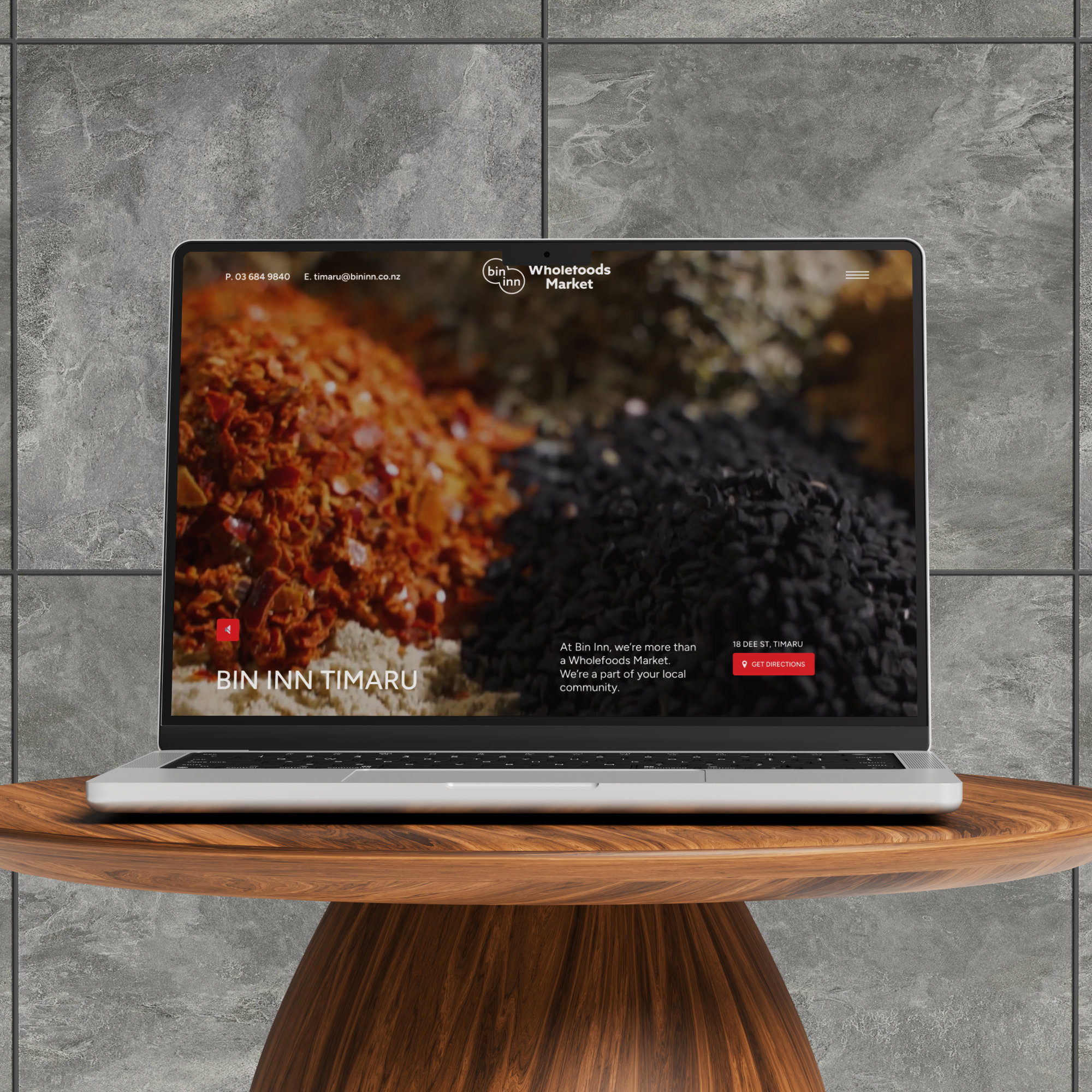
Most NZ businesses have a website. A lot of them have a pretty good one. But when it comes to actually capturing customers from Google — whether through SEO or paid ads — there’s often a critical piece missing.
Not more content. Not a bigger budget. A dedicated landing page.
There’s a common assumption that your homepage is your front door — and that directing everyone there is the logical approach. In some situations that’s fine. But for specific services, specific locations, specific audiences, or specific campaigns, a homepage is almost always the wrong destination.
This post explains what a landing page actually is, why it performs differently from a homepage, and how a well-built one can do meaningful work for your business — in both search rankings and conversions. We’ll use a real example from a page we recently built for Bin Inn Timaru to show what this looks like in practice.
Homepage vs Landing Page: What’s the Actual Difference?
Your homepage is designed to serve everyone. It introduces your business, points people toward different parts of your site, and tries to cater to a range of visitors with different needs and intentions. It’s broad by design.
A landing page is built for one specific purpose, one specific audience, and one specific action. Everything on it — the headline, the content, the images, the calls to action — exists to serve that single goal.
The difference in how they perform isn’t subtle. A homepage asks a visitor to make a choice about where to go next. A landing page removes that choice and guides the visitor directly toward the outcome you want — a call, a visit, a form submission, a booking.
A homepage introduces your business. A landing page converts a specific visitor into a specific action.
This distinction matters enormously for two things: SEO and Google Ads. Both reward specificity, relevance, and clarity — and a well-built landing page delivers all three in a way a homepage simply can’t.
Why Landing Pages Work Better for SEO
Google’s job is to match a search query with the most relevant result. When someone searches for something specific — a product, a service, a local business — Google is looking for a page that directly and comprehensively addresses that specific query.
A homepage that covers ten different things is less relevant to any single search than a page built entirely around one topic. This is the core reason dedicated landing pages tend to rank better for specific, targeted searches.
There are several SEO-specific reasons this works:
Keyword focus
A landing page can be built around one keyword cluster — the specific terms your target customers are searching for. When your page title, headings, content, meta description, and URL all consistently reflect that focus, Google has a much clearer signal about what the page is relevant to.
Local signals
For businesses serving a specific town or region, a landing page can include detailed local signals — the suburb, the street address, the surrounding areas, the community context — that a generic homepage often leaves vague. These signals are exactly what Google needs to rank you for local searches.
FAQ content
Well-structured FAQ sections on landing pages are particularly valuable from an SEO perspective. They directly address the specific questions people search for, increase the depth and relevance of the page, and can earn featured snippet placement — the answer boxes that appear at the very top of some search results.
User behaviour signals
Google pays attention to what happens after a click. If someone lands on your page and immediately leaves (a high bounce rate), that signals the page wasn’t relevant. A landing page that’s clearly relevant to the search, loads fast, and gives the visitor exactly what they were looking for produces better engagement signals — which feeds back into rankings.
Why Landing Pages Work Better for Google Ads
When you run a Google Ad, you pay for each click. The quality of the page those clicks land on directly determines whether you get a return on that spend.
Google also measures what they call Quality Score — a rating of how relevant your ad, your keywords, and your landing page are to each other. A higher Quality Score means Google charges you less per click and shows your ad more often. A lower score means you pay more for worse placement.
A dedicated landing page that matches your ad’s message precisely — same service, same location, same promise — earns a higher Quality Score than a homepage that covers everything loosely. That means lower cost per click, better ad placement, and more conversions from the same budget.
The principle is called message match: the searcher’s query, your ad, and your landing page should all tell the same story. When they do, everything improves. When they don’t, you pay more and convert less.
A Real Example: Bin Inn Timaru
Bin Inn Timaru is a locally owned wholefood and specialty grocery store at 18 Dee St in Timaru — bulk bins, organic products, international foods, home brew supplies, and a lot more. Owner Shailesh Modi has been serving the Timaru community for years with the kind of personal, knowledgeable service a supermarket simply doesn’t offer.
Sky Media recently built a dedicated landing page for the store at bininntimaru.co.nz. It’s a WordPress build — no e-commerce, no online shop. The entire purpose of the page is to help people find the store, understand what it sells, and feel confident enough to visit.
Here’s what the page does well — and why each element matters:
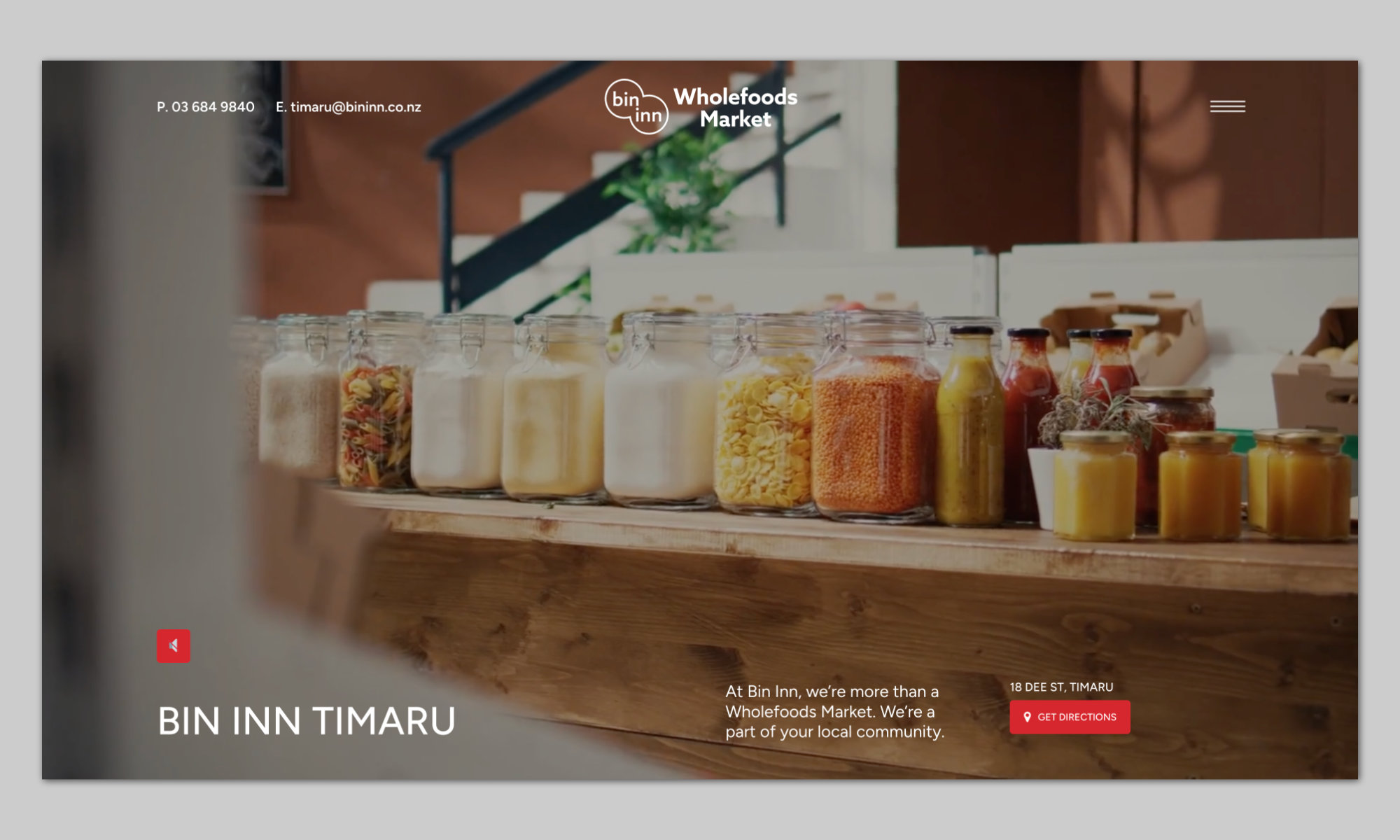
The Bin Inn Timaru landing page built by Sky Media — hero section with video background, address, live opening hours, and directions link visible immediately on load.
Immediate answers above the fold
The first thing a visitor sees — before scrolling at all — is the store name, address, opening hours, and a Get Directions link. There’s also a live indicator that shows whether the store is open right now. For a local business, this is exactly the information a nearby customer needs, delivered instantly.
This matters for SEO too. Google can read and index that structured information clearly, reinforcing the local relevance of the page.
Detailed product range
The page lists Bin Inn Timaru’s product categories in real depth — organic products broken down into specific items, superfoods listed individually, baking ingredients, herbs and spices, international foods, pet supplies, chilled and frozen foods. The breadth and specificity of this content gives Google a comprehensive picture of what the store sells, making it more likely to surface for a wide range of specific product searches beyond just “wholefood store Timaru”.
Someone searching “spirulina Timaru”, “bulk spices Timaru”, “stroopwafels Timaru”, or “home brew supplies South Canterbury” all have a reason to land on this page — and the page gives them exactly what they need to decide whether to visit.
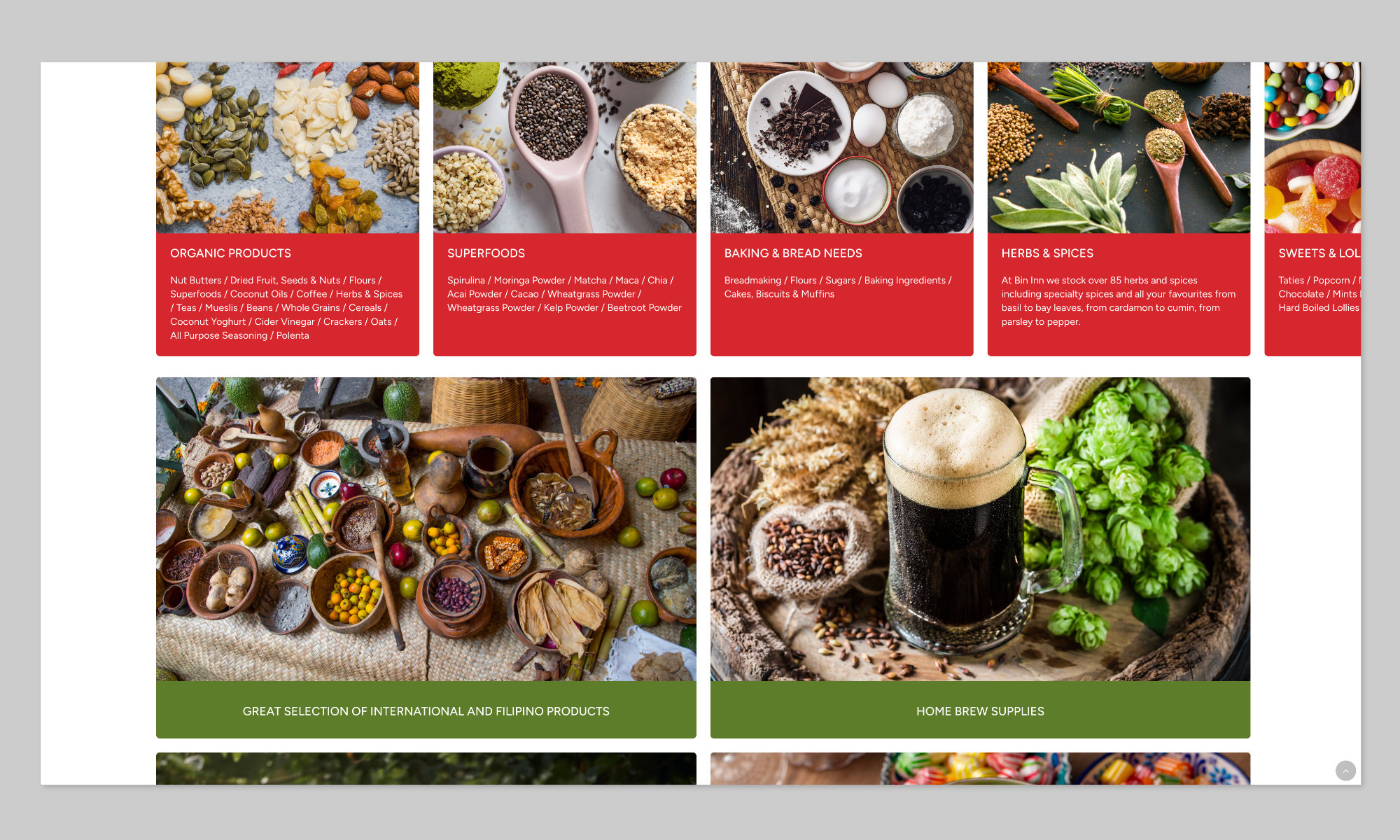
The product range section of the Bin Inn Timaru landing page — detailed category listings that help Google match the page to a wide range of specific local searches.
Owner introduction and personal quote
The Meet the Owner section introduces Shailesh Modi with a photo and a direct quote. This isn’t just a nice touch — it’s a trust signal. It tells a potential customer that there’s a real person behind the business who cares about what they do. For local businesses competing against supermarkets and chain stores, that human element is a genuine differentiator.
From an SEO perspective, it also contributes to what Google calls E-E-A-T — Experience, Expertise, Authoritativeness, and Trustworthiness. A page that demonstrates a real person with genuine expertise in their field is viewed more favourably than an anonymous, impersonal page.
FAQ section
The page includes a concise FAQ section answering the questions Bin Inn customers most commonly ask: Can I bring my own containers? Do you stock gluten-free products? Can I buy small quantities? How does the loyalty programme work?
These aren’t just useful for customers — they’re written in the exact language people type into Google. A page that directly answers “can I bring my own containers to Bin Inn” has a strong chance of appearing when someone searches exactly that. FAQ sections are one of the most reliable ways to capture question-based searches, and they’re consistently underused by NZ small businesses.
Loyalty programme explained clearly
The loyalty programme is broken down into a simple four-step process — get your card, shop and collect, reach 15 points, redeem your reward. This kind of structured, action-oriented content gives visitors a concrete reason to visit the store and a clear understanding of the benefit. It converts a passive reader into an active participant.
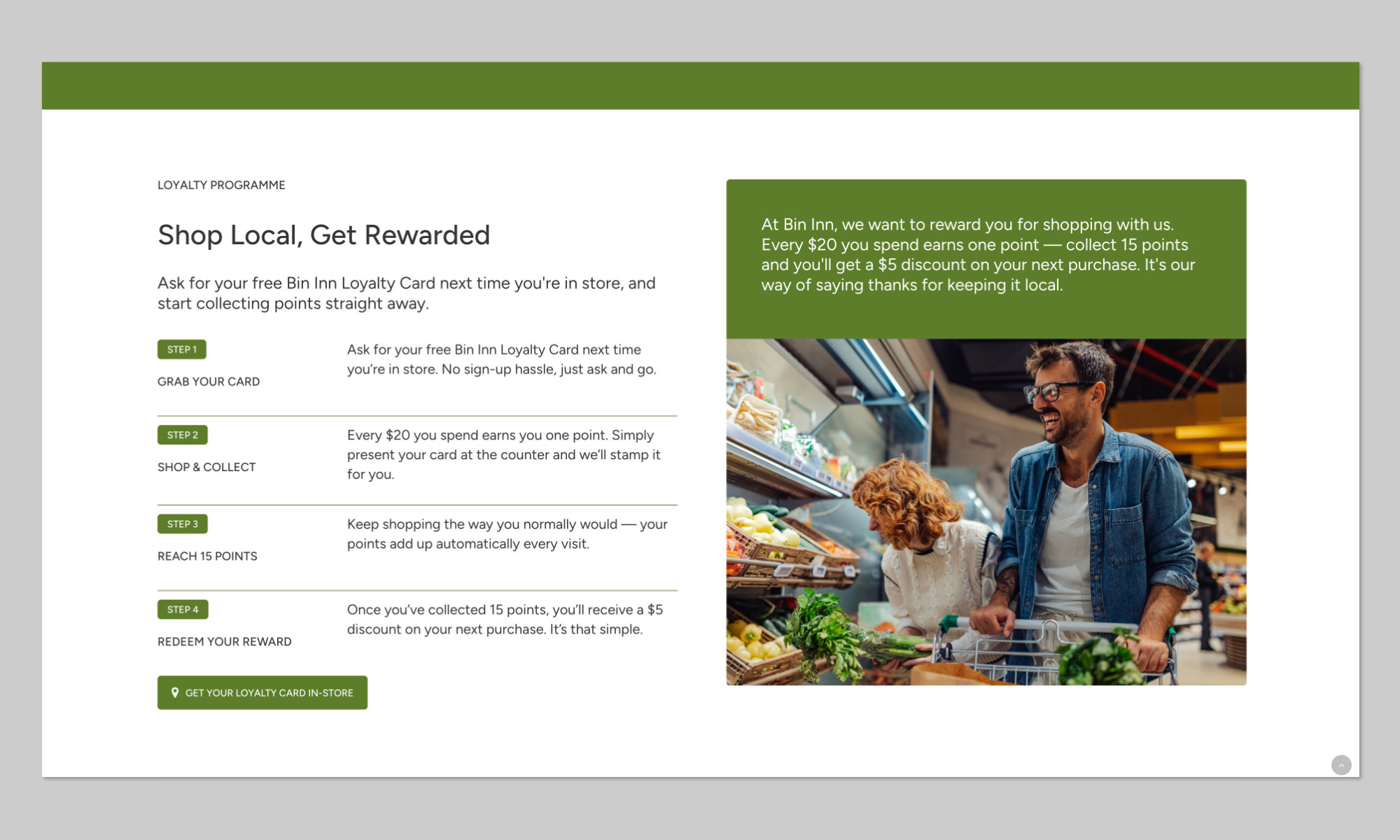
The Bin Inn Timaru loyalty programme section — structured, action-oriented content that gives local customers a clear reason to visit and return.
Community and values section
The page includes a brief but meaningful community section — locally owned and run, supporting local suppliers, treating customers like family. For a business competing on the basis of local identity and personal service, this content reinforces the key differentiators that a supermarket or chain store can’t credibly claim.
It also signals to Google that this is a legitimate, embedded local business — not a generic page created overnight.
What Makes a Landing Page Actually Work
The Bin Inn page illustrates the principles well. Here’s a summary of what separates a landing page that generates results from one that just sits there:
- One clear purpose — every element on the page serves a single goal (in Bin Inn’s case: get someone to visit the store)
- Critical information immediately visible — address, phone, hours, directions before any scrolling required
- Specific, detailed content — not vague descriptions but real products, real services, real specifics that match what people search for
- Local signals throughout — suburb, city, region named naturally in the content, not stuffed awkwardly
- A human element — a face, a name, a quote, something that builds trust before the first visit
- FAQ content — direct answers to the questions your customers actually ask
- Fast load speed and a clean mobile layout — most local searches happen on a phone
- One clear call to action — make it obvious what you want the visitor to do next
When Does a Business Need a Dedicated Landing Page?
Not every business needs multiple landing pages — but most businesses could benefit from at least one that’s more focused than their homepage. Here are the situations where a dedicated page typically makes the biggest difference:
- You serve a specific local area and want to rank for local searches — a landing page built around your location and your service is far more effective than a homepage that mentions your town once in the footer
- You’re running Google Ads for a specific service or offer — the ad and the page need to match precisely, and a homepage almost never does that well enough
- You offer a distinct service or product category that deserves its own page — each major service with its own landing page gives you more chances to rank for more specific searches
- You want to capture a specific audience — tradespeople, families, expats, health-conscious shoppers — a page written directly for that audience converts far better than a generic one
- You’re a local business competing against national chains or directories — a well-built local landing page is one of the most effective ways to outrank generic national results for specific local searches
For some businesses, a single focused landing page is all they need. For others — particularly those offering multiple services across multiple areas — a set of dedicated pages, each targeting a specific service-location combination, can dramatically increase the range of searches they appear for.
Want a Landing Page That Actually Works for Your Business?
Sky Media designs and builds landing pages for NZ businesses — from single-purpose local pages like Bin Inn Timaru to full multi-page service site builds. Whether you need a page to support a Google Ads campaign, improve your local SEO, or simply give a specific service or location the focused online presence it deserves, we can help.
If you’d like to talk through what a landing page could do for your business, get in touch for a free, no-obligation conversation.