Web Design17

Stay ahead with Sky Media’s latest SEO, web design, and Google Ads tips. Practical advice for Kiwi businesses to boost their online success.

A productive partnership between a business owner and a NZ web designer, discussing a project plan.

Choosing Your Web Design Partner: 12 Essential Traits of a Top NZ Agency

By Web Design

A quick search for “best web design agency New Zealand” returns hundreds of options. From one-person freelancers to full-service digital studios, the choice can be overwhelming. How do you cut through the noise and find a true partner, not just a vendor?

A productive partnership between a business owner and a NZ web designer, discussing a project plan.

The key is to stop looking for a “designer” and start looking for a “business partner.” You need an agency that understands your goals, your audience, and the unique nuances of the New Zealand market.

After years of seeing what makes a website project succeed or fail, we’ve compiled the 12 non-negotiable traits you should look for when choosing your local web design partner.

1. A Stellar Portfolio with Real-World Results

Any agency can show you pretty pictures. A top-tier agency will show you effective websites.

Look Beyond Aesthetics: Don’t just ask, “Do I like how this looks?” Ask, “What did this website achieve for the client?” Look for case studies that detail the business problem and how the website solved it.

Relevance to Your Industry & Scale: An agency that only designs for large corporates might not be the best fit for a small business, and vice-versa. Seek out portfolios with projects similar in size and complexity to yours.

Diversity and Quality: A strong portfolio shows range but maintains a high standard of quality. It demonstrates the agency can adapt its skills to different brand voices and business models.

2. A Process Built on Strategy, Not Just Art

A beautiful website that doesn’t convert visitors is a work of art, not a business asset. The best agencies lead with strategy.

The Discovery Phase: Your first meetings shouldn’t be about colour palettes. They should be about your business goals, target audience, key competitors, and what “success” means for you. A rigorous discovery process is the foundation of a successful project.

Ask “Why?”: A strategic partner will always be able to explain why they are making a specific recommendation. “We’re placing the call-to-action here because eye-tracking studies show…” is a far better answer than, “Because it looks good there.”

3. Mastery of User Experience (UX) Design

User Experience (UX) is the silent salesperson on your website. It’s the science of making your site intuitive, easy to use, and enjoyable for your visitors.

It’s About the Journey: A great UX agency will map out the entire customer journey—from a user’s first click on a Google ad to finally making a purchase or filling out a contact form. They remove friction at every step.

Mobile-First Mentality: In New Zealand, mobile internet usage is dominant. Your agency must design for mobile first, ensuring a flawless experience on smartphones and tablets before scaling up to a desktop view.

4. Expertise in Search Engine Optimisation (SEO)

What good is a stunning website if no one can find it? SEO should be baked into the design and development process from day one, not tacked on as an afterthought.

On-Page SEO Fundamentals: The agency should have a proven process for optimising page titles, meta descriptions, header tags, image alt-text, and URL structures.

Technical SEO: This is the behind-the-scenes magic. It includes site speed optimisation, clean code, mobile-friendliness, and a logical site structure that search engines love.

Local NZ SEO: If you serve local customers, your agency must understand local SEO. This includes optimising for Google Business Profile, ensuring consistent NAP (Name, Address, Phone Number) citations across the web, and understanding local search intent.

SEO results Sky Media delivered to our customers

5. A Focus on Conversion Rate Optimisation (CRO)

Your website should do more than just attract visitors; it should persuade them to act. This is Conversion Rate Optimisation (CRO).

Clear Calls-to-Action (CTAs): Are buttons compelling and placed strategically? An expert agency will design CTAs that stand out and guide users.

Trust Signals: Do they incorporate customer testimonials, trust badges, case studies, and logos of clients you recognise? These elements build credibility and reduce hesitation.

Data-Driven Design: The best CRO decisions are based on data, not guesswork. Your agency should talk about using Google Analytics to inform design choices.

6. Transparent Pricing and Clear Contracts

Surprise costs are a major red flag. A professional agency is transparent about its pricing and what’s included.

Detailed Proposals: The proposal should break down costs for strategy, design, development, content, and testing. It should clearly state what is not included (e.g., premium plugins, stock imagery, hosting).

Project vs. Retainer Model: Understand how they charge. Is it a fixed project price or an ongoing monthly retainer? Both are valid, but the model should be clear.

The Contract: The contract should protect both parties and clearly outline the project scope, timelines, payment schedules, and ownership rights (you should own the final website and its content).

7. A Content Management System (CMS) You Can Use

Your website is a living asset that you’ll need to update. The agency should build it on a user-friendly Content Management System (CMS).

WordPress, Shopify, or Custom?: In New Zealand, platforms like WordPress and Shopify are popular for a reason: they are powerful and relatively easy for clients to manage. Be wary of agencies that push for a fully custom, proprietary CMS that locks you in with them forever. Have a look at our CMS comparison post.

Training and Handover: A good partner provides thorough training on how to use your new CMS. You should feel confident making basic text, image, and page updates on your own after the project is complete.

8. A Collaborative, Partnership Mindset

This is a partnership. Your insights into your business are invaluable. The best agencies listen more than they talk.

Your Role as the Expert: You are the expert on your business, your customers, and your industry. The agency is the expert on design, UX, and technology. The magic happens when these two areas of expertise collaborate.

Open Communication: Ensure they have a clear process for communication. How often will you have status updates? Who is your single point of contact?

9. Technical Proficiency and Future-Proofing

A website is a technical asset. The agency must build it with modern, secure, and scalable code.

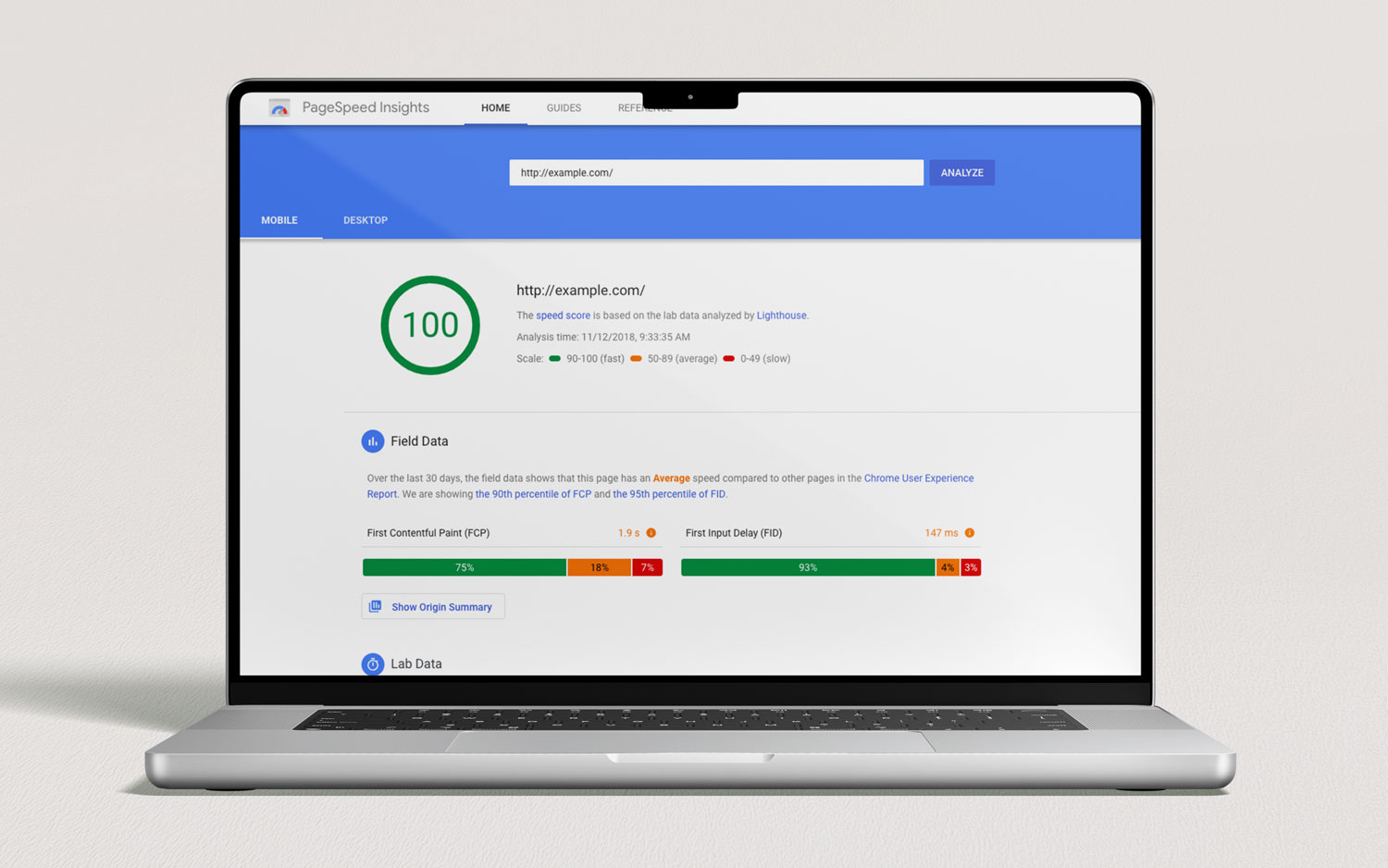
Website Speed: A slow website loses visitors and hurts your SEO. Ask the agency about their specific strategies for optimising site speed (e.g., image optimisation, caching, clean code).

Security: With cyber threats on the rise, security is paramount. They should discuss their approach to SSL certificates, regular security updates, and secure hosting environments.

Scalability: Your business will grow. Your website should be built on a foundation that can grow with it, handling more traffic, products, or content without needing a complete rebuild.

10. A Clear Post-Launch Support Plan

The project isn’t over when the website goes live. What happens next is critical.

Hosting and Maintenance: Do they offer ongoing hosting and maintenance plans? A website needs regular updates to its core software and plugins to remain secure and functional.

Bug Fixing Warranty: Most agencies offer a warranty period (e.g., 30-60 days) after launch to fix any bugs that appear.

Ongoing Partnership: The best client-agency relationships continue long after launch. Look for a partner who can support your digital growth with ongoing marketing, SEO, and content creation services.

11. Reviews and Verifiable Testimonials

What are their past clients saying? Authentic social proof is one of the most powerful indicators of a quality agency.

Google Reviews & Case Studies: Check their Google Business Profile for reviews. Read their detailed case studies on their website. Do the testimonials speak to the agency’s strategic value, or just their design skills?

Sky Media 5-Star Google reviews from our clients

12. Cultural Fit and Local Understanding

Finally, don’t underestimate the importance of personality and local context.

Do You Like Working With Them?: You will be spending a significant amount of time communicating with this team. Choose an agency whose values and communication style align with your own.

The Local Advantage: An agency based in New Zealand inherently understands Kiwi culture, consumer behaviour, and the local business environment. They get the subtleties — from public holiday trading hours to regional nuances — that an overseas provider would likely miss.

Your Next Step: From Searching to Selecting

Armed with these 12 criteria, your search for the “best web design agency in New Zealand” can now be a strategic evaluation, not a guessing game.

Create a shortlist of 3-4 agencies that seem to fit the bill. Then, use this list as a scorecard during your initial consultations. Ask pointed questions about their process, their approach to SEO and CRO, and their post-launch support.

The right agency won’t just see you as another project. They will see you as a partner and will be genuinely invested in using their skills to help your business thrive online. By choosing a partner who excels in these 12 areas, you’re not just buying a website—you’re investing in one of your most valuable business assets.

You’ve read the checklist. Now, see the difference.

Schedule a free, no-obligation consultation with the Sky Media team. Let’s discuss your business goals and show you how our strategic approach to web design can build a website that doesn’t just look great — it drives real growth.

10 Must-Have Features Your Online Store Needs to Succeed

By Web Design

In today’s digital marketplace, simply having an online store isn’t enough. With countless options available to consumers, your eCommerce website needs to be more than just a digital catalog; it needs to be a seamless, secure, and persuasive shopping engine designed for one primary goal: converting visitors into loyal customers.

Whether you’re launching a new brand or revamping an existing site, knowing which features are essential can be the difference between a thriving business and a digital ghost town. This guide breaks down the 10 must-have features for any successful eCommerce website, explained in simple terms for business owners and entrepreneurs. Let’s build a foundation for growth.

1. A Mobile-First, Responsive Design

Let’s start with the most critical foundation: how your site looks and works on a phone. Think “Mobile-First” not “Mobile-Friendly.”

What it is: A responsive website automatically adjusts its layout, images, and text to fit any screen size – be it a desktop, a tablet, or a smartphone. A “mobile-first” approach means the site was designed for the mobile experience first, then scaled up for larger screens.

Why it’s a Must-Have: The majority of online shopping traffic now comes from mobile devices. If your site is difficult to navigate on a phone, if buttons are too small, text is unreadable, or the checkout process is clunky, you will lose sales. Google also uses mobile-friendliness as a key ranking factor, meaning a poor mobile experience hurts your visibility in search results.

Key Takeaway: Your customer is on their phone. Your website must provide a flawless shopping experience for them there.

Seamless mobile-first layout of the Laughing Owl Whisky E-Commerce website.

2. Intuitive Site-Wide Search

Shoppers who know what they want will head straight for the search bar. When they do, that search function needs to be a powerful assistant, not a frustrating obstacle.

What it is: This goes beyond a basic keyword matcher. A robust site search includes features like auto-complete (suggesting products as you type), typo tolerance (understanding what you meant to type), and filters for categories, price, and size directly within the search results.

Why it’s a Must-Have: Users who use site search are often further along in the buying process and have a higher intent to purchase. A poor search experience that returns irrelevant results will send them directly to a competitor’s site. A smart search function guides them effortlessly to the exact product they’re looking for, drastically increasing the chance of a sale.

Key Takeaway: Don’t make your customers hunt. A smart search bar is their fastest route to a product and your fastest route to a conversion.

Intuitive auto-suggestions search feature for ecommerce website

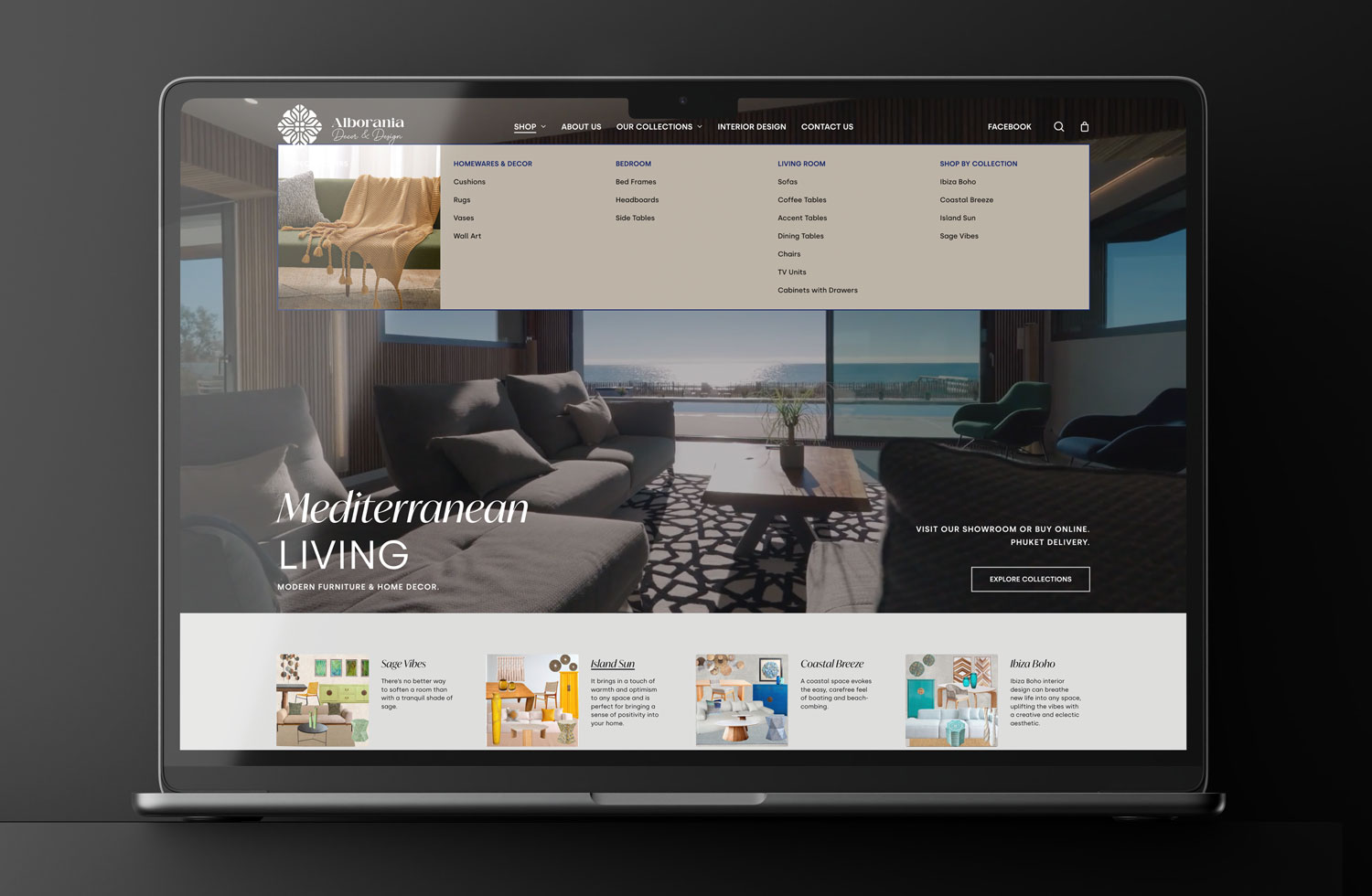
Intuitive auto-suggestions search feature for Alborania Decor & Design E-Commerce website.

3. High-Quality Product Images & Video

Online, customers can’t touch, feel, or try on your products. Your images and videos must bridge this sensory gap.

What it is: Use multiple high-resolution photos from different angles. Implement a zoom feature so users can inspect details. Even better, incorporate 360-degree views or short product demonstration videos. Showing your product “in action” or in a real-life context (lifestyle images) builds confidence.

Why it’s a Must-Have: Humans are visual creatures. Poor, single, or stock-looking images create doubt. High-quality visuals answer customer questions, reduce uncertainty, and make the product feel more tangible. This directly reduces hesitation and lowers return rates.

Key Takeaway: Your product visuals are your salesperson. Invest in making them informative, attractive, and plentiful.

4. Compelling, Scannable Product Descriptions

While images grab attention, the words seal the deal. Product descriptions should be more than just a list of specs copied from the manufacturer.

What it is: Write for your target customer. Focus on the benefits, not just the features. Instead of “Made with 600D polyester,” try “Crafted with durable, weather-resistant fabric to protect your gear on any adventure.” Use bullet points, short paragraphs, and headers to make the text easy to scan.

Why it’s a Must-Have: Good copy connects with the customer emotionally and logically. It explains how the product solves a problem or improves their life. Scannable formatting respects the user’s time and ensures they find the key information they need to make a purchasing decision.

Key Takeaway: Don’t just tell customers what the product is; tell them why they need it.

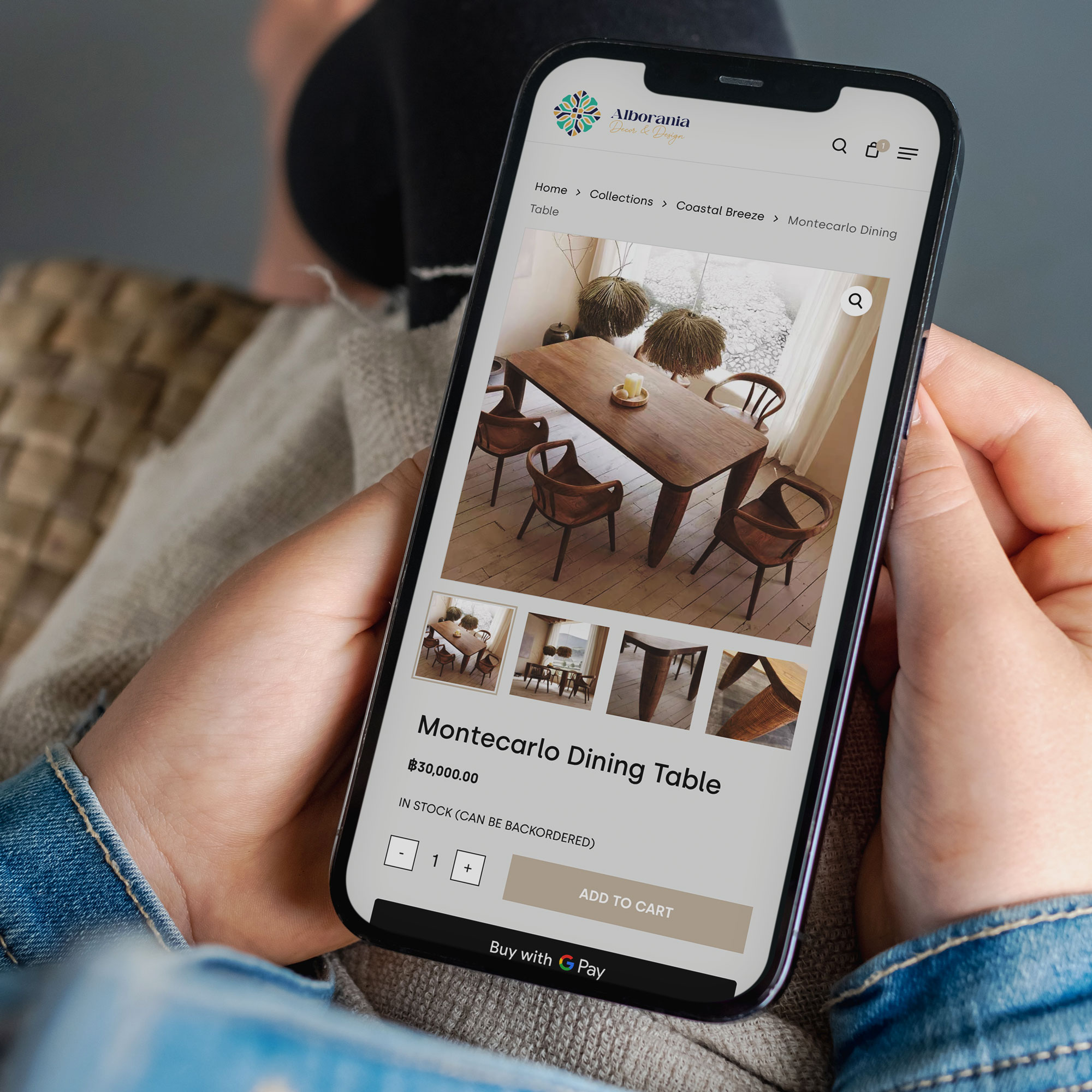
Compelling product information on ecommerce website.jpg

Compelling product information on Alborania Decor & Design website.

A Streamlined, Guest-Friendly Checkout

The checkout process is the most critical moment of truth. A complicated, lengthy checkout is one of the top reasons for cart abandonment.

What it is: The goal is to get the customer from cart to confirmation in as few steps as possible. Key elements include:

  • Guest Checkout: Never force a user to create an account to make a purchase.
  • Multiple Payment Options: Offer credit/debit cards, PayPal, and other popular digital wallets like Apple Pay and Google Pay.
  • Automatic Address Lookup: Tools that auto-fill addresses after entering a zip/postal code reduce errors and typing.

Why it’s a Must-Have: Every extra click or form field is an opportunity for a customer to change their mind. A streamlined checkout minimises friction and maximises completed purchases.

Key Takeaway: Treat your checkout like a VIP exit lane—make it fast, easy, and obstacle-free.

6. Robust Security & Trust Badges

Customers are rightfully cautious about sharing their personal and financial information online. You must proactively build trust.

What it is: At a minimum, your site must have an SSL certificate, indicated by “HTTPS” in the URL and a padlock icon. This encrypts data between the user’s browser and your server. Furthermore, display trust badges on your site, especially on the checkout page. These can include payment method logos, and guarantees (e.g., “Money-Back Guarantee”).

Why it’s a Must-Have: Without visible signs of security, customers will abandon their cart out of fear. Trust badges act as subtle psychological reassurances that your site is safe and legitimate.

Key Takeaway: Security isn’t just a technical requirement; it’s a marketing tool. Flaunt it to build confidence.

7. Genuine Customer Reviews and Ratings

In a world of digital anonymity, we trust the opinions of other shoppers almost as much as recommendations from friends.

What it is: An integrated system that allows verified customers to leave star ratings and written reviews for the products they’ve purchased.

Why it’s a Must-Have: Social proof is incredibly powerful. Reviews provide unbiased validation, answer specific questions from potential buyers, and significantly improve conversion rates. They also provide you with invaluable feedback on your products. Displaying reviews, both positive and negative (responding professionally to negative reviews builds even more trust), shows that you are transparent and customer-focused.

Key Takeaway: Let your happy customers do the selling for you. Authentic reviews are the most credible marketing you can have.

Product reviews functionality on Laughing Owl Whisky E-Commerce website.

8. A Clear & Generous Return & Refund Policy

A hesitant customer is a customer who doesn’t buy. A clear and fair return policy removes the final barrier to purchase.

What it is: This is a dedicated page that clearly outlines the process, timeframe, and conditions for returning products and receiving refunds or exchanges. Make it easy to find, typically in the main navigation or footer.

Why it’s a Must-Have: A generous return policy reduces the perceived risk of shopping with you. It tells the customer, “We stand by our products, and your satisfaction is guaranteed.” This peace of mind can be the final nudge a shopper needs to click “Add to Cart.”

Key Takeaway: A great return policy is a sales tool that builds trust and reduces pre-purchase anxiety.

9. Seamless Integration with Email Marketing

A one-time customer is good, but a repeat customer is the lifeblood of your business. Email marketing is one of the most effective ways to bring them back.

What it is: Your E-Commerce platform should seamlessly connect with an email marketing service (like Mailchimp, Klaviyo, or Campaign Monitor). This allows you to automatically add customers to mailing lists, send abandoned cart emails (“You left something behind!”), and create targeted campaigns for post-purchase follow-ups, new product announcements, and special offers.

Why it’s a Must-Have: The cost of acquiring a new customer is far higher than retaining an existing one. Email marketing allows you to build a relationship, nurture loyalty, and drive repeat sales on autopilot. An abandoned cart email series alone can recover a significant percentage of lost sales.

Key Takeaway: Don’t let a sale be the end of the relationship. Use email to turn a first-time buyer into a lifelong fan.

MailChimp email marketing tool on Lily’s Choice website.

10. Fast and Transparent Shipping & Delivery Options

The “when will I get it?” question is a major factor in the online buying decision. Uncertainty here is a conversion killer.

What it is: Be upfront about all shipping costs and delivery timelines. If possible, offer a variety of options, from standard to expedited shipping. A key feature is providing order tracking—as soon as an item ships, the customer should receive a notification with a tracking number so they can follow its journey.

Why it’s a Must-Have: No one likes surprise costs at checkout. Display shipping calculators early or offer free shipping thresholds. Clear communication about delivery manages customer expectations and prevents post-purchase anxiety and frustration, leading to a better overall experience and fewer customer service inquiries.

Key Takeaway: Control the shipping narrative. Be transparent about costs and timelines to build trust and avoid post-purchase dissatisfaction.

Conclusion: Building for Success

Building a successful E-Commerce website is a complex task, but by focusing on these 10 essential features, you create a solid foundation for growth. Remember, your website is your hardest-working employee. It should work 24/7 to provide a secure, enjoyable, and efficient experience that not only makes a sale today but also earns a customer for life.

By prioritising the user experience from the first click to the final delivery, you transform your online store from a simple transactional platform into a trusted destination. Start implementing these features, and watch your conversions climb.

Is your current E-Commerce platform holding you back? At Sky Media, we specialise in building beautiful, high-converting online stores designed for results. Contact us today for a free consultation!

Essential guide on how to write a website design brief for a successful project.

Your Blueprint for Success: How to Brief Your Website Design Team

By Tips and Guides, Web Design

You’ve made the exciting decision to invest in a new website. It’s a project filled with potential—the chance to revitalise your brand, connect with more customers, and finally have an online presence that truly works for your business. But before you see stunning mock-ups or click through a sleek new interface, there’s a critical first step that will make or break your entire project: the brief.

Essential guide on how to write a website design brief for a successful project.

Think of your website brief as the blueprint for a new house. You wouldn’t approach a builder and say, “Build me a house,” without discussing the number of bedrooms, the style of the kitchen, or the location of the bathrooms. The same goes for your website. A vague request like, “Make me a modern website that generates leads,” leaves far too much room for interpretation, delays, and budget overruns.

A powerful, well-constructed brief is your single most important tool for a successful partnership with your web agency. It aligns your vision with their expertise, setting the stage for a smooth, efficient, and rewarding process that delivers a website you’re proud of.

This guide will walk you through, step-by-step, how to create a comprehensive website brief that will get your project started on the right foot.

Why the Brief is Your Secret Weapon

Many business owners see the brief as a bureaucratic hurdle. In reality, it’s your strategic advantage. A great brief:

Creates Clarity and Alignment: It ensures everyone—your team and the agency—is on the same page from day one. There are no surprises about goals, scope, or style.

Saves You Time and Money: A clear brief reduces the back-and-forth, countless revisions, and scope creep that inflate budgets and delay launches. The agency can quote accurately and work efficiently.

Establishes a Measurable Goal: How do you know if the new website is a success? The brief defines the key performance indicators (KPIs) upfront, so you can measure the return on your investment.

Empowers the Agency’s Creativity: Counterintuitively, constraints encourage creativity. When an agency understands your boundaries and objectives deeply, they can innovate within that space to deliver truly brilliant solutions.

In short, the time you invest in the brief will be repaid tenfold throughout the project.

WordPress website design for TWC by Sky Media.
WordPress website design for TWC by Sky Media.

The Anatomy of a Perfect Website Brief: A Step-by-Step Guide

Ready to build your blueprint? Here are the essential components you need to include.

Step 1: Tell Your Story (The Company Overview)

Start by introducing your business to the agency as if they know nothing about you. This context is invaluable.

  • Who are you? What is your company’s name and what do you do?
  • What is your mission? What core purpose drives your business?
  • What are your core values? Is your brand playful and disruptive, or trusted and authoritative?
  • What is your unique selling proposition (USP)? What makes you different from and better than your competitors?

Pro Tip: Include links to any existing brand guidelines, logos, and your current website. This gives the agency an immediate feel for your brand’s world.

Step 2: Define the “Why” (Project Goals & Objectives)

This is the heart of your brief. Be specific about what you want this new website to achieve. Avoid vague statements.

Instead of: “I want more traffic.”
Write: “We aim to increase organic traffic from 5,000 to 10,000 monthly visitors within 12 months of launch, and grow our email newsletter sign-ups by 25%.”

Common website goals include:

  • Generate more qualified leads (e.g., contact form submissions, demo requests).
  • Increase online sales and revenue.
  • Improve brand awareness and perception.
  • Reduce customer support calls by providing better self-service resources.
  • Attract top-tier talent to our careers page.

Ask yourself: “If this website could only achieve one thing, what would that be?” This helps you identify your primary objective.

Step 3: Know Your Audience (Target Audience)

You wouldn’t design a children’s toy using the same language and colors as a financial report. Your website must be built for its intended users.

  • Who are your ideal customers? Create simple buyer personas. Give them names like “Marketing Mary” or “IT Director Ian.”
  • What are their demographics? (Age, location, job title, industry)
  • What are their pain points? What problems are they trying to solve that your business can help with?
  • What are their goals and motivations? What does success look like for them?
  • How do they search for solutions? What language do they use? What information do they need to make a decision?

Pro Tip: If you have any customer interviews, survey data, or support tickets, share them. This is gold dust for the agency to understand your audience’s real voice.

Step 4: Scope the Work (Project Scope)

This section outlines the “what” of the project. It defines the boundaries and helps the agency provide an accurate quote. Be explicit about what you need built.

  • Number of Pages: Do you need a 5-page brochure site or a 50-page content-rich hub? (e.g., Home, About, Services, Blog, Contact)
  • Key Functionalities: What does the website need to do?
    • E-commerce shopping cart and payment processing?
    • A membership portal or login area?
    • A booking or appointment scheduling system?
    • A complex contact form with dropdowns and file uploads?
    • Integration with your CRM (like Salesforce or HubSpot)?
  • Content Creation: Who is responsible for writing the website copy and providing the professional photos? (Be aware, this is often the client’s responsibility unless specifically included in the agency’s scope).

Step 5: Paint a Picture of Success (Design & User Experience)

This is where you guide the agency’s creative direction. Don’t just say what you like; explain why.

  • Brand Guidelines: Reiterate any specific colors and fonts that must be used.
  • Desired Look & Feel: Use descriptive words. Do you want the site to feel:
    • Warm and inviting, or cool and professional?
    • Bold and energetic, or minimalist and serene?
  • Inspirational Examples (The “Do’s and Don’ts”): This is incredibly helpful. Provide 3-5 links to websites you admire and explain what you like about them (e.g., “I love the navigation on this site,” or “The use of animation here is engaging but not distracting”). Also, provide examples of what you don’t like.
  • User Journey: Briefly describe the ideal path you want a visitor to take. For example: “A visitor lands on our blog, reads an article, clicks a call-to-action to download a guide, and is then presented with a contact form to book a consultation.”

Step 6: Plan for Growth (SEO & Ongoing Marketing)

A website is not a “build it and forget it” asset. Discuss its future from the start.

  • SEO Strategy: Do you have an existing SEO strategy? Are there specific keywords you are already ranking for that you want to preserve? Does the agency need to conduct new keyword research?
  • Technical Requirements: Do you need the site to be multilingual? Is mobile-first performance a top priority?
  • Analytics: How will you track performance? Ensure Google Analytics 4 (GA4) and Google Search Console are part of the setup.
  • Ongoing Maintenance: Who will handle security updates, backups, and technical support after the site launches? Clarify if this is part of the agency’s ongoing retainer.

Step 7: Set the Stage (Practical Details)

Finally, lay out the logistical framework for the project.

  • Project Timeline: Do you have a specific launch date in mind? (e.g., tied to a product launch or a season). Be realistic and discuss this with the agency.
  • Budget Range: This is crucial. Providing a realistic budget range allows the agency to propose solutions that fit your financial constraints. It shows you are serious and saves everyone time.
  • Key Stakeholders: Who is the main point of contact on your side? Who has the final sign-off on designs and content?
  • The Next Steps: What do you expect to happen after you send the brief? A meeting? A formal proposal?
WordPress website design for Epic Events by Sky Media.

WordPress website design for Epic Events by Sky Media.

What to Do After You Send the Brief

Your job isn’t done once the brief is sent. The best client-agency relationships are partnerships.

  1. Schedule a Kick-off Meeting: Don’t just email the document. Schedule a call to walk through it together. This allows for immediate questions and discussion.
  2. Be Open to Questions: A good agency will probe deeper into your brief. Welcome their questions—it shows they are thinking critically about your project.
  3. Collaborate, Don’t Dictate: You are the expert on your business; they are the experts in web design and development. Trust their professional advice when they suggest a different approach based on your goals.

Common Pitfalls to Avoid

  • Being Too Vague: “Make it pop” is not actionable feedback.
  • Withholding Your Budget: This leads to proposals that are either unrealistically high or too basic for your needs.
  • Design by Committee: While feedback is important, having too many decision-makers can paralyse a project. Appoint a single point of contact.
  • Scope Creep: Adding new features and pages mid-project is the primary cause of budget and timeline blowouts. Please stick to the agreed-upon scope, or formally agree on changes and their impact.

Conclusion: Your Partnership Starts Here

A powerful website is the cornerstone of modern business. It’s your hardest-working employee, your 24/7 salesperson, and the face of your brand to the world. By investing time in creating a clear, comprehensive, and collaborative brief, you lay the foundation for a successful project and a final product that not only looks beautiful but also delivers tangible business results.

Your brief is more than a document; it’s the opening conversation in a partnership. Make it count.

Ready to turn your vision into a website that drives growth? The team at Sky Media are experts in translating ambitious briefs into stunning, high-performing digital experiences. Contact us today for a no-obligation consultation about your project.

Modern website design generating online enquiries and sales leads.

Simple Ways to Get Better Leads from Your Website

By Tips and Guides, Web Design

Every business wants more website traffic. But traffic alone doesn’t pay the bills — quality leads do.

At Sky Media, we often meet business owners who’ve invested in a new website that sadly brings in little to no work. The truth is: design alone isn’t enough. To make your website work as a real sales tool, you need strategy, structure, and clear communication.

Modern website design generating online enquiries and sales leads.

Below, we break down how the Sky Media team approaches building a website that not only looks great, but consistently attracts and converts the right kind of leads — the ones that fit your services, your values, and your price point.

1. Start With the Goal — Not the Design

Before picking colours or fonts, get clear on what success looks like.
Ask yourself: what do you actually want people to do when they land on your website? Do you want them to call you, request a quote, make a booking, or download a guide?

Once you know the goal, everything else — the layout, images, and copy — should serve that purpose. A site without a goal is like a billboard with no message.

For example, a trades company might have one primary goal: get quote requests. That means the contact form, CTA buttons, and copy should all nudge visitors toward that action.

Tip: Write your main goal at the top of your design brief. Every section of your website should move visitors closer to that goal. If it doesn’t, it probably doesn’t need to be there.

2. Know Who You’re Talking To

You can’t speak to everyone. The best-performing websites speak clearly to a defined audience — and make those people feel understood.

  • Start by thinking about your ideal client:
  • What do they want most?
  • What problems or frustrations do they face?

What would make them trust you?

Once you understand your audience, reflect that understanding through your design and words. A scaffolding company in Dunedin, for example, might focus on reliability and winter shrink-wrapping solutions, while a dance academy might highlight family-friendly classes and community connection.

When people feel your website “gets” them, they’re far more likely to get in touch.

A scaffolding company in Dunedin - Bramwell Scaffolding website
Awaken Dance a dance academy website design

3. Design for Action, Not Distraction

Beautiful websites don’t automatically perform well. Function should lead form. Your design should guide people — not just impress them.

That means using clean layouts, plenty of white space, and logical flow. Too many colours, flashing banners, or competing buttons just confuse visitors.

Every page should have one clear next step: book a call, get a quote, sign up. When someone lands on your homepage, it should take no more than three seconds to see what you offer and what to do next.

Use language that’s helpful and specific. Instead of a generic “Submit” button, say “Get A Quote” or “Book A Free Call.”

The goal is to make action feel easy and obvious.

4. Turn Every Service Page into a Sales Page

Think of each service or product page as a mini sales pitch. Your homepage gives the overview, but it’s the deeper pages that actually close the deal.

Each service page should have:

A clear headline that promises value (“Fast, Reliable Scaffolding for Dunedin Builders”).

A few paragraphs explaining how you help and why it matters.

Proof that builds trust — testimonials, client logos, or short case studies.

A strong call-to-action encouraging the next step.

For example, if you’re an electrician, a service page about “New Build Wiring” could include photos of past projects, your safety certifications, and a form that says, “Tell us about your new build — we’ll reply within 24 hours.”

Remember: people don’t buy services, they buy outcomes. Tell them what they’ll gain — not just what you’ll do.

Bramwell Scaffolding services page design example for lead generation
TWC website service page design example for lead generation

5. Speak Like a Human (Copy That Builds Trust)

Good website copy doesn’t sound clever — it sounds clear.

Your visitors are busy. They don’t want jargon or buzzwords like “innovative solutions” or “synergistic platforms.” They want to know, quickly, whether you can solve their problem.

Use plain language, short sentences, and active verbs. Focus on benefits — what your service does for them.

Example:
Instead of saying “We deliver innovative scaffolding solutions.”, say: “We build strong, safe scaffolds that help your team finish faster.”

Small changes in tone can transform your message from vague to confident.

Also, use your customer’s language. If they say “house painting,” don’t call it “residential coating systems.” Speak their words back to them — that’s what builds connection.

6. Speed, Mobile, and SEO — The Silent Heroes

Even the best copy won’t help if your site takes ten seconds to load or doesn’t work on mobile.

Most visitors decide within seconds whether to stay or leave. If your pages are slow or broken on mobile, they’ll bounce before reading a word.

That’s why at Sky Media we prioritise:

  • Fast loading times (compressed images, optimised code).
  • Mobile-first design that looks great on every screen.
  • SEO-friendly structure — clear headings, internal links, and page titles that match what people search for.

Search engine optimisation (SEO) isn’t just about ranking on Google — it’s about helping the right people find you. If someone searches “Villa Painting Auckland,” they should land on a page that answers that need directly — not your homepage with a generic message.

7. Make Getting in Touch Effortless

If someone has to dig around to find your contact form, you’ve already lost them. Make the next step obvious and easy.

Keep your forms short — name, email or phone, and one key question is often enough. On mobile, make sure phone numbers are clickable so people can call with one tap.

Tools like Calendly or booking systems are great for service businesses. They let potential clients book a chat or consultation instantly — no back-and-forth emails required.

And don’t forget your thank-you page. It’s a small but powerful touchpoint. Use it to confirm you’ve received their message, tell them when they’ll hear back, and maybe offer a useful resource while they wait.

8. Measure, Review, and Improve

A great website isn’t built once and forgotten. It evolves.

Sky Media uses analytics tools like Google Analytics and Google Site Kit to see what’s working — and what’s not. Which pages bring in the most enquiries? Where do people drop off? Which buttons get clicked?

With that data, we can make small, strategic changes. Test a new headline, rewrite a call-to-action, or simplify your form.

Even minor tweaks can dramatically boost conversion rates. We’ve seen clients increase the number of their leads just by refining button text or rearranging key content.

Calendly booking systems on the Lily's Choice website
Request a quote contact page design on Bramwell website

9. Common Lead-Killing Mistakes to Avoid

Many websites fail because of small but costly mistakes:

  • Too many options: Too many menu items or buttons overwhelm users. Guide them clearly.
  • Walls of text: Break up long paragraphs with headings, short sentences, and images.
  • Slow pages: Optimise your images — large, uncompressed files can slow you to a crawl.
  • Weak CTAs: “Contact Us” is fine, but “Get a Free Quote in 24 Hours” works better.
  • Vague messages: Be specific about what you do and where you do it.

Fixing these basics can instantly make your site feel smoother and more professional — and that confidence translates into more leads.

10. Turn Your Website into Your Best Salesperson

When your website is built with purpose, clarity, and empathy, it becomes more than an online brochure — it becomes your hardest-working salesperson.

It never takes holidays, it doesn’t forget to follow up, and it presents your business exactly how you want to be seen, 24 hours a day.

The combination of strategy, smart design, and consistent optimisation is what turns a static site into a lead-generating asset. And that’s exactly what we build for our clients at Sky Media.

Ready to Turn Your Website into a Lead-Winning Machine?

At Sky Media, we design and develop WordPress websites that look sharp and bring in the right kind of enquiries. From initial strategy to ongoing SEO, we focus on clarity, conversion, and measurable results.

Let’s chat about how your current site could perform better — we can provide a quick review, highlight missed opportunities, and outline a plan to get you more of the leads you actually want. Book a 15-Minute Strategy Call.

WordPress WooCommerce versus Shopify platform comparison for New Zealand e-commerce

Building Your Kiwi Business Online: Why WooCommerce Beats Shopify for the NZ Market

By Web Design

When a Kiwi business owner asks us about building an e-commerce store, one question always comes up: “Should I use Shopify or WordPress with WooCommerce?”

It’s a great question. On the surface, Shopify appears to be the quick, all-in-one solution. But when you dig deeper, especially for the unique needs of New Zealand businesses, the combination of WordPress and WooCommerce isn’t just an alternative—it’s the superior strategic choice for long-term growth, control, and local success.

WordPress WooCommerce versus Shopify platform comparison for New Zealand e-commerce

Think of it like this: Shopify is a convenient, pre-furnished apartment. It’s easy to move into, but you can’t knock down walls or choose your own design. WordPress and WooCommerce, however, give you the freehold title to a section of land and the tools to build your dream home, exactly how you want it.

Let’s break down why building your online store on WordPress and WooCommerce is the best decision for your Kiwi business.

The Foundation: Understanding the Key Difference

Before we dive into the Kiwi-specific benefits, it’s crucial to understand the core philosophical difference between the two platforms.

Shopify is a SaaS (Software-as-a-Service) platform. You pay a monthly fee to use their system. You don’t own the software; you’re renting it. This means you’re bound by their rules, their payment gateways (unless you pay extra), and their structure.

WordPress + WooCommerce is an open-source solution. The WordPress software is free, and the WooCommerce plugin is free. You install it on your own web hosting (like a section of land you own). You have 100% ownership of your website, your data, and your business destiny.

This fundamental difference of renting versus owning is the seed from which all other advantages for New Zealand businesses grow.

1. Unbeatable Flexibility and Customisation for a Unique Kiwi Brand

WooCommerce: With thousands of themes and over 50,000 plugins specifically for WooCommerce, your store can be anything you imagine. Need to integrate with a specific NZ freight company like NZPost or Aramex? There’s a plugin for that. Want to create a custom gift-wrapping option for products from local artists? We can build that. The design and functionality are limited only by your imagination.

Shopify: You have a library of themes and apps, but you are confined to what Shopify allows. If you need functionality that isn’t available in their app store, you’re often out of luck or facing a very expensive custom development project that is still constrained by Shopify’s framework. Compounding this issue is Shopify’s primary focus on the North American market. This often means a lack of ready-made, seamless integrations with essential Kiwi services, from local shipping calculators to preferred payment gateways. You may find yourself trying to force a square peg into a round hole, while WooCommerce seamlessly fits the local landscape.

The Sky Media Advantage: We specialise in creating custom WooCommerce sites that reflect the heart of your Kiwi brand, ensuring you stand out from the international competition, not blend in.

2. True Ownership and Control: Your Business, Your Rules

This is arguably the most critical point for any serious business. When you build on WooCommerce, you are in the driver’s seat.

You Own Your Data: All your customer data, product information, and sales history reside on your server. It’s your asset. With Shopify, while you can export data, your business fundamentally lives on their platform.

No Platform Lock-in: With Shopify, if you decide to leave, migrating to another platform is a complex, often messy process. With WooCommerce, your data is in your own database. You can move your entire site to a new hosting provider anytime you want, with no downtime or permission needed. You are never trapped.

Content is King: WordPress is the world’s leading Content Management System (CMS). This means your e-commerce site is also a powerful marketing engine. You can seamlessly integrate a blog, news section, case studies, and landing pages to drive SEO and engage customers, all within the same, easy-to-use interface. With Shopify, the blogging functionality is an extra feature that lacks the sophistication and power of WordPress.

3. Cost-Effectiveness in the Long Run: A Smarter Investment for a Small Business

Shopify’s monthly fees seem straightforward, but they can be a trap for growing businesses.

Shopify’s Cost Structure: You start on a basic plan, but as you grow, you need more advanced features (like lower credit card rates or abandoned cart recovery), forcing you onto more expensive plans (e.g., Shopify $99/month or $299/month).

WooCommerce’s Cost Structure: The WooCommerce plugin itself is free. You pay for web hosting (which we can optimise for you), a domain name, and SSL. The key difference? There are no increasing fees on your sales. You only pay the standard Stripe processing fee. As your revenue grows into the hundreds of thousands, the amount you save by avoiding Shopify’s platform fees is substantial.

For a growing NZ business, investing those saved fees back into local marketing or product development is a game-changer.

4. Seamless Local NZ Integrations

We know that doing business in New Zealand has its own unique requirements. WooCommerce excels at integrating with the local ecosystem.

NZ Payment Gateways: While Shopify pushes its own payment solution, WooCommerce works seamlessly with all major NZ payment providers like Payment Express (DPS), Windcave, and Stripe. This gives you the freedom to choose the best rates and service for your business.

NZ Shipping & Fulfilment: Easily integrate with NZ Post’s shipping APIs, Aramex, NZPost, or other local couriers to get live shipping rates directly at checkout. You can set specific rules for rural delivery surcharges or regional shipping zones.

Local Accounting & Tax: Connect directly to NZ-friendly accounting software like Xero using dedicated plugins, automatically syncing your orders, expenses, and GST. Managing 15% GST is straightforward and can be fully automated.

5. Superior SEO Capabilities to Dominate Local Search

For a New Zealand business, ranking for terms like “buy merino wool socks NZ” or “coffee subscription service Auckland” is vital. WordPress is renowned for its superior SEO capabilities.

With powerful plugins like Yoast SEO or Rank Math, you get fine-grained control over every SEO element:

  • Customise meta titles and descriptions for every product and page.
  • Create SEO-friendly URL structures (e.g., yoursite.co.nz/category/product-name).
  • Easily generate and manage XML sitemaps.
  • Implement rich snippets (like product ratings and price) to improve click-through rates.

This inherent SEO strength, combined with the power of a built-in blog for content marketing, makes WooCommerce a far more potent tool for capturing valuable local search traffic.

So, When is Shopify a Good Fit?

We believe in honesty. Shopify is a fantastic solution for someone who wants to start selling immediately with minimal technical interest. It’s a good “starter home”. If you have a simple product range, don’t plan on heavy content marketing, and prioritise initial setup speed over long-term flexibility, it can work. But for a business with ambition, the limitations quickly become apparent.

The Verdict: Build Your Business with WooCommerce

Choosing your E-Commerce platform is one of the most significant decisions you’ll make for your business’s digital future. While Shopify offers a quick start, it comes at the cost of long-term freedom, control, and profitability.

For New Zealand businesses that value their independence, their unique brand identity, and making every dollar count, WordPress with WooCommerce is the clear winner. It’s the platform that grows with you, adapts to the NZ market, and ensures you truly own the digital storefront you’ve worked so hard to build.

You’re not just building a website; you’re building a business. Shouldn’t you own it?

Ready to build a powerful, custom e-commerce site that’s tailored for the New Zealand market? The team at Sky Media are WooCommerce experts. Contact us today for a no-obligation chat about your project.

Smartphone showing successful WordPress maintenance and updates, symbolising reliable website support.

Why Every WordPress Website Needs Ongoing Support

By Tips and Guides, Web Design

Your website isn’t finished the day it goes live. Just like a car, it needs regular care to stay fast, safe, and running smoothly. That’s where a WordPress support retainer comes in — a monthly plan that keeps your website performing at its best while you focus on running your business.

Smartphone showing successful WordPress maintenance and updates, symbolising reliable website support.

At Sky Media, we host and look after WordPress websites for businesses all over New Zealand. Our support retainers take the stress out of updates, security, and maintenance, giving you peace of mind that your site is always in good hands.

What Is a WordPress Support Retainer?

A WordPress support retainer is an ongoing partnership — we handle the technical side so you don’t have to. It’s a simple monthly plan that includes:

  • Regular updates to WordPress, themes, and plugins
  • Security checks and malware protection
  • Daily backups so your data is safe
  • Performance monitoring to keep pages loading fast
  • Small changes like content edits or new landing pages
  • Priority support when something breaks or needs tweaking

Instead of paying for emergency fixes, you get consistent care from a team that knows your site inside and out.

Infographic showing key inclusions in Sky Media’s WordPress support retainer plan

Why Add a Support Retainer to Your Hosting Plan?

Your hosting keeps your website online — your support retainer keeps it healthy, secure, and growing. Together, they form the foundation of a reliable digital presence.

Here’s why it’s worth it.

1. Your Site Stays Fast and Reliable

A slow website can lose visitors in seconds. Our team monitors your site’s speed, fixes issues before they become problems, and makes sure every update improves performance rather than breaks it.

When you’re on a Sky Media retainer, we’re already familiar with your setup — no delays, no guesswork.

2. Security You Can Trust

WordPress is popular, which makes it a target for hackers. We install the latest security patches, monitor for unusual activity, and back up your site daily.

If something ever does go wrong, we can restore your website quickly — no panic, no downtime.

3. Regular Updates Without the Hassle

WordPress, plugins, and themes are constantly updated. Ignoring updates can cause errors or leave security holes. We handle all updates safely through testing, ensuring your site stays current and stable.

No more worrying about clicking “Update” and crossing your fingers.

4. Better SEO and User Experience

Search engines love well-maintained websites. We keep your pages loading quickly, fix broken links, and make sure your site structure stays Google-friendly.

And because updates can affect how your site looks and works, we regularly check that every button, form, and image performs the way it should.

5. Predictable Monthly Costs

Instead of surprise bills when something breaks, you’ll have one predictable monthly cost. It’s usually far cheaper than paying for urgent fixes or hiring an in-house developer.

A retainer also includes small change requests — adding a new service page, tweaking images, or updating content — so you can keep your site fresh without extra invoices.

6. Sky Media Team Behind You

With Sky Media, you get an experienced local team who understand Kiwi businesses. We become an extension of your team — available by phone or email whenever you need help.

We’ll get to know your brand, your goals, and your customers so we can make your website work smarter for you.

7. Peace of Mind

When you’re busy running a business, the last thing you need is to worry about your website. Our support retainers mean no more late-night error messages or sudden outages.

We handle all the behind-the-scenes work — you just enjoy a site that’s always online, secure, and performing.

Comparison infographic showing benefits of Sky Media’s WordPress support retainers versus no support.

What’s Included in Sky Media’s Support & Hosting Plans

Our combined Hosting + Support Packages make website management effortless:

FeatureWhat You Get
NZ-Based HostingFast, reliable servers optimised for WordPress hosting
Daily BackupsAutomatic, off-site backups so nothing is lost
Security ProtectionFirewall, malware scan, and spam prevention
Software UpdatesWordPress, theme, and plugin maintenance
Performance OptimisationRegular speed checks and clean-ups
Content & Design TweaksMinor updates and copy changes
Priority SupportA simple summary of work completed and improvements made

How a Support Retainer Helps Your Business

  • Saves time: You focus on your business, not website problems.
  • Protects your investment: Regular updates keep your site secure and extend its lifespan.
  • Improves results: A well-maintained site converts more visitors into leads or sales.
  • Supports growth: Need to update a page or feature? We can do it quickly.
  • Gives peace of mind: Your site is monitored, backed up, and supported by experts.

Who Is It For?

A support retainer is ideal for:

  • Small-to-medium Kiwi businesses that depend on their website for sales or leads
  • E-commerce stores running WooCommerce
  • Service-based businesses that can’t afford downtime
  • Marketing teams that need quick updates and campaign support

Why Choose Sky Media

We’re not just hosting providers — we’re your digital partners. Our WordPress specialists manage hundreds of NZ websites, combining technical expertise with friendly, local support.

  • 100 % NZ-owned and operated
  • Transparent pricing with no hidden costs
  • Fast, helpful support provided by NZ based team
  • SEO-friendly hosting environment
  • Proven track record helping NZ businesses grow online

Ready for a Worry-Free Website?

Don’t wait until something breaks. Keep your site secure, fast, and future-proof with a Sky Media WordPress Support Retainer.

Let’s make sure your website always performs at its best — so you can focus on what matters most: running your business. Talk to our team.

Common User Experience Mistakes NZ Websites Make (and How to Fix Them)

By Tips and Guides, Web Design

When visitors come to your website, they expect a seamless, intuitive experience. But many New Zealand businesses unintentionally make mistakes that frustrate users, cause them to leave, or lose trust. Below, we walk through five common UX (user experience) mistakes NZ websites make — illustrated with local relevance — and simple fixes you can apply or ask your web team to address.

1. Asking for Too Much Too Soon (“UX Fatigue”)

One of the modern web design traps is UX fatigue — when a site overwhelms users with pop-ups, modals, sign-up prompts, cookie banners, onboarding tutorials, or notification requests before letting people see content.

Why NZ sites fall into this: Some local small businesses try to push newsletter signups, account creation, or tracking consents right at the start, hoping to build leads fast, but many users simply bounce before reading anything.

Fixes Sky Media team can implement on your website:

  • Delay non-essential pop-ups until after the user has consumed some content.
  • Use subtle banners instead of full-screen modals.
  • Bundle cookie consent and tracking prompts in a simple, unobtrusive bar.
  • Let users opt-in later rather than forcing actions immediately.
  • By giving users breathing room, you decrease bounce rates and increase the chance they’ll stick around.
Website example showing misuse of popups overwhelming users

Misuse of popups creating poor user experience.

2. Confusing Navigation & Cluttered Menus

If people arriving at your site can’t find what they’re looking for within seconds, frustration sets in. Cluttered menus, too many options, vague labels or hidden pages all contribute.

Example: Imagine a Wellington café website that labels its menu tab as “Our Story / Eat / Gather” — that’s vague. A more descriptive “Menu | About Us | Book a Table | Contact” works better.

How to improve navigation:

  • Limit primary menu items to 5–7 max.
  • Use clear, descriptive labels (e.g. “Services,” “Pricing,” “Contact”) instead of creative jargon.
  • Use breadcrumbs on deeper pages so users always know where they are.
  • Group related items under parent categories to reduce clutter.
  • Test navigation with real users — ask a friend unfamiliar with your business to “find the contact page” and observe where they click.
Website example showing confusing navigation menu vs clean navigation

Poor navigation and menus hurt user experience.

3. Poor Mobile Optimisation

In New Zealand, many people browse websites on mobile devices (phones or tablets). If your site isn’t mobile-friendly, buttons are too small, images don’t scale, or layout breaks, users will leave quickly.

Common mobile UX issues to watch for:

  • Tap targets (buttons, links) too small or too close together.
  • Text that requires zooming to read.
  • Overlapping elements or images that don’t scale properly.
  • Menus that become hidden or difficult to use.

Simple fixes:

  • Design mobile-first — start layout and style thinking from small screens, then scale up.
  • Make buttons well noticeable with ample spacing.
  • Use responsive design so images and containers adapt fluidly.
  • Test on multiple real devices (iPhone, Samsung Galaxy, etc.) to catch quirks.
Website example showing poor responsive design

Website example showing non-responsive design vs clean responsive design.

4. Long, Overwhelming Forms & Requests for Data

Nothing kills momentum faster than a long registration or contact form that asks for too much information. If your form looks like a chore, most users won’t bother completing it.

Typical overreach in NZ business sites:

  • Asking for full address, phone, business registration number, custom preferences just to get a quote.
  • Long multiple-step forms without progress indicators.
  • No inline feedback (i.e. telling users immediately when there’s an error).

Better approach:

  • Only ask for essential fields first (name, email, message) and expand later if needed.
  • Use multi-step forms or progressive disclosure (show additional fields after initial information).
  • Provide live validation (e.g. “That email looks invalid”) to reduce submission errors.
  • Show a success message or confirmation immediately after submission — reassure users.
Before and after: simplified form design for better user experience.

Before and after: simplified form design for better user experience.

5. Ignoring Accessibility & Readability

A website may look beautiful, but if users with visual impairments, screen readers, or slower connections can’t use it, you lose a portion of your audience — and credibility.

Examples of accessibility and readability oversights:

  • Insufficient contrast between text and background (e.g. light grey text on white).
  • No alt text for images (so screen readers can’t describe them).
  • Tiny font sizes that are unreadable on some devices.
  • Interface elements (buttons, menus) not navigable via keyboard.
  • Relying on colour alone to communicate meaning (e.g. error messages in red without icons).

What to do:

  • Use a contrast checker (there are free tools online) to ensure text is legible against its background.
  • Always include descriptive alt attributes for images (even decorative ones should have an alternative description).
  • Choose a base font size (e.g. 16px or equivalent) and allow users’ browsers to scale.
  • Test navigation using only keyboard (Tab, Enter) to ensure the site is usable without a mouse.
  • Use icons or labels in addition to colour cues (so red = error, but also show an “X” icon or text).
Website text with poor contrast making it hard to read

Example of poor readability and low contrast text on websites.

How These Mistakes Hurt Your Bottom Line

  • Higher bounce rates — frustrated users leave before exploring.
  • Lower conversions — potential clients never get to your call to action.
  • Brand trust damage — a clunky user experience makes your business seem less professional.
  • Wasted marketing spend — driving traffic is expensive; if UX is bad, that investment is wasted.

In a competitive environment like Auckland, Wellington, Christchurch or even in smaller NZ towns, people have many alternatives. A website that is user-friendly gives you an edge.

At Sky Media, we build websites that don’t just look good — they’re designed to perform. Our team specialises in affordable web design in NZ with SEO baked in from day one, so your business can attract more customers and grow online.

Whether you need a fresh build or want to upgrade your current site, our Web Design packages give you flexible options to suit your goals.

Let’s turn your website into a lead-generating machine. Get a free website and SEO quote today.

SEO-friendly website design with fast loading speed and mobile optimisation

The Cost of Cheap Web Design: Why Investing in SEO-Friendly Websites Pays Off

By SEO, Web Design

Every business owner loves a bargain. When searching for affordable web design in NZ, you’ll quickly find countless freelancers and overseas agencies promising a complete website for just a few hundred dollars. At first glance, this sounds like a smart way to save money — after all, your business just needs a website online, right?

SEO-friendly website design with fast loading speed and mobile optimisation

Why “Affordable” Doesn’t Always Mean Cost-Effective

The problem is that cheap websites often cut corners. They rely on generic templates, bloated code, and outdated practices. While you may save upfront, you’ll likely face slow loading speeds, limited flexibility, poor mobile performance, and expensive fixes later on.

In the digital space, “cheap” almost always ends up being expensive.

The Role of SEO in Modern Web Design

Web design is no longer just about how a site looks — it’s about how it performs. A modern website needs to be built with SEO in mind from day one. Why? Because search engines like Google are the gatekeepers to your customers.

Google ranks websites based on technical quality, mobile responsiveness, Core Web Vitals, and how well a site is structured. If your website isn’t SEO-friendly, you’ll struggle to appear in search results, no matter how nice your site looks.

This is why at Sky Media, we design websites that are not only visually appealing but also search engine optimised. It’s a long-term investment that ensures your website works for your business, not against it.

Hidden Costs of Cheap Web Design

A cheap website may seem like a quick win, but the hidden costs add up fast. Some of the most common pitfalls include:

  • Poor User Experience: Visitors land on your site only to find it slow, hard to navigate, or not mobile-friendly. This leads to high bounce rates and lost customers.
  • Lack of SEO Optimisation: Most budget sites don’t come with SEO best practices built in. Without proper on-page optimisation, you’ll struggle to rank on Google.
  • Security Issues: Many cheap providers use outdated plugins and free themes, making your site vulnerable to hackers. Fixing security breaches is far more expensive than prevention.
  • Constant Redesigns: If your site doesn’t scale with your business, you’ll need a complete rebuild every couple of years, multiplying costs.

In short, that “affordable” web design could cost your business thousands in lost leads, reduced trust, and ongoing maintenance.

Why Investing in SEO-Friendly Web Design Pays Off

Unlike a template website that’s designed just to look good, an SEO-friendly website is built to generate business results. Here’s why the investment pays off:

  • Better Google Rankings. Higher visibility means more people find you organically, without paying for ads.
  • More Organic Traffic. With strong SEO foundations, your website becomes a steady stream of new leads.
  • Higher Conversions. Clean design, fast load times, and good UX make visitors more likely to contact you.
  • Long-Term ROI. While you may pay more upfront, a properly optimised website works for years and reduces the need for constant redesigns.

For example, many businesses that invest in our SEO packages in Auckland find that within months, their new website begins paying for itself by delivering consistent leads.

What to Look for in an SEO-Friendly Website

Not sure how to tell if a website is SEO-friendly? Here are the key features to look out for:

  • Clean Site Architecture: Organised menus and internal linking that help users (and Google) navigate your site.
  • Fast Load Times: Speed is critical — both for users and search rankings.
  • Mobile-First Design: With most NZ users browsing on mobile, your site must perform flawlessly on smaller screens.
  • Core Web Vitals: Meeting Google’s standards for speed, responsiveness, and visual stability.
  • On-Page SEO: Optimised meta titles, descriptions, headers, and image alt text.
  • WordPress SEO-Friendly Platform: Flexible, scalable, and easy to optimise as your business grows.

When you choose a provider, ask them to show examples of SEO-friendly builds. If they can’t explain how their designs support search engine rankings, that’s a red flag.

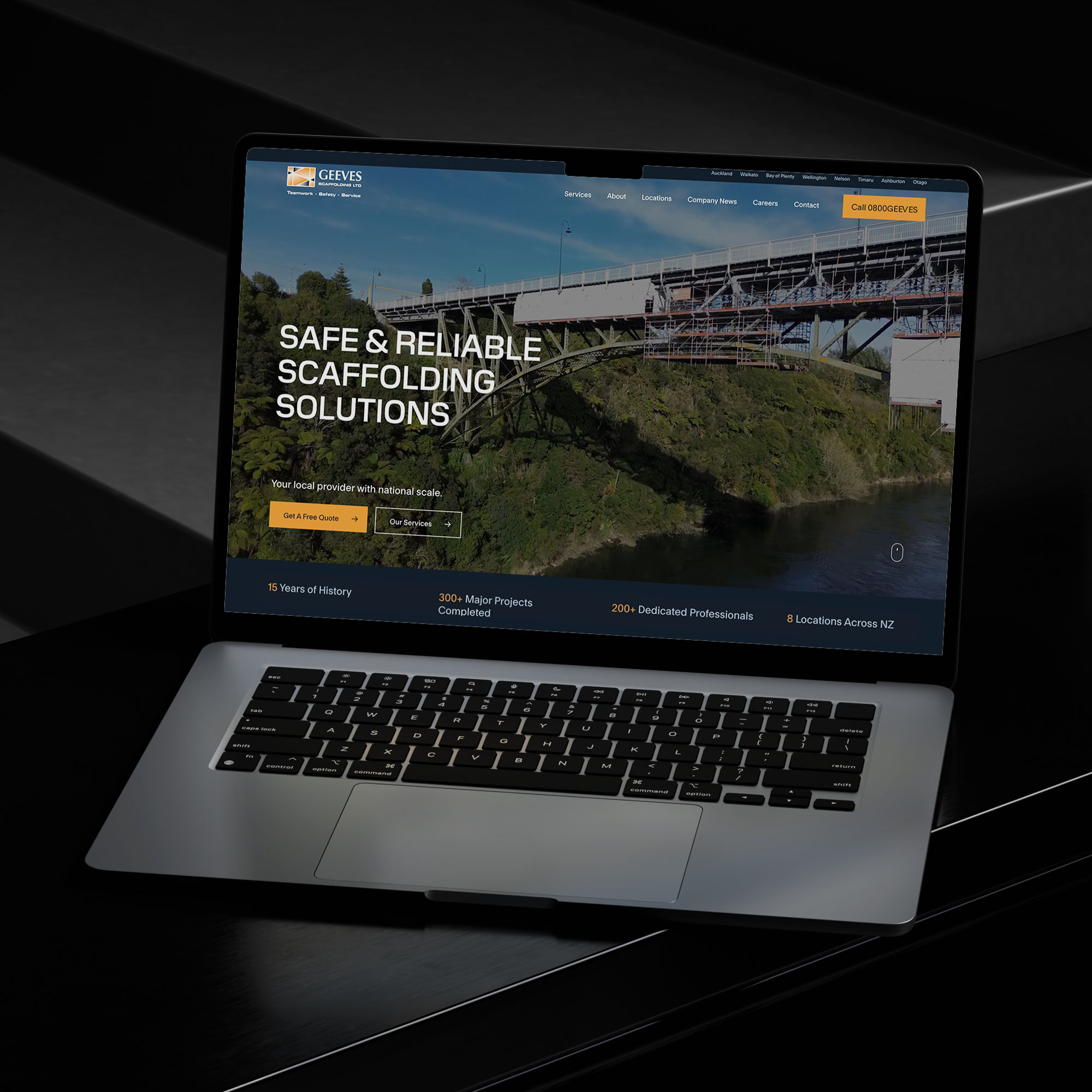
Modern SEO-friendly WordPress website for Geeves New Zealand

Modern SEO-friendly WordPress website for Geeves Scaffolding New Zealand.

Affordable Doesn’t Mean Cheap – The Sky Media Approach

At Sky Media, we understand that businesses want affordable web design in New Zealand without sacrificing quality. That’s why our approach is simple: deliver value, not shortcuts.

  • Transparent Pricing: We provide clear quotes so you know exactly what you’re paying for.
  • SEO Built-In: Every website we design comes optimised for search, ready to rank.
  • Flexible SEO Packages: From Auckland to Wellington and Christchurch, we tailor SEO packages that fit your budget and goals.

Affordable doesn’t have to mean cheap. It means getting a website that’s fairly priced, performs well, and grows with your business.

Final Thoughts – Invest Smart, Not Cheap

When it comes to your website, the cheapest option rarely pays off. A low-cost build may look fine at launch, but without SEO it won’t bring in traffic, leads, or sales. Over time, the hidden costs of cheap design — poor rankings, low conversions, constant fixes — can far outweigh the initial savings.

An SEO-friendly website is a smart investment. It’s the foundation of your online presence and a tool that drives long-term business growth.

If you’re serious about building a website that performs, don’t settle for the cheapest option. Invest in a partner who understands both web design and SEO packages in Auckland — and your website will pay for itself many times over.

Top Web Design Trends in New Zealand for 2025

Top Web Design Trends in New Zealand for 2025

By Web Design

The digital world is moving faster than ever, and New Zealand businesses can no longer afford to treat their websites as simple online brochures. In 2025, web design is about strategic digital experiences —designing websites that connect emotionally, drive conversions, and reflect Kiwi values of inclusivity and sustainability.

For businesses, keeping up with the latest design practices is critical. Whether you’re a small local business in Dunedin or a large eCommerce brand in Auckland, the same truth applies: your website is the front door to your business. When it’s outdated, confusing, or poorly optimised, you risk losing customers to competitors.

This blog explores the top web design trends in New Zealand for 2025, with a focus on Web Design NZ and how Kiwi businesses can implement these trends effectively.

Top Web Design Trends in New Zealand for 2025

1. Mobile-First Design

In 2025, mobile-first design isn’t just a best practice—it’s the default. With more than 70% of New Zealand internet traffic now coming from smartphones, websites that don’t prioritise mobile users are immediately at a disadvantage.

Why It Matters

  • Google’s mobile-first indexing: Google ranks websites based on their mobile versions first. If your site doesn’t perform well on mobile, your SEO rankings will drop.
  • Better engagement: Mobile users expect quick loading times, simple navigation, and content that fits their screen without endless zooming.
  • Local relevance: Many Kiwis search for services “near me” while on mobile. A responsive, mobile-friendly site ensures your business appears credible when people are on the go.

Best Practices

  • Use responsive frameworks like Bootstrap or Tailwind CSS.
  • Prioritise fast-loading images and compressed video.
  • Design tap-friendly buttons and larger fonts for easy reading.
  • Eliminate clutter—keep navigation clean and intuitive.

Local Example

New Zealand retailers such as Kathmandu and Farmers NZ have redesigned their sites with mobile-first layouts, ensuring smooth browsing experiences that boost online sales.

Mobile-first web design NZ example on smartphone

2. Ethical, Sustainable, and Accessible Website Design

Kiwi consumers are increasingly valuing businesses that align with social and environmental responsibility. This has fuelled the rise of ethical, sustainable, and accessible design as a cornerstone of Web Design New Zealand.

Accessibility

An accessible website ensures everyone—including those with visual, auditory, or physical impairments—can use it effectively. Features include:

  • Screen reader compatibility for the visually impaired
  • Colour contrast testing for readability
  • Keyboard navigation support for users unable to use a mouse
  • Alt text for all images so search engines and screen readers can interpret visuals

Sustainability

Many New Zealand businesses are also reducing their website’s carbon footprint by:

  • Using efficient hosting providers powered by renewable energy
  • Optimising code to lower server demand
  • Limiting auto-playing videos and heavy animations that drain energy

Local Example

NZ’s Department of Conservation has a website optimised for accessibility and sustainability, reflecting the organisation’s environmental ethos while making content widely usable.

Why It Matters

Not only do sustainable and accessible designs align with Kiwi values, but Google also prioritises fast, efficient, and inclusive websites in search rankings. Investing in this area benefits both users and SEO performance.

Accessible web design New Zealand with inclusive layout

3. Meaningful Interactions

In 2025, visitors expect more than static pages—they want to engage with your brand through meaningful digital interactions. This trend is about using interactive design to improve customer journeys, not just add visual flair.

Examples of Meaningful Interactions

  • Micro-interactions: Subtle animations when a button is pressed or when a form is completed successfully. These give users instant feedback and reduce frustration.
  • Interactive content: Calculators, quizzes, or configurators that let users customise services or products before purchase.
  • AI-powered chatbots: Offering instant answers, personalised suggestions, and 24/7 customer support.
  • Dynamic product filters: Allowing users to refine searches in real time, enhancing eCommerce experiences.

Local Example

Tourism websites like 100% Pure New Zealand and airline portals such as Air New Zealand are leveraging interactive maps, booking tools, and AI chat assistants to keep users engaged and improve satisfaction.

Why It Matters

These meaningful interactions boost time on site, customer trust, and conversion rates. Instead of gimmicks, interactions are now designed to add clarity, reduce friction, and make navigation intuitive.

Interactive website design NZ with chatbot feature

4. Complex and Awe-Inspiring Hero Areas

Your hero section—the large banner or introduction area at the top of a homepage—has become more than a welcome mat. In 2025, hero areas are complex digital storytelling tools that instantly communicate your brand identity.

Key Features of Modern Hero Areas

  • Cinematic video backgrounds: Immersive visuals that capture attention instantly.
  • Oversized typography: Bold headlines that state your value proposition clearly.
  • Immersive motion graphics: Smooth, subtle animations that draw the eye to key messaging.
  • 3D visuals and AR elements: Giving websites a futuristic, cutting-edge feel.

Local Example

Businesses in Auckland and Wellington are blending Māori design motifs and storytelling elements into hero sections, reflecting New Zealand’s culture in a modern way. This creates a unique brand identity that resonates both locally and internationally.

Why It Matters

Your hero area is often where users decide whether to stay or leave. By making it visually compelling, culturally relevant, and strategically designed, you increase trust, professionalism, and engagement from the first second.

5. Smart CTA Placements to Improve Conversions

Your Call-to-Action (CTA) buttons are the most important conversion points on your site. In 2025, Web Design NZ is shifting to smarter placements that align with the customer journey.

Best Practices for Smart CTAs

  • Above the fold: A visible CTA (like “Book Now” or “Get a Free Quote”) should appear before the user scrolls.
  • Contextual placement: CTAs appear at the right moment—after a product description, service list, or testimonial.
  • Sticky CTAs: Floating action buttons that stay on-screen as users scroll.
  • Personalised CTAs: AI-driven buttons tailored to user behaviour (e.g., showing “Get 20% Off” to repeat visitors).
  • A/B testing: Continuously refining colour, text, and placement for maximum impact.

Local Example

E-commerce platforms like Trade Me have perfected CTA placements, ensuring that “Buy Now” and “Place Bid” buttons are always prominent, leading to higher sales.

Why It Matters

A website can look stunning but still fail if it doesn’t convert. Smart CTA strategies ensure design isn’t just attractive—it’s profitable. Businesses that test and refine CTA placements see significant jumps in lead generation and revenue.

Smart CTA placement in NZ website design for higher conversions

As we step into 2025, Web Design New Zealand is about more than just aesthetics—it’s about creating purpose-driven digital experiences. Mobile-first designs meet the demands of today’s browsing habits, ethical and sustainable websites align with Kiwi values, meaningful interactions improve usability, awe-inspiring hero sections capture attention, and smart CTAs drive real conversions.

For businesses across the country, adopting these trends means building not just a website, but a digital growth engine. Whether you’re in Auckland, Wellington, Christchurch, or a smaller town, staying ahead of these web design trends ensures your business remains competitive in an increasingly digital-first world.

If you’re looking to future-proof your online presence, investing in professional Web Design NZ services, Sky Media team will help you deliver websites that are modern, inclusive, and high-performing. Get in touch with us for a free consultation.

WordPress SEO specialist in New Zealand – Sky Media digital marketing agency

Why WordPress is the Best CMS Platform for SEO

By SEO, Web Design

When it comes to building a website that ranks well on Google and grows with your business, choosing the right Content Management System (CMS) is one of the most important decisions you can make. At Sky Media, we work with businesses across Auckland, Christchurch, and Wellington to create SEO-friendly websites — and we’ve tested nearly every CMS out there.

WordPress SEO specialist in New Zealand – Sky Media digital marketing agency

Our verdict? WordPress is hands-down the best platform for SEO.
And not just by a little — the difference in ranking potential, flexibility, and long-term growth between WordPress and platforms like Wix and Squarespace is enormous.

  • In this article, we’ll break down:
  • Why WordPress dominates SEO rankings
  • The key limitations of Wix and Squarespace for SEO
  • How WordPress supports long-term scalability, management, and functionality
  • Why businesses in SEO Auckland, SEO Christchurch, and SEO Wellington markets benefit most from WordPress websites
  • How Sky Media, a certified WordPress specialist in New Zealand, can help you dominate your local search results

WordPress Is Built for SEO From the Ground Up

One of the biggest reasons WordPress outperforms Wix and Squarespace is that it’s an open-source platform designed for complete SEO control.

Unlike “drag-and-drop” builders, WordPress allows you to optimise every single element of your website for search engines:

  • SEO-Friendly URLs – You can set clean, keyword-rich URLs like www.yoursite.co.nz/seo-auckland instead of random strings of characters.
  • Meta Title & Description Control – WordPress integrates with powerful SEO plugins like Yoast SEO and Rank Math, making it easy to create optimised page titles and descriptions.
  • Image SEO – Easily add alt tags, captions, and compression to improve both rankings and site speed.
  • Heading Structure – You can fully control H1, H2, H3 tags for keyword targeting.
  • Schema Markup – Add structured data to improve click-through rates in search results.

Example: If you’re a SEO Agency in Auckland targeting “SEO Auckland” as a keyword, WordPress makes it easy to place that keyword in page titles, headings, meta descriptions, and image alt text — without fighting against a restrictive page builder.

Wix & Squarespace’s SEO Limitations

While Wix and Squarespace have made progress in recent years, they still lag behind WordPress in critical SEO areas.

Limited Control Over Technical SEO

  • URL Structures – Wix and Squarespace often force certain URL patterns (e.g., /blog/post-name) instead of letting you customise slugs completely.
  • Canonical Tags – Setting custom canonical URLs can be tricky or impossible without third-party workarounds.
  • Sitemap Control – You can’t easily edit or customise your XML sitemap, which is crucial for large sites.

Slower Site Speeds

Google has made page speed a major ranking factor. While you can optimise images and caching on WordPress, Wix and Squarespace’s all-in-one hosting limits server optimisation. Their websites often load slower, especially for image-heavy or e-commerce sites.

Less Mobile Optimisation Flexibility

Mobile responsiveness is essential, especially for local search in SEO Christchurch or SEO Wellington markets. With Wix and Squarespace, you’re limited to the responsiveness of their templates — while WordPress lets you build truly mobile-first designs.

Less Mobile Optimisation Flexibility

Mobile responsiveness is essential, especially for local search in SEO Christchurch or SEO Wellington markets. With Wix and Squarespace, you’re limited to the responsiveness of their templates — while WordPress lets you build truly mobile-first designs.

Weaker Plugin Ecosystems

Wix and Squarespace have a small library of extensions. WordPress has over 60,000 plugins for SEO, marketing, analytics, and performance — giving you endless optimisation opportunities.

Why WordPress Websites Rank Better

When we work with clients in Auckland, Christchurch, and Wellington, we consistently see WordPress sites outrank Wix and Squarespace sites. This is because Google rewards websites that:

  • Have faster loading speeds
  • Follow clean code structures
  • Use optimised metadata and schema
  • Provide a better user experience
  • Are easier to crawl and index

WordPress makes all of these achievable without hitting platform limitations. Wix and Squarespace may work for a simple brochure site, but as soon as you need serious SEO growth, you’ll hit a wall.

Scalability: The Long-Term SEO Advantage

If your business is investing in SEO Auckland, SEO Christchurch, or SEO Wellington campaigns, you need a CMS that can grow with you.

With WordPress:

  • You can start small and expand to thousands of pages.
  • Add e-commerce, booking systems, membership portals, and custom applications without rebuilding your site.
  • Keep full ownership of your content — you’re not locked into a proprietary platform.

With Wix/Squarespace:

  • You’re stuck within their ecosystem.
  • Limited design flexibility and SEO control make scaling difficult.
  • Adding advanced features often requires switching platforms entirely.

Management, Support & Functionality: WordPress Wins Again

Easier Management

With a well-built WordPress site (like those designed by Sky Media), content management is straightforward. You can add blog posts, update service pages, and upload media without touching code.

Wix and Squarespace may appear simpler at first, but as your site grows, managing large amounts of content becomes cumbersome due to their rigid backend structures.

Better Support

    • WordPress: Millions of developers, agencies, and forums provide free and paid support. You’re never locked into one provider.
    • Wix/Squarespace: Support is limited to their internal help teams and documentation — and you have to wait on their timelines.

More Functionality

Need to integrate with a CRM, run advanced A/B testing, or add a complex booking system? WordPress can do it. Wix and Squarespace have far fewer integrations and often require expensive workarounds.

Local SEO Superiority for NZ Businesses

If you’re competing in Auckland, Christchurch, or Wellington, SEO Auckland is everything. WordPress offers:

  • Customisable location landing pages for each city you target (e.g., /[your service]-auckland, /[your service]-christchurch).
  • Full control over Google Business Profile optimisation through plugins and schema markup.
  • Faster site performance for better rankings in location-based searches.

For example, a building company in Christchurch targeting “Renovations Christchurch” can create optimised service pages, publish regular blog posts, and run content marketing campaigns directly from WordPress — all while tracking results with built-in analytics integrations.

Real-World Example: How Sky Media Gets Results

At Sky Media, we’re a certified WordPress specialist in New Zealand. We’ve helped dozens of businesses switch from Wix or Squarespace to WordPress — and every single one has seen an improvement in search rankings, website traffic, and conversions.

For example, Lily’s Choice, a Christchurch based business came to us with a slow Wix website that wasn’t ranking for any of their target terms. After moving to WordPress and optimising for SEO Christchurch:

  • Their organic traffic doubled in six months.
  • They ranked on page one for their main keywords.
  • Their leads increased by 70%.

See our SEO results.

The SEO Auckland, Christchurch & Wellington SEO Advantage

Here’s how WordPress gives you the edge in your local NZ market:

FeatureWordPressWixSquarespace
Full SEO Control
Fast Page Speeds
Scalable & FlexibleLimitedLimited
Plugin Library60,000+ free apps and extensions800 apps with most being paid apps31 paid extensions
Custom IntegrationsLimitedLimited
Ownership & Portability
Local SEO Ready

Why You Should Choose WordPress for Your Next Website

If you’re serious about SEO, scalability, and owning your digital presence, WordPress is the only real choice. Platforms like Wix and Squarespace may seem attractive for quick DIY sites, but they fall short when it comes to:

  • Competing in high-demand SEO markets like Auckland or Wellington
  • Managing large, growing websites
  • Implementing advanced SEO strategies

With WordPress, you get full control, endless flexibility, and the backing of a global community. And with Sky Media, you get a local, certified WordPress specialist who knows how to get results in New Zealand’s competitive digital landscape.

Ready to Rank Higher? Let’s Talk.

Whether you’re based in Auckland, Christchurch, Wellington, or any other region of New Zealand, our team at Sky Media can help you build an SEO-optimised WordPress website that actually delivers results.

  • Local expertise – We understand the NZ market.
  • Proven SEO results – Our clients dominate Google rankings.
  • Certified WordPress specialists – We build for performance and growth.

Call us on 0800 113 772 or contact our SEO experts online to find out how we can transform your website into a lead-generating, search-dominating powerhouse.

Final Word: If you’re choosing between WordPress, Wix, and Squarespace, and your goal is to grow your business with SEO — the winner is clear. WordPress isn’t just the best choice for now — it’s the only choice for the future.