corey

Local SEO in 2026: A Guide for Small Businesses

Local SEO in 2026: How Small Businesses Can Outrank Big Brands

By SEO, Tips and Guides

Big brands have budgets, teams, and name recognition. But in local search, that doesn’t automatically mean they win.

In 2026, Google’s local results still come down to a simple idea: show the best nearby option for the searcher. Google even explains local rankings are largely shaped by relevance, distance, and prominence.

Local SEO in 2026: A Guide for Small Businesses

That’s good news for small businesses — because “prominence” isn’t just about being famous nationwide. It can also mean being trusted, visible, and consistently talked about in your community.

Here’s how to compete (and often beat) bigger players with a focused Local SEO strategy that’s practical, sustainable, and easy to maintain.

1. Win the “relevance” game by being crystal clear about what you do

Local SEO starts with one question: Does Google understand your business properly?

If your Google Business Profile (GBP) category is wrong, your services are vague, or your website is a “general brochure” with no clear focus, you’ll struggle — even with lots of reviews.

Start here:

  • Choose the most accurate primary category (not the one that sounds nicest).
  • Add secondary categories only if you truly offer those services.
  • Use plain-language service descriptions that match how customers search (“blocked drain repair”, not “hydraulic solutions”).

Google doesn’t rank what it can’t confidently identify — and category clarity is one of the biggest levers small businesses can control.

Small-business advantage: you can specialise. Big brands often create generic pages that try to please everyone. You can create a sharper “this is exactly what we do” signal.

2. Accept that you can’t “hack” distance — so build strength everywhere else

Distance (proximity) is a major local ranking factor, and you can’t change where your business is located.

So instead of trying to “rank everywhere”, focus on:

  • Ranking very strongly in your real service area
  • Increasing visibility for suburbs and neighbourhoods you actually serve
  • Making it obvious you’re the best local choice through proof (reviews, photos, local content, local links)

If you’re a service-area business, follow Google’s guidelines on representing your location/service area properly (don’t use fake addresses or PO boxes). That’s not just an ethics point — it’s a risk-management point.

3. Treat your Google Business Profile like your new homepage

For many local searches, your GBP is what people see before they ever click to your website. Your photos, services, reviews, and Q&A often do the “selling” first.

A strong 2026 GBP baseline looks like:

  • Accurate NAP (Name, Address, Phone) + opening hours
  • Primary + secondary categories done properly
  • Services added (not just a vague description)
  • Fresh photos (real team, real work, real location)
  • Regular updates/posts when you have something meaningful to share
  • Review replies (yes, even the awkward ones)

Google also reinforces the idea that you can’t pay to rank higher in local results — the way forward is accuracy, quality, and trust signals.

Small-business advantage: you can show “realness” better than big brands. Authentic photos and specific service details often outperform polished but generic brand imagery.

4. Make reviews your unfair advantage (and do it consistently)

Reviews are the most obvious “prominence” signal customers notice — and they influence click choices even when rankings are similar.

BrightLocal’s 2025 review research points to consumers becoming more “objective” and reading both positive and negative reviews to form their own view.

Practical review moves that help in 2026:

  • Ask every happy customer (make it part of your process)
  • Aim for steady review flow, not random bursts
  • Encourage details: what service, which location, what problem you solved
  • Respond to reviews — it shows you’re active and accountable
  • Address negative reviews calmly and professionally

Small-business advantage: your customer relationships are closer. Use that. A consistent review engine can outperform a national chain with a “big total number” but weak recency and low detail.

5. Build “local authority” with citations and local mentions that make sense

This part isn’t glamorous — but it still matters.

Your business details should be consistent anywhere you’re listed: key directories, local associations, industry bodies, suppliers, and community websites.

Think of it like this: Google is cross-checking whether you’re a real, stable entity. Inconsistent phone numbers, mismatched business names, or old addresses create doubt.

Start with the basics:

  • Google Business Profile
  • Your website contact page
  • Major local directories (NZ-focused where relevant)
  • Industry associations and local chambers
  • Facebook/LinkedIn business profiles

Small-business advantage: you can be “locally everywhere” faster — sponsorships, community pages, local partnerships, and niche directories often don’t cost much but are highly relevant.

6.Create location pages that are genuinely helpful (not copy/paste suburb pages)

In 2026, thin location pages don’t impress users (or search engines). The goal isn’t to “stuff suburbs” — it’s to answer local intent.

A strong local service page includes:

  • The exact service + the area you serve
  • Common local problems you solve (weather, housing type, local compliance, etc.)
  • Pricing guidance or ranges (even “from” pricing helps)
  • Photos from jobs in that area (where appropriate)
  • FAQs based on real customer questions
  • Clear call to action (call, quote form, booking)
  • If you serve multiple areas, create fewer pages — but make them better.

Small-business advantage: your knowledge is local. Big brands struggle to write truly local content because they aren’t on the ground.

7. Prepare for AI-shaped search (and why local trust signals matter more)

Search is being reshaped by AI experiences. Google has publicly discussed AI-powered experiences like AI Overviews and how they change how people interact with results.

  1. Two important implications for local businesses:
  2. Some users will get answers without clicking as often

Being the trusted local entity becomes even more valuable

Industry studies have observed click-through changes on queries that show AI features (results vary by query type), which is a reminder that relying on “ten blue links” alone is risky.

So what do you do?

  • Double down on your Google Business Profile completeness and accuracy
  • Strengthen reviews and reputation signals
  • Publish clear “proof” content (case studies, FAQs, service explanations)
  • Make it easy for searchers to take action without thinking (call buttons, booking, quote forms)

In a world where attention is fragmented, clarity wins.

8. Turn Local SEO into a system (not a one-off project)

Big brands can spend their way into visibility. Small businesses win by being consistent.

Here’s a simple monthly routine that compounds:

Weekly (15 minutes):

  • Reply to new reviews
  • Add 1–2 photos to GBP (real work, team, before/after)
  • Check for incorrect GBP edits

Monthly (60–90 minutes):

  • Publish one helpful piece of local content (FAQ post, project spotlight, “what it costs”, “how it works”)
  • Audit your top service pages: do they still match how customers search?
  • Look at GBP insights + basic lead tracking (calls, forms)

Quarterly:

  • Add or refresh a key service page
  • Do a citation check (especially after moving address or changing phone numbers)
  • Run a lightweight competitor scan: what are they doing that you’re not?

The bottom line: small businesses can absolutely win local search in 2026

Local SEO isn’t about being the biggest. It’s about being the best match for the person searching nearby — and proving it with consistent signals:

  • Clear categories and services (relevance)
  • Strong reputation and real-world trust (prominence)
  • Accurate location/service area info (distance + legitimacy)

If you build those foundations, small businesses can compete with — and often beat — big brands because you can be more specific, more personal, and more locally trusted.

If you’d like, Sky Media can turn this into a practical plan for your business: a cleaned-up Google Business Profile, a tighter service-page structure, and a simple content system that keeps visibility growing month by month.

Get a Local SEO strategy that actually fits your business.

No guesswork. No generic checklists. Just a clear plan built around how your customers search — and how Google ranks local results in 2026. Talk to Sky Media about Local SEO.

What Makes a High-Converting Website for Christchurch Businesses in 2026

What Makes a High-Converting Website for Christchurch Businesses in 2026?

By Tips and Guides, Web Design

In 2026, having a website isn’t enough. For businesses in Christchurch, your website needs to convert — turning local visitors into enquiries, bookings, and sales. With competition increasing across trades, professional services, hospitality, and e-commerce, the difference between an average site and a high-converting one often comes down to how well it reflects local user behaviour, builds trust, performs on mobile, and guides people to take action.

What Makes a High-Converting Website for Christchurch Businesses in 2026

At Sky Media, we see a clear pattern: Christchurch websites that convert well aren’t flashy for the sake of it. They’re clear, fast, credible, and built around how Cantabrians actually browse, compare, and decide.

Let’s break down what truly makes a high-converting website for Christchurch businesses in 2026 — and how you can apply these principles to your own site.

1. Understanding Local User Behaviour in Christchurch

High conversion starts with understanding who is using your website and how they behave.

Christchurch users are practical decision-makers

Christchurch customers tend to value:

  • Clear information over hype
  • Proof and credibility over bold promises
  • Straightforward pricing or next steps

They often compare multiple local providers before making contact. A high-converting website anticipates this by answering key questions early:

  • What do you do?
  • Who is this for?
  • Why should I trust you?
  • What do I do next?

Local intent is strong

That means your website should immediately confirm relevance:

  • Mention Christchurch naturally
  • Reference local industries or challenges
  • Show real local examples and testimonials

When visitors feel “this business is for people like me, in my city,” conversion rates increase dramatically.

2. Trust Signals Matter More Than Ever

In 2026, trust is currency. Christchurch users are cautious, especially when committing to services that require upfront investment.

Essential trust elements for Christchurch websites

High-converting local websites consistently include:

  • Real testimonials from Christchurch clients
  • Photos of real people (not stock-only imagery)
  • Clear contact details with a local presence
  • Transparent explanations of process and pricing

If a visitor has to guess whether you’re legitimate, you’ve already lost them.

Local proof beats generic authority

National awards are nice, but for Christchurch audiences:

  • A testimonial from a Sydenham tradie
  • A case study from a Riccarton business
  • A project completed in the CBD

…often converts better than international logos. Local familiarity reduces perceived risk.

3. Mobile-First Is No Longer Optional

By 2026, most Christchurch website traffic comes from mobile — and not just for hospitality or retail. Professional services, trades, and B2B businesses all see strong mobile usage.

What mobile users in Christchurch expect

A high-converting mobile experience includes:

  • Fast loading times (especially on mobile data)
  • Click-to-call buttons
  • Simple forms (no endless fields)
  • Readable text without zooming
  • Clear navigation with minimal clutter

If your mobile site feels cramped, slow, or confusing, users won’t “check it later” — they’ll bounce and contact a competitor.

Mobile design influences trust

A poorly designed mobile site signals:

  • Outdated business practices
  • Lack of attention to detail
  • Potential communication issues

A smooth mobile experience instantly builds confidence and makes it easier for users to take action.

4. Clear Conversion Paths (No Guessing Required)

One of the biggest reasons Christchurch websites fail to convert is unclear next steps.

High-converting websites answer the question:
“What do you want me to do next?”

Strong calls-to-action that work locally

Effective Christchurch websites use CTAs like:

  • “Get a Quote”
  • “Book a Free Consultation”
  • “Talk to our team”
  • “Request a Call Back”

These are specific, low-pressure, and aligned with local expectations.

One page, one primary goal

Each page should have a dominant action:

  • Home page → enquiry
  • Service page → quote request
  • Contact page → call or form

Too many competing CTAs create hesitation — and hesitation kills conversions.

5. Page Speed and Performance Still Win

Christchurch users won’t tolerate slow websites — especially on mobile. Speed directly affects:

  • Bounce rates
  • SEO visibility
  • Conversion rates

What slows Christchurch websites down

Common issues include:

  • Heavy image files
  • Cheap hosting
  • Bloated themes
  • Unnecessary animations

High-converting websites are lean, optimised, and built with performance in mind from day one.

Speed isn’t just technical — it’s psychological. Fast sites feel professional and trustworthy.

6. Content That Speaks to Christchurch Audiences

Generic content doesn’t convert. Localised, relevant content does.

What effective Christchurch website content includes

  • References to local conditions or industries
  • Language that sounds human, not corporate
  • Clear explanations without jargon
  • Answers to real customer questions

For example, a web design page that explains how website design helps Christchurch businesses get more enquiries will outperform one that simply lists features.

7. SEO and Conversion Working Together

In 2026, SEO and conversion optimisation are inseparable.

A website designed purely for rankings but not humans won’t convert. A beautiful website with no SEO won’t be found.

High-converting Christchurch websites:

  • Target relevant local keywords naturally
  • Use clear headings and structure
  • Align content with real search intent
  • Load fast and work perfectly on mobile

This is why web design Christchurch and website design Christchurch should be treated as user intent topics, not just keywords.

8. Forms That Don’t Scare People Away

Forms are often the final conversion point — and where many websites fail.

What converts better in Christchurch

  • Short forms (name, email, message)
  • Optional phone number
  • Clear privacy reassurance
  • Friendly, conversational labels

Long, aggressive forms feel salesy and reduce trust. In Christchurch, users prefer a softer, more respectful approach.

9. Visual Design That Feels Modern — Not Trendy

Christchurch businesses don’t need ultra-experimental design. They need:

  • Clean layouts
  • Clear typography
  • Consistent branding
  • Easy readability

High-converting sites feel current without being confusing. Design should support clarity, not distract from it.

10. Continuous Improvement Beats “Set and Forget”

Finally, the best converting websites in Christchurch are never finished. Read our “Why Your “Set and Forget” Website is Hurting Your Business” post to learn why you need take care of your website on a regular basis.

  • Monitor user behaviour
  • Improve underperforming pages
  • Update content regularly
  • Refine CTAs based on real data

In 2026, conversion optimisation is an ongoing process — not a one-time project.

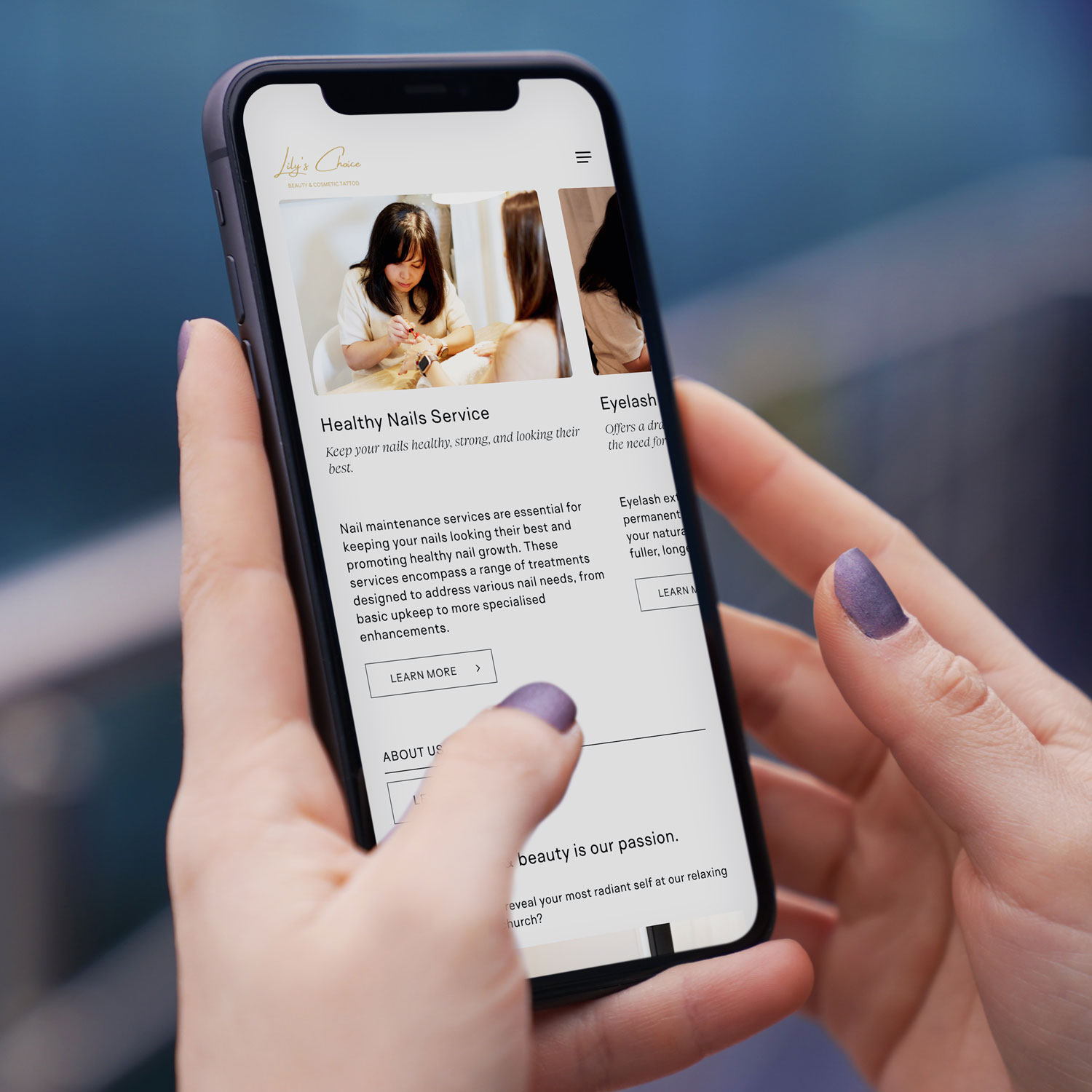
Mobile-first web design NZ example on smartphone for Christchurch based beauty & cosmetic tattoo business
Local Example

Lily’s Choice, Christchurch

A great example of conversion-focused website design in action is Lily’s Choice, a boutique beauty studio based in Christchurch. Lily’s Choice specialises in personalised cosmetic treatments designed to enhance natural beauty while making clients feel confident and cared for from the very first interaction.

When designing the website, the focus was on creating a calm, premium feel that reflects the in-studio experience, while also making it easy for visitors to understand services, build trust, and take the next step. Clear service descriptions, strong visual hierarchy, mobile-friendly booking pathways, and subtle trust cues were all built in to support conversions — especially for users browsing on mobile.

The result is a website that not only looks beautiful, but works as a practical tool for attracting and converting local Christchurch clients.

Final Thoughts: Conversion Is About Relevance and Trust

A high-converting website for Christchurch businesses isn’t about tricks or trends. It’s about:

  • Understanding local users
  • Building trust quickly
  • Making mobile effortless
  • Guiding visitors clearly
  • Removing friction at every step

When web design, SEO, and user experience work together, your website becomes more than an online brochure — it becomes a consistent lead-generation asset.

If your current website isn’t converting visitors into enquiries, it’s not a reflection of your business — it’s a sign your website needs a smarter, more locally focused approach. At Sky Media, we design high-performing websites built specifically for Christchurch businesses, combining conversion-focused design, mobile-first performance, and SEO that actually drives results. If you’re ready to turn your website into a consistent source of leads in 2026, get in touch with our team for a no-obligation chat about your goals.

Why a Fresh Website is Your #1 SEO Tool

Why Your “Set and Forget” Website is Hurting Your Business

By SEO, Web Design

You launched your website years ago. It looked great, showed off your services, and you hoped it would bring in customers. Then life and the day-to-day of running your business took over. Your website became that project you finished, and you haven’t touched it since—a digital “set and forget.”

Here’s the hard truth: that approach is now actively working against you. In the eyes of both Google and your potential customers, a static, outdated website signals a business that is no longer active, relevant, or trustworthy.

Why a Fresh Website is Your #1 SEO Tool

Think of SEO not as a one-time technical fix, but as an ongoing conversation with both your customers and Google. Updating your website regularly is how you keep that conversation lively, relevant, and successful. Let’s break down exactly why this is so critical, and how we’ve helped other Kiwi businesses transform their results by breaking the “set and forget” habit.

1. Google Rewards Freshness: The Algorithm Loves an Active Site

At its core, Google’s mission is to provide the best, most relevant, and most current answer to a searcher’s question. Which result do you think it will prefer when someone searches for “campervan hire NZ 2026” or “sustainable home builders Auckland”?

  • A website with “Latest News” from 2020.
  • A site with a regularly updated blog, fresh customer testimonials, and updated service pages reflecting current offers.

The answer is obvious. Google has a built-in “freshness factor.” By regularly updating your site, you send clear signals that it’s a living, active source of information. This can lead directly to a rankings boost, especially for time-sensitive or competitive searches.

In simple terms: A regularly updated website is like a shop with its lights on and fresh stock in the window. A stale site is like a shop with dusty shelves—people assume it’s closed or doesn’t care.

2. It’s Your Chance to Answer New Customer Questions

Your business evolves. The questions your customers ask evolve, too. A few years ago, people might have searched for “home builder.” Now, they’re looking for “energy-efficient passive home design” or “campervan hire with bike racks.”

If your website only has the old content, you’re invisible to people asking new questions. Regular updates allow you to:

  • Create new pages or blog posts that target these emerging trends and keywords.
  • Expand your service pages to reflect new offerings or FAQs you hear daily.
  • Showcase recent work to prove you’re actively excelling in your field.

Every new, relevant page is another front door to your business online. More doors mean more opportunities for customers to find you.

3. Updating Old Content: Your Secret SEO Weapon

Creating new content is great, but one of the most powerful strategies is updating and republishing what you already have.

That service page or blog post from a few years ago that used to get traffic? It might be slipping because it’s outdated. The process is simple:

  • Find it: Identify pages with potential that are now underperforming.
  • Refresh it: Update statistics, add new insights, include recent case studies or testimonials, and improve the images.
  • Republish it: Change the “last updated” date and share it again.

Why does this work? You’re taking a page that already has some SEO authority and making it 10x more valuable. It’s like renovating a well-located house instead of building on a new plot—the results are often faster and more dramatic.

Real-World Transformations: From Static to Strategic

These concepts might sound abstract, but their impact is incredibly concrete. Let’s look at two recent Sky Media clients and the tangible results of moving from a “set and forget” to an “always fresh” mindset.

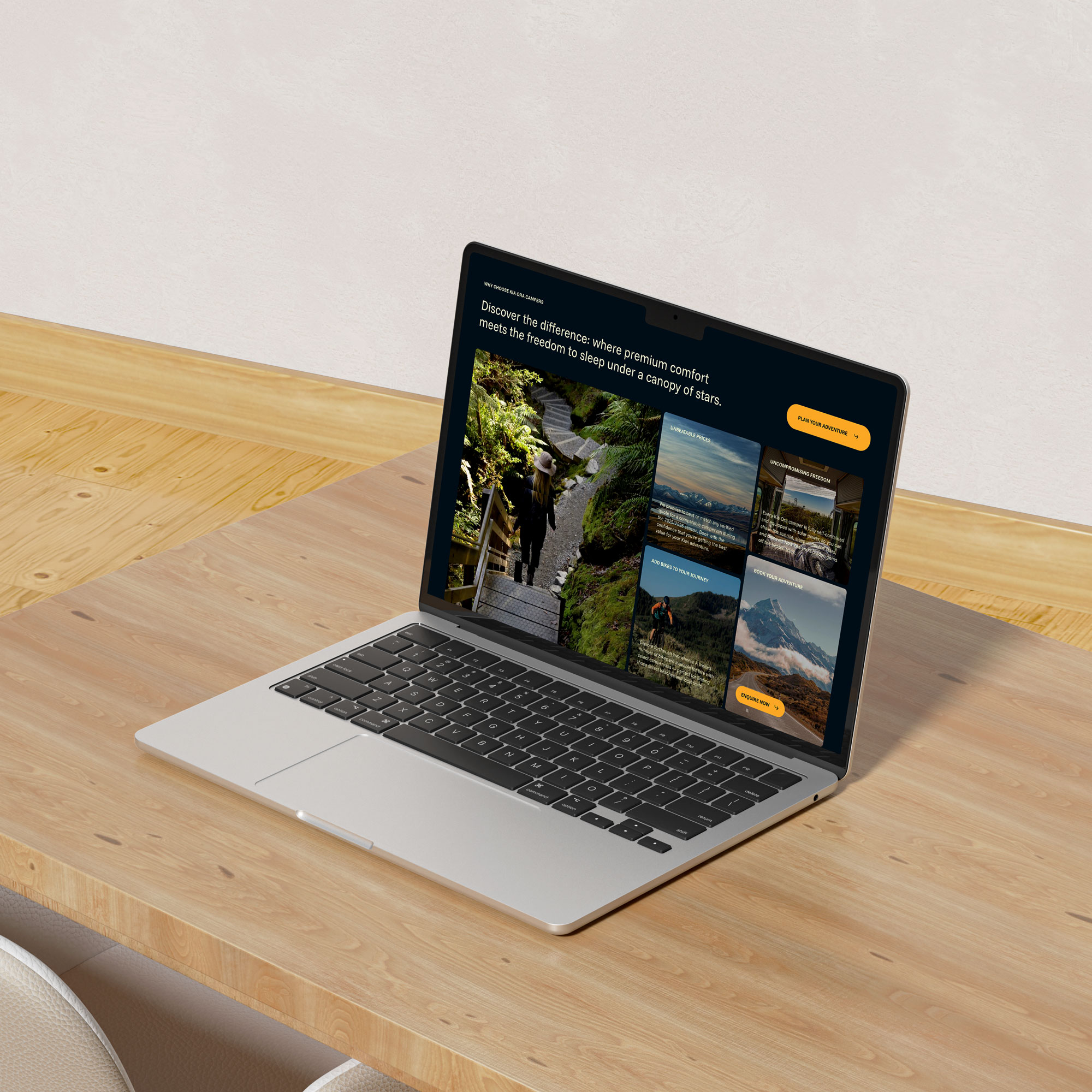
Case Study 1: Kia Ora Campers – Driving Online Bookings Off the Chart

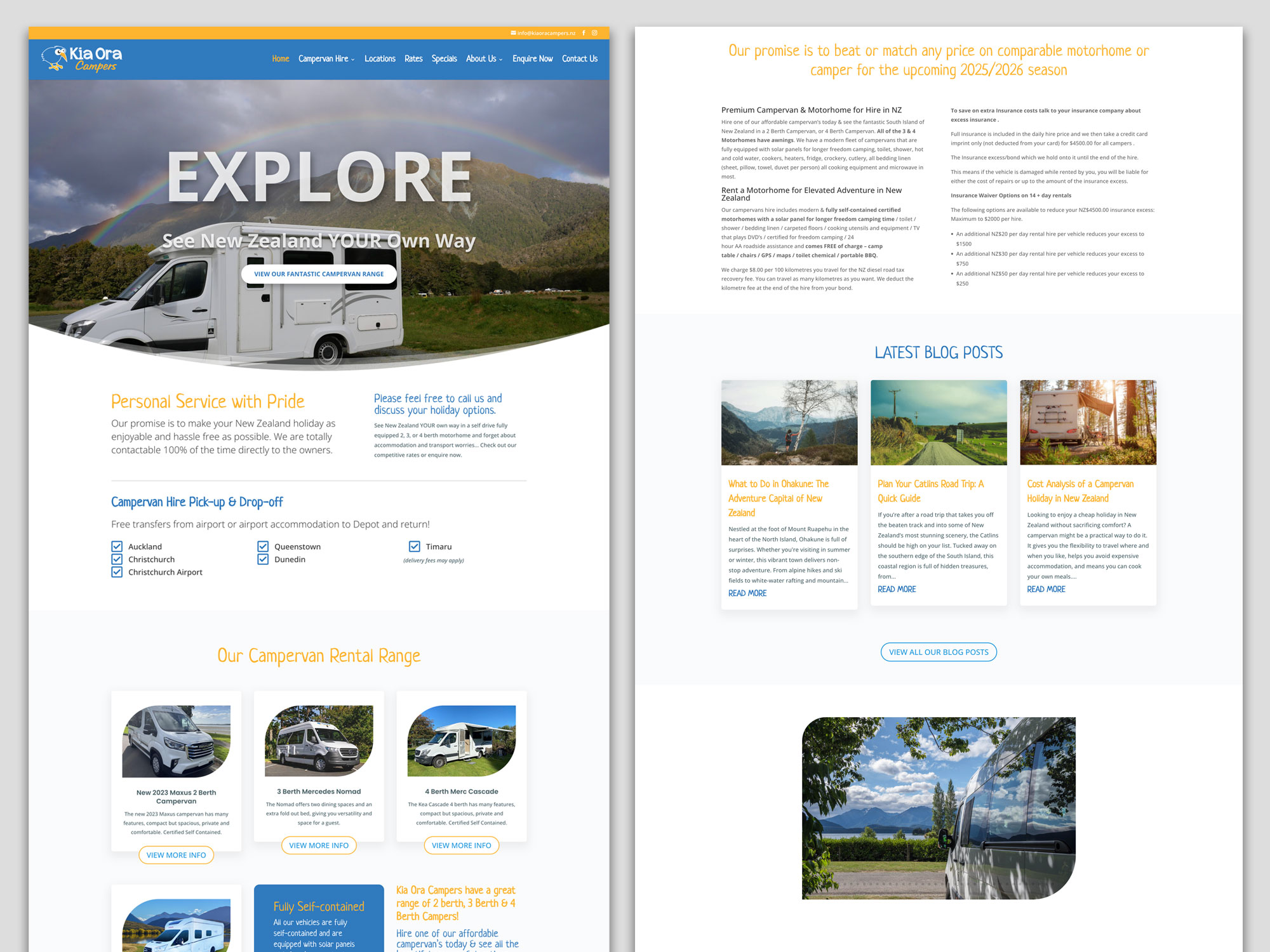
The ‘Before’ website: A Static Fleet List: The original Kia Ora Campers site functioned primarily as an online brochure. It listed vehicles and contact details, but the blog was hard to read, and key information for travellers (like detailed insurance explanations or current travel tips) wasn’t easily accessible. The site wasn’t actively working to answer the myriad questions potential renters have when planning a big trip.

Kia Ora Campers Website Before

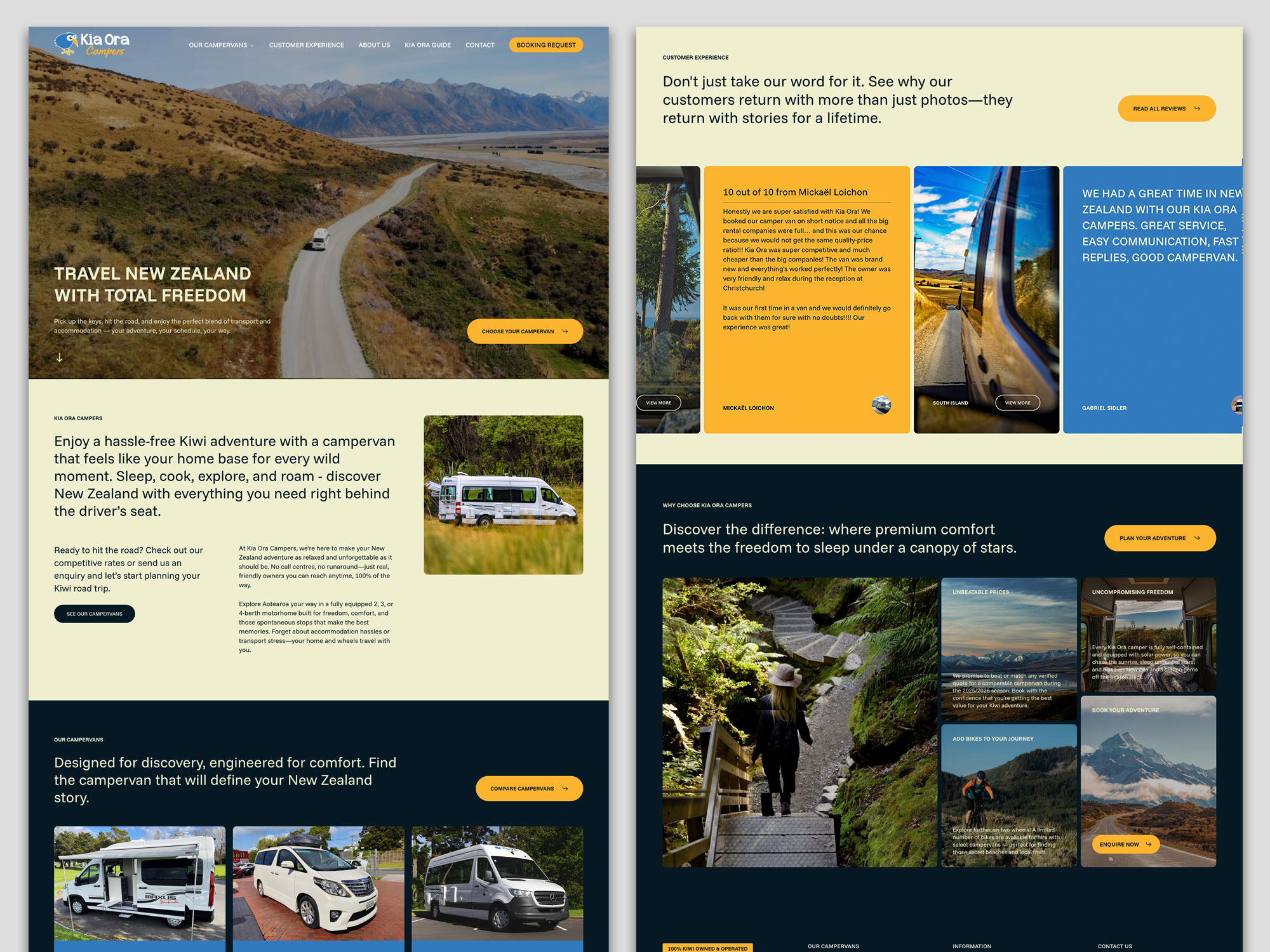
The ‘After’ Strategy – Becoming a Travel Resource: We worked with Kia Ora Campers to shift their site from a brochure to a comprehensive travel hub. The strategy centred on consistent, valuable content updates:

  • A Visual, Editorial-Standard Blog: Moving beyond basic posts, we developed a blog with a magazine-grade design. Featuring compelling layouts, high-quality imagery, and scannable sections
  • Transparent & Detailed Content: Key pages were expanded with clear, reassuring details on insurance, bond processes, and what “fully self-contained” truly means for freedom camping.
  • Fresh Social Proof: The integration of recent, detailed customer reviews builds immense trust.

The Result: The site is no longer just a list of vans; it’s a trusted planning tool. By consistently publishing content that targets what travellers are searching for.

Kia Ora Campers Website After

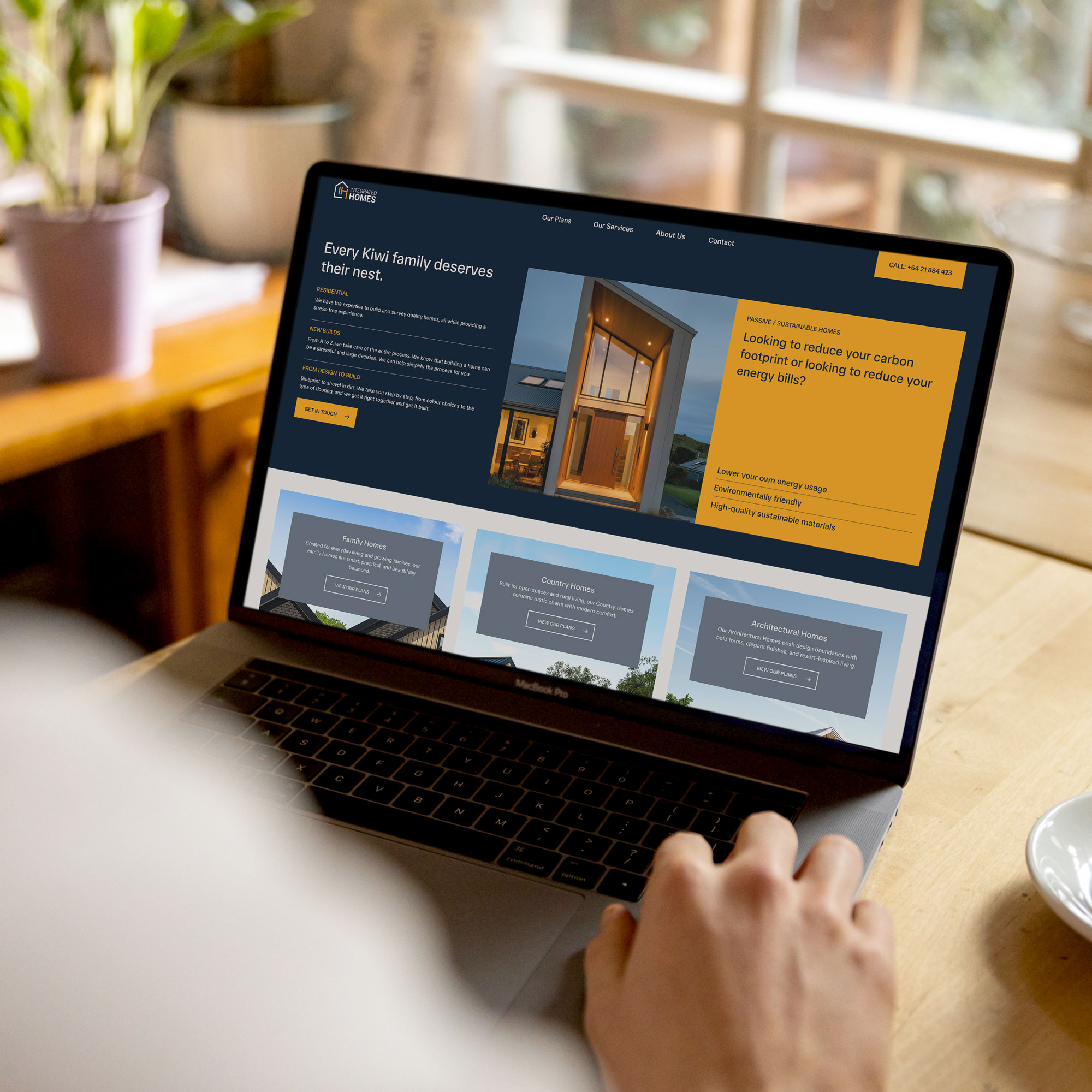
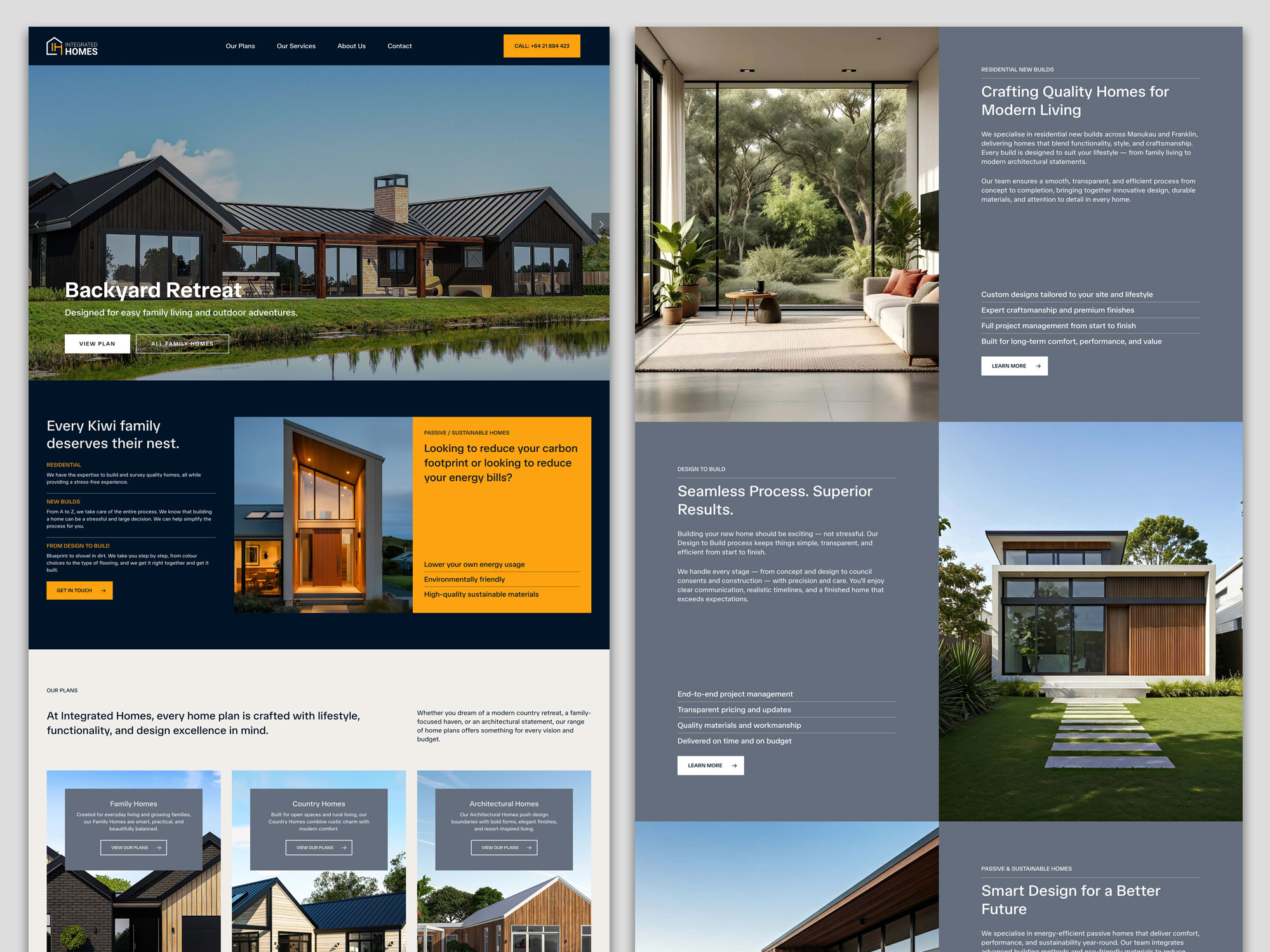
Case Study 2: Integrated Homes – Building Authority in a Competitive Market

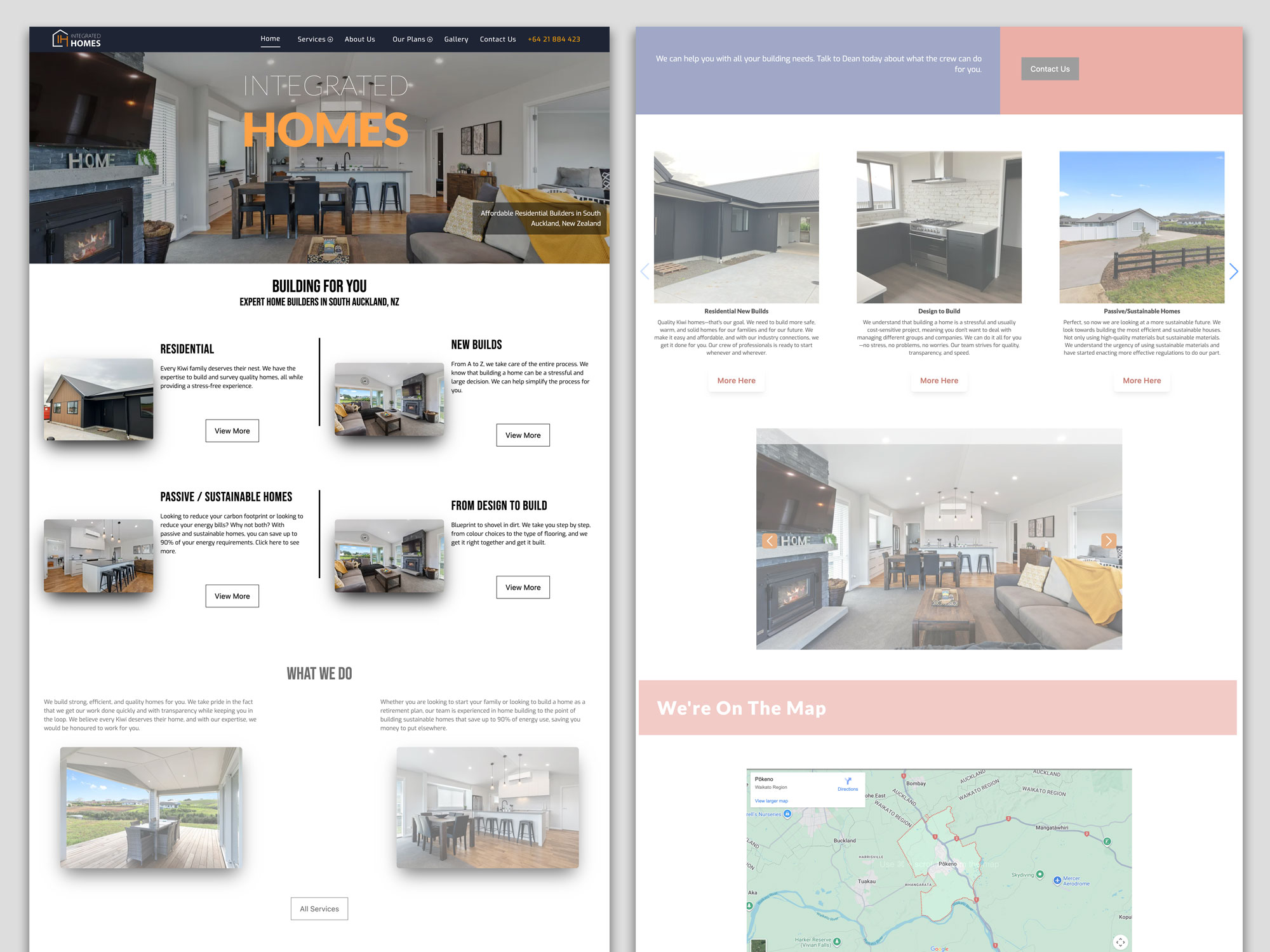
The ‘Before’ – A Generic Builder Site: Integrated Homes’ original site contained the essential information—they built quality homes—but it struggled to stand out in the crowded Auckland building market. The messaging was broad, and the site lacked the specific, expertise-driven content needed to attract clients looking for more than just a builder.

Integrated Homes Website Before

The ‘After’ Strategy – Owning a Niche with Expertise: Our focus was on positioning Integrated Homes as specialists, not generalists. This was achieved through targeted updates and content that showcased deep knowledge:

  • Highlighting Specialisations: We worked to clearly define and promote their service pillars, especially “Passive / Sustainable Homes,” moving it from a bullet point to a key differentiator. The content explains the benefits (like “saving up to 90% of your energy requirements”) in clear, compelling language.
  • Project-Focused Storytelling: The site now uses its house plans more effectively, presenting homes like “Your Own Elmshade Resort” or “Your Brick solid Windermere Home.” This tells a story of craftsmanship and results, not just showing pictures.
  • Building Trust through Transparency: Pages were updated to prominently feature certifications (LBP, NZCB Halo), clearly stating “Our team prides itself on our experience and quality craftsmanship.”

The Result: By consistently emphasising their specialised expertise in sustainable building and showcasing completed projects with narrative depth, Integrated Homes is able to attract clients who are specifically looking for their skill set.

Integrated Homes Website After

4. Building Trust and Authority: The Human Element

Regular updates build what Google calls EEAT (Experience, Expertise, Authoritativeness, Trustworthiness). This is shown through:

  • Fresh testimonials and case studies: Proof you’re doing great work now (as seen in both case studies above).
  • Industry commentary: Showing you’re engaged and knowledgeable.
  • Updated “About Us” and credentials: Like Integrated Homes’ builder certifications.
  • An active, helpful blog: Like Kia Ora’s travel guides, which build authority before a customer even picks up the phone.

A static website erodes trust. An active, updated website builds it with every visit.

5. Technical Health: Keeping the Digital Lights On

Websites are built on software that needs updates for security, speed, and mobile-friendliness. An outdated backend is a major risk and can slow your site down, causing both Google and users to bounce away. Regular maintenance is the non-negotiable digital equivalent of a Warrant of Fitness for your online presence.

“But I’m Too Busy Running My Business!” Your Action Plan

This is the most valid concern. You’re an expert in building or hospitality, not in content marketing. The key is to start small and be consistent, or partner with experts (like us) to handle it for you.

  1. Audit Your Key Pages: Pick your top 3 service pages. Are the descriptions, prices, and benefits accurate and compelling? Update them first.
  2. Add Fresh Proof: Upload your two most recent client testimonials or project photos this month.
  3. Revive One Old Piece: Find one blog post or page that has good history but old info. Spend an hour updating it.
  4. Schedule Time: Block out 90 minutes in your calendar next month to repeat this process. Consistency is everything.
  5. Talk to Your Experts: This is what we do at Sky Media. We become an extension of your team, creating and implementing a manageable, strategic update plan that turns your website from a static cost into your hardest-working business development tool.

In conclusion, your website is the heart of your digital presence. Just like your physical business needs ongoing care, your website needs regular attention to thrive. By committing to regular updates, you’re ensuring your business remains visible, relevant, and trusted. The transformation for Kia Ora Campers and Integrated Homes wasn’t magic—it was the systematic application of treating their website as the living, growing asset it truly is.

Ready to move from “set and forget” to “always growing”? Contact the Sky Media team today for a free, no-obligation website audit. Let’s build a plan that works for your business.

2025 Wrapped: A Year of Stories, Strategy & Sky-High Results

By Digital Marketing, Web Design

At Sky Media, years aren’t just measured in months, but in milestones. In the stories we’ve helped tell, the brands we’ve helped amplify, and the digital landscapes we’ve transformed. As we step into 2026, we’re pausing to look back on a year of incredible partnerships, creative breakthroughs, and results that have left a lasting mark.

This isn’t just our year in review—it’s a celebration of our clients’ vision and the tangible impact of aligning bold ideas with bulletproof strategy. From the high-stakes world of construction to the refined realm of single malt whisky, here are the projects that defined our 2025.

Geeves Scaffolding – Building a Digital Framework for Safety & Trust

The Challenge: In an industry built on physical safety and reliability, Geeves Scaffolding’s online presence wasn’t reflecting their market-leading stature. Their digital facade needed a complete rebuild to inspire the confidence of commercial clients and project managers.

Our 2025 Playbook: We approached this like a precision construction project. Our strategy was built on a foundation of trust and authority.

  • Creating a Industry-Leading Site: We designed a new website that was robust, user-friendly, and safety-first in its messaging. Clean lines, intuitive navigation, and powerful visuals of their projects in action replaced generic stock imagery.
  • Content that Holds Weight: We developed a content strategy focused on thought leadership — blog posts on compliance updates, case studies of complex projects, and guides on scaffold selection. This positioned Geeves not as a supplier, but as an essential partner in successful project planning.
  • Targeted Lead Generation: Through strategic Google Ads targeting high-value commercial construction keywords and Facebook campaigns aimed at project managers and tradies, we built a pipeline of qualified leads, not just clicks.

The Sky-High Result: Significant increase in qualified lead generation from digital channels, and a website that now serves as a 24/7 testament to their professionalism, directly contributing to new contract wins. We didn’t just build a website; we built a digital flagship.

Geeves Scaffolding Website Design

Epic Event Structures – Engineering the Foundations for Unforgettable Moments

The Challenge: Epic creates stages for New Zealand’s biggest events — from concert platforms to grandstand seating. However, their online presence wasn’t fully showcasing the engineering excellence, safety innovation, and creative design that sets them apart. They were being seen as a supplier of parts, not the strategic partner who builds the event’s foundational canvas.

Our 2025 Playbook: We shifted the narrative from simply listing services to showcasing masterful event infrastructure. Our strategy was built on demonstrating how their temporary structures are the critical, unseen hero of every successful event.

  • Showcasing the Scale & Precision: We transformed their digital portfolio into a showcase of engineering artistry. Using detailed case studies, we highlighted the process from initial design to on-site execution, emphasising their in-house engineering certification.
  • Content Built on Authority: We developed content that positioned Epic as thought leaders in event safety and logistics. This included guides on event planning compliance, insights into managing complex sites, and highlighting their nationwide reach with 16 branches, assuring clients they have the resources for any event, anywhere.
  • Targeting the Decision-Makers: Through strategic Google Ads campaigns and content aimed at event producers, festival directors, and commercial brand managers, we focused on the key concerns: safety, reliability, innovation, and creating that “wow factor” within budget.

The Sky-High Result: Website engagement from targeted commercial and event management sectors increased significantly, with time spent on key service pages doubling. Most importantly, inbound inquiries evolved from basic price requests to detailed consultations for custom, large-scale projects, reflecting the established position as premium partners for event infrastructure.

AOne Productions – Orchestrating Visual Narratives from Phuket to the World

The Challenge: AOne Productions, our esteemed client from Phuket, Thailand, possesses masterful talent across photography, videography, aerial and drone videos, and post-production. However, their diverse services were presented as separate offerings rather than a cohesive visual storytelling suite, making it difficult for international resorts, brands, and agencies to see them as a single, premier source for end-to-end visual production.

Our 2025 Playbook: Our mission was to harmonize their offerings into a compelling brand story that showcased Phuket-based excellence with world-class appeal, targeting an international clientele seeking premium visual content.

  • Unifying the Visual & Verbal Brand: We refined their messaging to present “Photography. Videography. Storytelling.” as interconnected chapters of one service. We developed a sleek, portfolio-focused website that showcased their stunning work—from cinematic resort promos and dynamic aerial footage of Thai landscapes to event videos —demonstrating seamless quality across all mediums.
  • The “Global Visual Partner” Pitch: We repositioned AOne not as a local vendor, but as a strategic visual partner for international clients. Our content strategy highlighted their unique advantage: the ability to produce high-quality visuals with the efficiency, local knowledge, and breathtaking backdrop of Phuket and Southeast Asia.
  • Strategic International Showcasing: We optimised their digital presence for global discovery, using targeted SEO for keywords like “international video production Thailand” and “premium aerial photography Asia.” Facebook and Instagram campaigns were strategically aimed at marketing directors of luxury hospitality brands, international ad agencies, and global corporations looking for stunning visual content from the region.

The Sky-High Result: AOne Productions brand is now clearly positioned as a top-tier, one-stop visual production house, successfully translating their Phuket-based talent into a powerful global value proposition.

AOne Productions Website Design

Alborania Decor & Design – Curating a Digital Showroom of Dreams

The Challenge: Alborania, a promising startup from Thailand, sells exquisite, custom-made decor with immense global appeal. However, their potential was locked behind a logistical barrier: without a direct-to-consumer sales channel, reaching their potential customers was complex and fragmented. They needed more than a digital brochure; they required a fully-functional, luxurious e-commerce platform that could seamlessly translate the artistry of their pieces into a trustworthy and convenient shopping experience.

Our 2025 Playbook: Our mission was to engineer a complete digital retail ecosystem. We moved beyond building a brand to building a sales engine, designing an online store that married inspirational storytelling with intuitive, E-Commerce functionality.

  • Designing a Conversion-Focused Experience: We architected the website as a premium digital boutique. The user journey was meticulously crafted: from immersive, high-fidelity product galleries with zoom functionality and lifestyle videos, to a streamlined checkout process with transparent shipping calculators. Every element was designed to build confidence and reduce purchase friction.
  • Product Narratives that Convert: We embedded powerful storytelling directly into the product pages. Each item’s description was crafted as a mini-narrative, detailing the artisan techniques, material provenance, and cultural inspiration behind the piece. This transformed product listings from simple specifications into compelling stories that justified value and fostered an emotional connection, directly encouraging purchase decisions.
  • Driving Direct Sales Through Paid Traffic: With a beautiful storefront built, we launched targeted social media campaigns. We used visually stunning carousels on Facebook and Instagram, targeting demographics interested in luxury interior design, artisanal goods, and Asian aesthetics, with a clear call-to-action driving traffic directly to product pages.The Sky-High Result: Alborania successfully transacted its first orders within weeks of launch. The platform established a direct, profitable sales channel, eliminating intermediary barriers.

The Sky-High Result: From a standing start, Alborania’s digital showroom generated significant traffic and high-intent inquiries within the first quarter of launch. Facebook and Instagram became their primary discovery channels, directly driving a sales pipeline.

Alborania Website Design

Laughing Owl Whisky – Distilling a Legacy in the Digital Age

The Challenge: Launching a premium spirits brand in a saturated global market is a monumental task. Laughing Owl Whisky needed to establish a legacy from day one – to tell a story so compelling it would justify a premium price point and cultivate a loyal following of connoisseurs and curious drinkers alike.

Our 2025 Playbook: We crafted a launch strategy steeped in legend, locality, and luxury. Every element was designed to bottle the essence of their story.

  • Story as the Spirit’s Soul: We built the entire brand narrative around the enigmatic Laughing Owl (Whēkau), its haunting call, and its connection to the untamed spirit of Aotearoa. This wasn’t just whisky; it was a liquid story.
  • E-Commerce Engineered for Exclusivity: The launch campaign was integrated directly into a high-conversion website. We built advanced e-commerce functionality including limited-release product queues, real-time inventory counters, and a robust waiting list system to manage high demand and create scarcity. The checkout process was optimised for clarity, with detailed information on regional shipping.
  • E-Commerce Engineered for Exclusivity: The “Parliament” membership is the central e-commerce feature. This copy-driven strategy creates digital scarcity and community, encouraging immediate action. The website copy, from the evocative product description (“Mānuka smoke… Mānuka wood… uniquely bold flavour”) to the clear “Buy Now” and “Become a Member” calls-to-action, is designed to guide visitors from story to sale without external media.The Sky-High Result: Launch day delivered extraordinary demand, with the first wave of inventory moving swiftly and driving immediate, high-value sales through the new platform. The launch established Laughing Owl not as another whisky, but as a coveted New Zealand icon in the making.

The Sky-High Result: The platform’s launch generated powerful initial sales momentum and has sustained significant, ongoing demand. The strategic copywriting and “Parliament” membership model successfully converted brand story into commercial action, building a robust waitlist of engaged customers.

Wrapping Up a Year of Transformative Partnerships

2025 at Sky Media reaffirmed a core belief: powerful digital marketing is never just about clicks and conversions. It’s about understanding the soul of a business.

These five highlights are a testament to the collaborative spirit we share with our clients. Here’s to the stories we told, the challenges we tackled, and the results we achieved together. As we look to the horizon, we’re excited to write the next chapter of innovation and impact.

Ready to make 2026 your brand’s most impactful year yet? Let’s talk about your business.

Checklist showing the connection between UX design and SEO success

Is Your Website’s Design Hurting Your Google Ranking? Here’s How to Tell.

By Digital Marketing, SEO

When most business owners think about getting found online, they think of Search Engine Optimisation (SEO)—keywords, backlinks, and content. And when they think about their website, they focus on design: colours, layouts, and beautiful images.

It’s common to see these as two separate projects: one for the marketing team and one for the web designer. But what if we told you that this separation is the very thing holding your website back?

Checklist showing the connection between UX design and SEO success

The truth is, your website’s design and its SEO performance are deeply intertwined. Google doesn’t just see a collection of pretty pictures and text. It “experiences” your website much like a human visitor does. A well-designed website doesn’t just look good; it functions in a way that search engines love.

In this post, we’ll demystify the technical jargon and show you, the business owner, how the core elements of your website’s design directly affect your search engine rankings. Understanding this connection is the first step to building a website that not only wins customers but also wins good rankings in Google search.

1. Site Architecture & Navigation: Building a Roadmap for Users and Google

Think of your website like a physical store. If a customer walks in and can’t find what they’re looking for because the aisles are a maze, they’ll leave frustrated. The same goes for your website.

Site architecture is the structure and hierarchy of your website’s pages. A clean, logical structure is crucial for both user experience (UX) and SEO.

How it Affects Users: Visitors should be able to find any piece of information within three clicks. A clear menu, a logical flow from general (Home > Services) to specific (Services > Renovations), and a helpful footer are essential.

How it Affects SEO: Google’s bots (called “crawlers”) navigate your website by following links. A messy, deep, or illogical structure makes it hard for them to discover and index all your important pages. If Google can’t find a page, it can’t rank it.

Actionable Tip: Create a simple, flat site structure. Use broad categories in your main navigation and use internal links to connect related pages (e.g., link from your “Renovations” service page to your “Completed Projects” page).

2. Mobile-First Design: No Longer an Option, but a Necessity

You’ve likely heard that your website needs to be mobile-friendly. But the concept has evolved. We’re now in the era of “mobile-first indexing”.

This means that Google primarily uses the mobile version of your website’s content for indexing and ranking. If your desktop site is perfect but your mobile site is slow, clunky, or poorly formatted, you are at a significant ranking disadvantage.

How it Affects Users: Over half of all web traffic comes from mobile devices. A non-responsive design forces users to pinch, zoom, and scroll horizontally, leading to a terrible experience and a high bounce rate (people leaving your site quickly).

How it Affects SEO: Google is explicitly prioritising the mobile experience. A slow or unresponsive mobile site will be penalised in search results. Furthermore, a poor mobile experience increases your bounce rate, which is a negative ranking signal.

Actionable Tip: Use Google’s free Mobile-Friendly Test tool. Ensure your website uses a “responsive” design, meaning it automatically adapts its layout to fit any screen size.

3. Page Speed & Performance: The Need for Speed

In our fast-paced world, patience for slow-loading websites is zero. A delay of just a few seconds can kill your conversions. But speed is also a direct Google ranking factor.

How it Affects Users: Slow loading times lead to frustration and abandonment. Think of it as a slow-loading checkout line in a supermarket—people will simply leave their cart and go elsewhere.

How it Affects SEO: Google’s Core Web Vitals are a set of specific metrics related to speed, responsiveness, and visual stability. Websites that perform well on these metrics are rewarded with better rankings. A fast site also gets crawled more efficiently by Google’s bots, meaning your new content can be indexed faster.

Actionable Tip: Compress and optimise your images (don’t upload massive, high-res files directly from your camera). Work with your developer to minimise code and leverage browser caching. Tools like Google PageSpeed Insights can give you a detailed report.

4. Content Layout & Readability: Making Your Content Scannable

You could have the most insightful, valuable content on the internet, but if it’s presented as a giant, intimidating “wall of text,” no one will read it—including Google.

How it Affects Users: Online readers don’t read word-for-word; they scan. They look for headings, bullet points, bold text, and short paragraphs. A clean, scannable layout respects the user’s time and helps them find the information they need quickly, keeping them on the page longer.

How it Affects SEO: When users stay on your page (a metric known as “dwell time”), it signals to Google that your content is valuable. Furthermore, using proper HTML heading tags (H1, H2, H3) to structure your content acts as a roadmap for search engines, helping them understand the context and hierarchy of your information.

Actionable Tip: Break up your text! Use a clear H1 for the main title, H2s for main section headings, and H3s for sub-sections. Employ bulleted lists, bold key phrases, and keep paragraphs to 2-3 sentences.

5. Secure & Accessible Website (HTTPS): The Foundation of Trust

Security is no longer just for E-Commerce sites handling payments. It’s a basic requirement for every website.

How it Affects Users: A secure site (indicated by a padlock icon in the address bar) assures visitors that their connection to your site is encrypted and safe. This builds trust, which is essential for any business hoping to generate leads or sales.

How it Affects SEO: Google has confirmed that HTTPS is a lightweight ranking signal. More importantly, browsers like Chrome now explicitly mark non-HTTPS sites as “Not Secure,” which can severely damage your credibility and increase your bounce rate.

Actionable Tip: Ensure your website has an SSL certificate installed, meaning your URL begins with https:// instead of http://.

6. Image Optimisation: The Hidden Power of Pictures

Images make your website visually engaging, but if not handled correctly, they can be a major drag on performance and a missed SEO opportunity.

How it Affects Users: Unoptimised, large images slow down your page speed, creating a poor user experience as discussed earlier.

How it Affects SEO: Slow loading is an SEO negative. However, properly optimised images present a fantastic SEO opportunity through Alt Text. Alt text is a written description of an image that is read aloud by screen readers for the visually impaired and is also crawled by search engines. It helps your images appear in Google Image Search, driving additional traffic.

Actionable Tip: Always compress images before uploading. When adding an image, describe it concisely in the alt text field, using relevant keywords naturally (e.g., alt=”Bathroom renovation before and after showing outdated pink tiles transformed into a modern walk-in shower” instead of just “image12345.jpg”).

7. Internal Linking: Weaving Your Website Together

Internal links are hyperlinks that point to another page on your own website. They are the glue that holds your site architecture together.

How it Affects Users: Internal links help visitors discover more relevant content, keeping them engaged and on your site longer. For example, you can link from a blog post about your new completed construction project to your service page for “New Builds”.

How it Affects SEO: Internal links help spread “link equity” (ranking power) throughout your site. They establish a hierarchy on your website, showing Google which pages you deem most important. They also help crawlers discover new pages more efficiently.

Actionable Tip: Don’t just use “click here” as link text. Use descriptive anchor text that tells the user and Google what the linked page is about (e.g., “Learn more about our renovation services”).

Bringing It All Together: The Synergy of Design and SEO

As you can see, web design is not a superficial layer on top of your SEO strategy. The elements we’ve discussed, from site structure to image optimisation, are fundamental to how both users and search engines interact with your website.

A beautiful website that is slow, confusing, and insecure will fail to rank and fail to convert visitors. Conversely, a technically perfect but ugly and hard-to-use website will also struggle to meet business goals.

The goal is a harmonious balance: a website that is visually appealing, intuitively easy to use, and built on a technically sound foundation. This is the sweet spot where user experience and search engine optimisation meet, creating a powerful asset that drives sustainable growth for your business.

Conclusion: Your Website is Your Hard-Working Employee

Think of your website as your business’s hard-working, 24/7 sales and marketing employee. For this employee to perform at its best, it needs the right tools and environment. The design elements we’ve covered are exactly that – the tools that allow your website to communicate effectively, build trust, and provide a seamless experience for every visitor.

By prioritising an SEO-friendly design from the very beginning, you’re not just building a website; you’re building a powerful engine for online visibility and business growth.

Is your current website designed for success? The team at Sky Media specialises in creating beautiful, high-performing websites that are built to rank. Contact us today for a free, no-obligation website and SEO audit to see how you can improve your online presence.

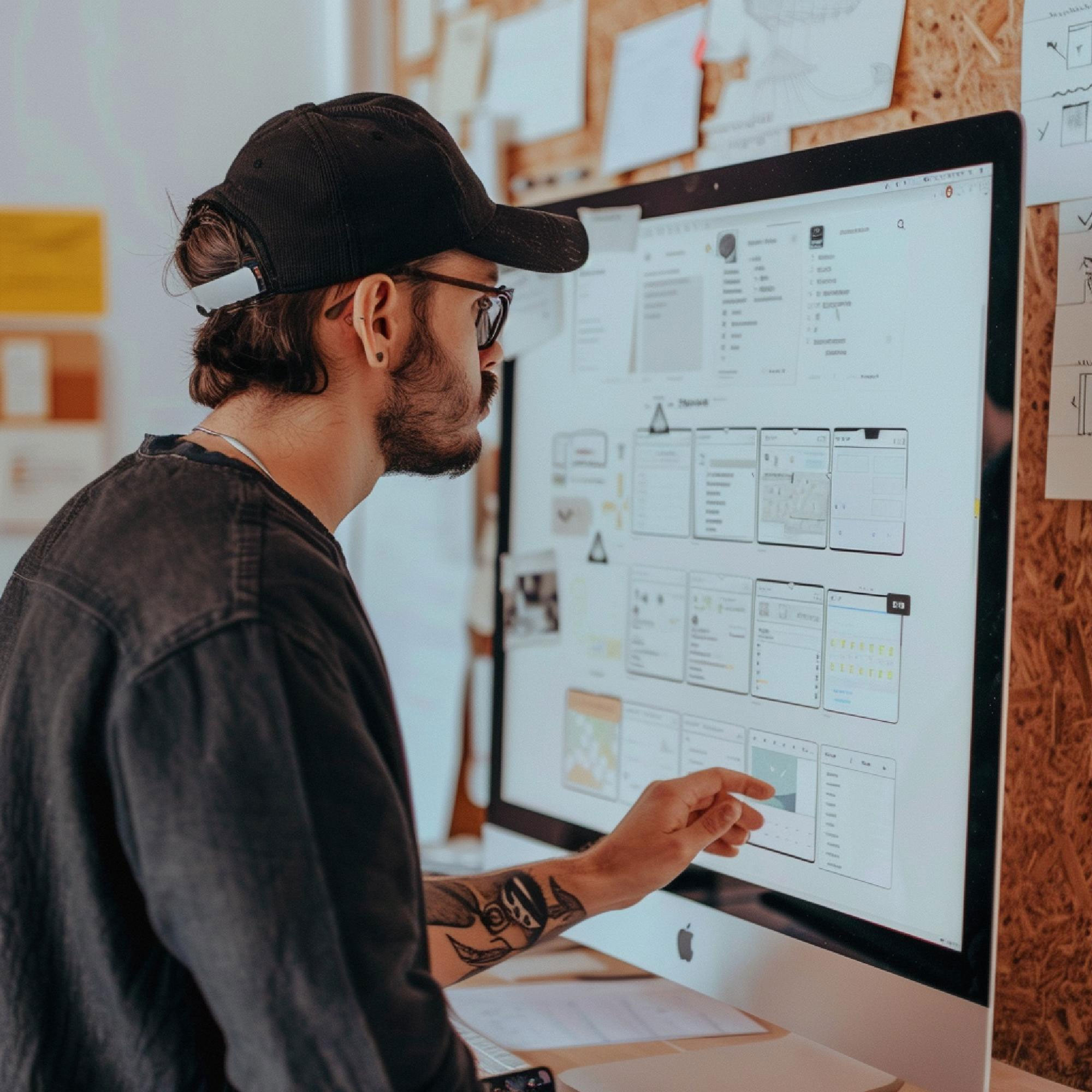
A productive partnership between a business owner and a NZ web designer, discussing a project plan.

Choosing Your Web Design Partner: 12 Essential Traits of a Top NZ Agency

By Web Design

A quick search for “best web design agency New Zealand” returns hundreds of options. From one-person freelancers to full-service digital studios, the choice can be overwhelming. How do you cut through the noise and find a true partner, not just a vendor?

A productive partnership between a business owner and a NZ web designer, discussing a project plan.

The key is to stop looking for a “designer” and start looking for a “business partner.” You need an agency that understands your goals, your audience, and the unique nuances of the New Zealand market.

After years of seeing what makes a website project succeed or fail, we’ve compiled the 12 non-negotiable traits you should look for when choosing your local web design partner.

1. A Stellar Portfolio with Real-World Results

Any agency can show you pretty pictures. A top-tier agency will show you effective websites.

Look Beyond Aesthetics: Don’t just ask, “Do I like how this looks?” Ask, “What did this website achieve for the client?” Look for case studies that detail the business problem and how the website solved it.

Relevance to Your Industry & Scale: An agency that only designs for large corporates might not be the best fit for a small business, and vice-versa. Seek out portfolios with projects similar in size and complexity to yours.

Diversity and Quality: A strong portfolio shows range but maintains a high standard of quality. It demonstrates the agency can adapt its skills to different brand voices and business models.

Mobile First website design
Geeves Scaffolding Dunedin Branch website

2. A Process Built on Strategy, Not Just Art

A beautiful website that doesn’t convert visitors is a work of art, not a business asset. The best agencies lead with strategy.

The Discovery Phase: Your first meetings shouldn’t be about colour palettes. They should be about your business goals, target audience, key competitors, and what “success” means for you. A rigorous discovery process is the foundation of a successful project.

Ask “Why?”: A strategic partner will always be able to explain why they are making a specific recommendation. “We’re placing the call-to-action here because eye-tracking studies show…” is a far better answer than, “Because it looks good there.”

3. Mastery of User Experience (UX) Design

User Experience (UX) is the silent salesperson on your website. It’s the science of making your site intuitive, easy to use, and enjoyable for your visitors.

It’s About the Journey: A great UX agency will map out the entire customer journey—from a user’s first click on a Google ad to finally making a purchase or filling out a contact form. They remove friction at every step.

Mobile-First Mentality: In New Zealand, mobile internet usage is dominant. Your agency must design for mobile first, ensuring a flawless experience on smartphones and tablets before scaling up to a desktop view.

4. Expertise in Search Engine Optimisation (SEO)

What good is a stunning website if no one can find it? SEO should be baked into the design and development process from day one, not tacked on as an afterthought.

On-Page SEO Fundamentals: The agency should have a proven process for optimising page titles, meta descriptions, header tags, image alt-text, and URL structures.

Technical SEO: This is the behind-the-scenes magic. It includes site speed optimisation, clean code, mobile-friendliness, and a logical site structure that search engines love.

Local NZ SEO: If you serve local customers, your agency must understand local SEO. This includes optimising for Google Business Profile, ensuring consistent NAP (Name, Address, Phone Number) citations across the web, and understanding local search intent.

SEO results Sky Media delivered to our customers

5. A Focus on Conversion Rate Optimisation (CRO)

Your website should do more than just attract visitors; it should persuade them to act. This is Conversion Rate Optimisation (CRO).

Clear Calls-to-Action (CTAs): Are buttons compelling and placed strategically? An expert agency will design CTAs that stand out and guide users.

Trust Signals: Do they incorporate customer testimonials, trust badges, case studies, and logos of clients you recognise? These elements build credibility and reduce hesitation.

Data-Driven Design: The best CRO decisions are based on data, not guesswork. Your agency should talk about using Google Analytics to inform design choices.

6. Transparent Pricing and Clear Contracts

Surprise costs are a major red flag. A professional agency is transparent about its pricing and what’s included.

Detailed Proposals: The proposal should break down costs for strategy, design, development, content, and testing. It should clearly state what is not included (e.g., premium plugins, stock imagery, hosting).

Project vs. Retainer Model: Understand how they charge. Is it a fixed project price or an ongoing monthly retainer? Both are valid, but the model should be clear.

The Contract: The contract should protect both parties and clearly outline the project scope, timelines, payment schedules, and ownership rights (you should own the final website and its content).

7. A Content Management System (CMS) You Can Use

Your website is a living asset that you’ll need to update. The agency should build it on a user-friendly Content Management System (CMS).

WordPress, Shopify, or Custom?: In New Zealand, platforms like WordPress and Shopify are popular for a reason: they are powerful and relatively easy for clients to manage. Be wary of agencies that push for a fully custom, proprietary CMS that locks you in with them forever. Have a look at our CMS comparison post.

Training and Handover: A good partner provides thorough training on how to use your new CMS. You should feel confident making basic text, image, and page updates on your own after the project is complete.

8. A Collaborative, Partnership Mindset

This is a partnership. Your insights into your business are invaluable. The best agencies listen more than they talk.

Your Role as the Expert: You are the expert on your business, your customers, and your industry. The agency is the expert on design, UX, and technology. The magic happens when these two areas of expertise collaborate.

Open Communication: Ensure they have a clear process for communication. How often will you have status updates? Who is your single point of contact?

9. Technical Proficiency and Future-Proofing

A website is a technical asset. The agency must build it with modern, secure, and scalable code.

Website Speed: A slow website loses visitors and hurts your SEO. Ask the agency about their specific strategies for optimising site speed (e.g., image optimisation, caching, clean code).

Security: With cyber threats on the rise, security is paramount. They should discuss their approach to SSL certificates, regular security updates, and secure hosting environments.

Scalability: Your business will grow. Your website should be built on a foundation that can grow with it, handling more traffic, products, or content without needing a complete rebuild.

10. A Clear Post-Launch Support Plan

The project isn’t over when the website goes live. What happens next is critical.

Hosting and Maintenance: Do they offer ongoing hosting and maintenance plans? A website needs regular updates to its core software and plugins to remain secure and functional.

Bug Fixing Warranty: Most agencies offer a warranty period (e.g., 30-60 days) after launch to fix any bugs that appear.

Ongoing Partnership: The best client-agency relationships continue long after launch. Look for a partner who can support your digital growth with ongoing marketing, SEO, and content creation services.

11. Reviews and Verifiable Testimonials

What are their past clients saying? Authentic social proof is one of the most powerful indicators of a quality agency.

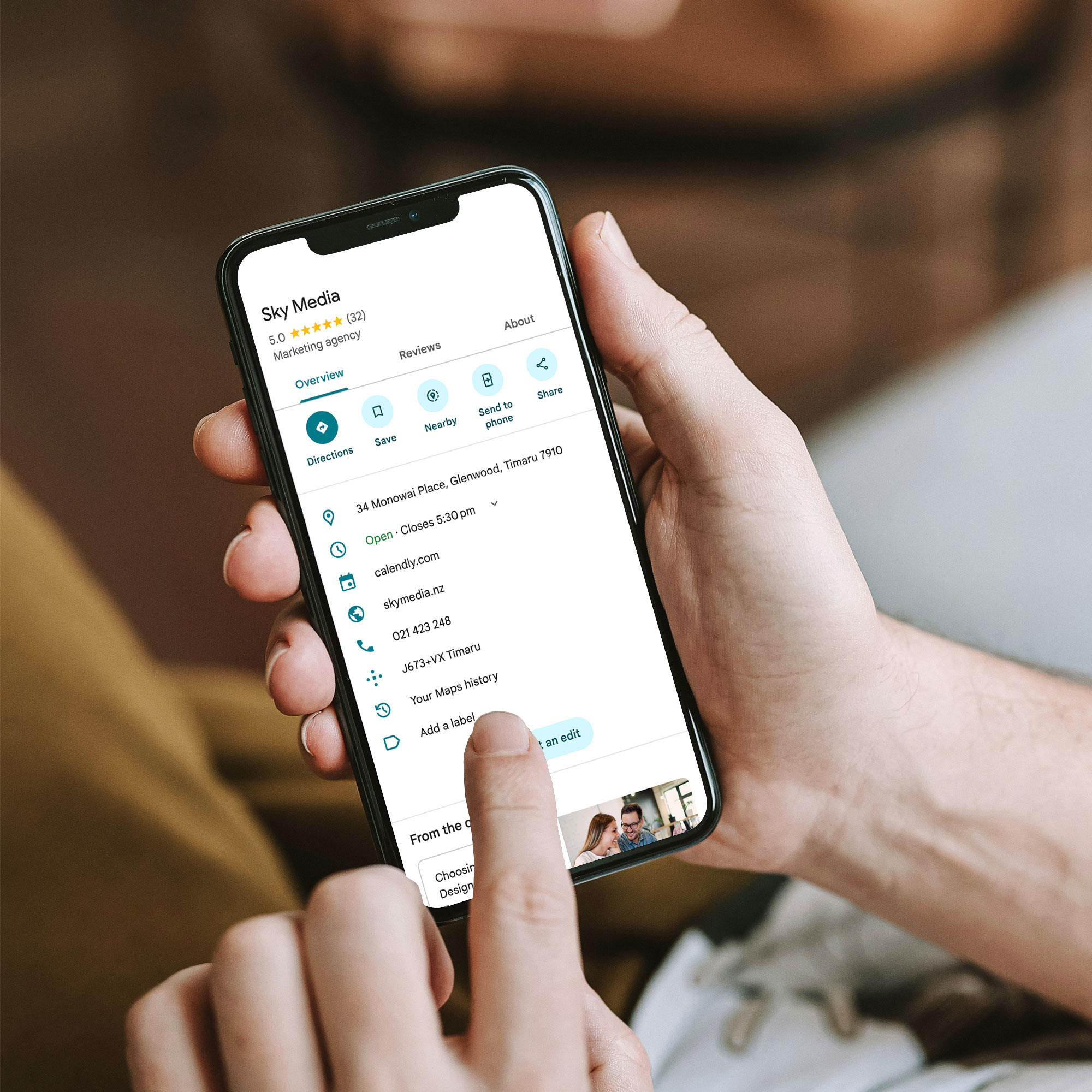
Google Reviews & Case Studies: Check their Google Business Profile for reviews. Read their detailed case studies on their website. Do the testimonials speak to the agency’s strategic value, or just their design skills?

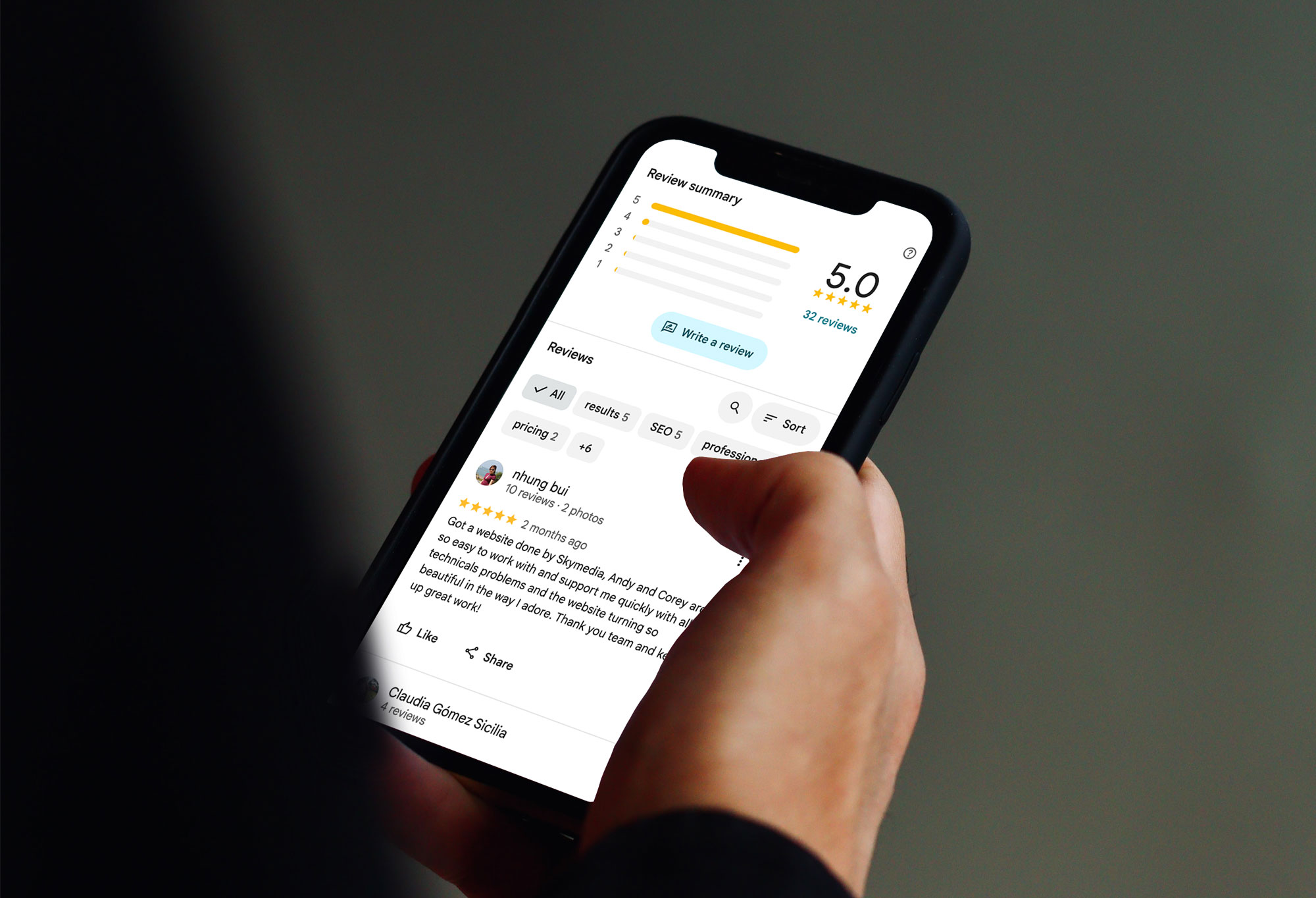
Sky Media 5-Star Google reviews from our clients

12. Cultural Fit and Local Understanding

Finally, don’t underestimate the importance of personality and local context.

Do You Like Working With Them?: You will be spending a significant amount of time communicating with this team. Choose an agency whose values and communication style align with your own.

The Local Advantage: An agency based in New Zealand inherently understands Kiwi culture, consumer behaviour, and the local business environment. They get the subtleties — from public holiday trading hours to regional nuances — that an overseas provider would likely miss.

Your Next Step: From Searching to Selecting

Armed with these 12 criteria, your search for the “best web design agency in New Zealand” can now be a strategic evaluation, not a guessing game.

Create a shortlist of 3-4 agencies that seem to fit the bill. Then, use this list as a scorecard during your initial consultations. Ask pointed questions about their process, their approach to SEO and CRO, and their post-launch support.

The right agency won’t just see you as another project. They will see you as a partner and will be genuinely invested in using their skills to help your business thrive online. By choosing a partner who excels in these 12 areas, you’re not just buying a website—you’re investing in one of your most valuable business assets.

You’ve read the checklist. Now, see the difference.

Schedule a free, no-obligation consultation with the Sky Media team. Let’s discuss your business goals and show you how our strategic approach to web design can build a website that doesn’t just look great — it drives real growth.

10 Must-Have Features Your Online Store Needs to Succeed

By Web Design

In today’s digital marketplace, simply having an online store isn’t enough. With countless options available to consumers, your eCommerce website needs to be more than just a digital catalog; it needs to be a seamless, secure, and persuasive shopping engine designed for one primary goal: converting visitors into loyal customers.

Whether you’re launching a new brand or revamping an existing site, knowing which features are essential can be the difference between a thriving business and a digital ghost town. This guide breaks down the 10 must-have features for any successful eCommerce website, explained in simple terms for business owners and entrepreneurs. Let’s build a foundation for growth.

1. A Mobile-First, Responsive Design

Let’s start with the most critical foundation: how your site looks and works on a phone. Think “Mobile-First” not “Mobile-Friendly.”

What it is: A responsive website automatically adjusts its layout, images, and text to fit any screen size – be it a desktop, a tablet, or a smartphone. A “mobile-first” approach means the site was designed for the mobile experience first, then scaled up for larger screens.

Why it’s a Must-Have: The majority of online shopping traffic now comes from mobile devices. If your site is difficult to navigate on a phone, if buttons are too small, text is unreadable, or the checkout process is clunky, you will lose sales. Google also uses mobile-friendliness as a key ranking factor, meaning a poor mobile experience hurts your visibility in search results.

Key Takeaway: Your customer is on their phone. Your website must provide a flawless shopping experience for them there.

Seamless mobile-first layout of the Laughing Owl Whisky E-Commerce website.

2. Intuitive Site-Wide Search

Shoppers who know what they want will head straight for the search bar. When they do, that search function needs to be a powerful assistant, not a frustrating obstacle.

What it is: This goes beyond a basic keyword matcher. A robust site search includes features like auto-complete (suggesting products as you type), typo tolerance (understanding what you meant to type), and filters for categories, price, and size directly within the search results.

Why it’s a Must-Have: Users who use site search are often further along in the buying process and have a higher intent to purchase. A poor search experience that returns irrelevant results will send them directly to a competitor’s site. A smart search function guides them effortlessly to the exact product they’re looking for, drastically increasing the chance of a sale.

Key Takeaway: Don’t make your customers hunt. A smart search bar is their fastest route to a product and your fastest route to a conversion.

Intuitive auto-suggestions search feature for ecommerce website

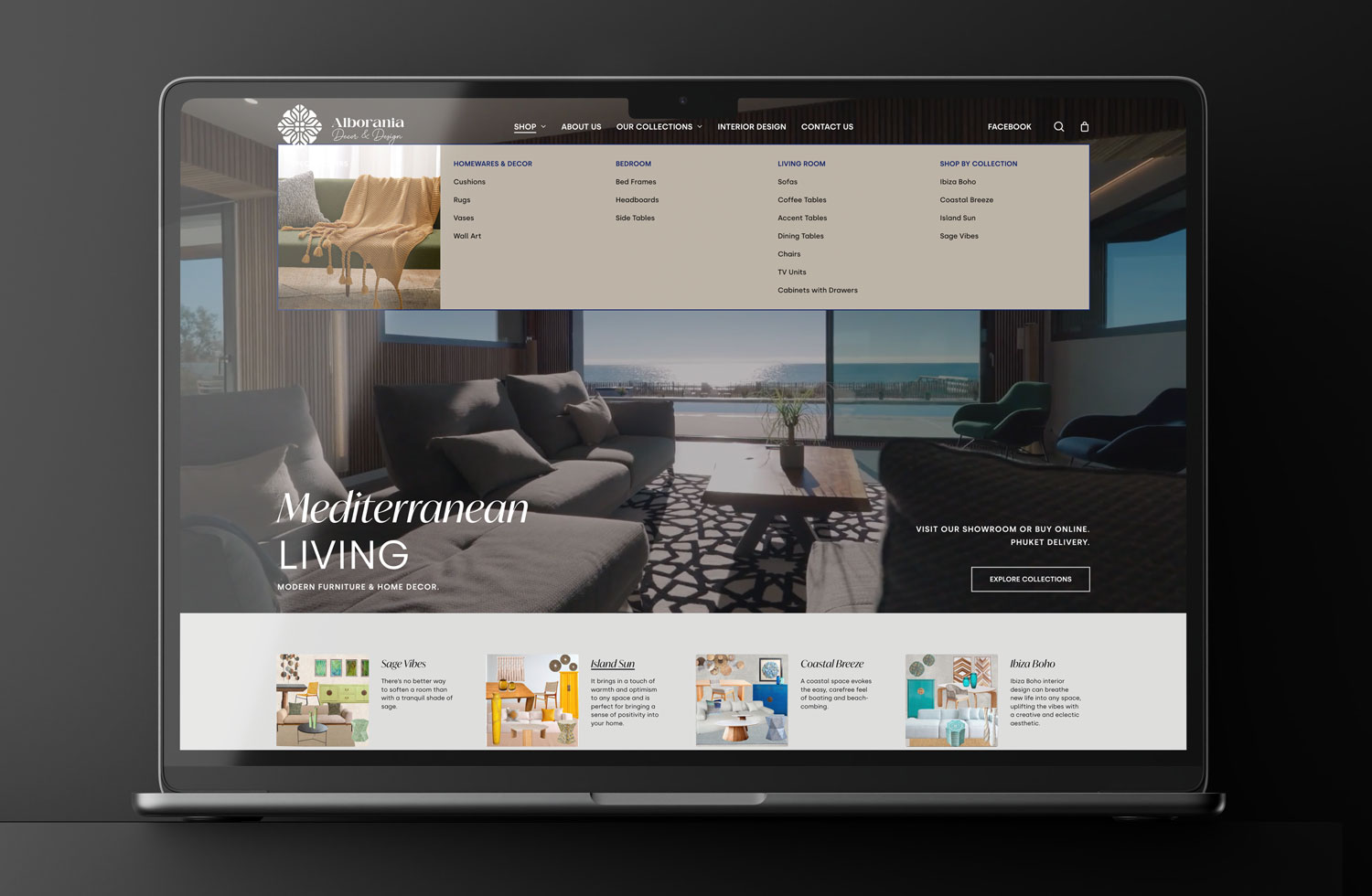
Intuitive auto-suggestions search feature for Alborania Decor & Design E-Commerce website.

3. High-Quality Product Images & Video

Online, customers can’t touch, feel, or try on your products. Your images and videos must bridge this sensory gap.

What it is: Use multiple high-resolution photos from different angles. Implement a zoom feature so users can inspect details. Even better, incorporate 360-degree views or short product demonstration videos. Showing your product “in action” or in a real-life context (lifestyle images) builds confidence.

Why it’s a Must-Have: Humans are visual creatures. Poor, single, or stock-looking images create doubt. High-quality visuals answer customer questions, reduce uncertainty, and make the product feel more tangible. This directly reduces hesitation and lowers return rates.

Key Takeaway: Your product visuals are your salesperson. Invest in making them informative, attractive, and plentiful.

4. Compelling, Scannable Product Descriptions

While images grab attention, the words seal the deal. Product descriptions should be more than just a list of specs copied from the manufacturer.

What it is: Write for your target customer. Focus on the benefits, not just the features. Instead of “Made with 600D polyester,” try “Crafted with durable, weather-resistant fabric to protect your gear on any adventure.” Use bullet points, short paragraphs, and headers to make the text easy to scan.

Why it’s a Must-Have: Good copy connects with the customer emotionally and logically. It explains how the product solves a problem or improves their life. Scannable formatting respects the user’s time and ensures they find the key information they need to make a purchasing decision.

Key Takeaway: Don’t just tell customers what the product is; tell them why they need it.

Compelling product information on ecommerce website.jpg

Compelling product information on Alborania Decor & Design website.

A Streamlined, Guest-Friendly Checkout

The checkout process is the most critical moment of truth. A complicated, lengthy checkout is one of the top reasons for cart abandonment.

What it is: The goal is to get the customer from cart to confirmation in as few steps as possible. Key elements include:

  • Guest Checkout: Never force a user to create an account to make a purchase.
  • Multiple Payment Options: Offer credit/debit cards, PayPal, and other popular digital wallets like Apple Pay and Google Pay.
  • Automatic Address Lookup: Tools that auto-fill addresses after entering a zip/postal code reduce errors and typing.

Why it’s a Must-Have: Every extra click or form field is an opportunity for a customer to change their mind. A streamlined checkout minimises friction and maximises completed purchases.

Key Takeaway: Treat your checkout like a VIP exit lane—make it fast, easy, and obstacle-free.

6. Robust Security & Trust Badges

Customers are rightfully cautious about sharing their personal and financial information online. You must proactively build trust.

What it is: At a minimum, your site must have an SSL certificate, indicated by “HTTPS” in the URL and a padlock icon. This encrypts data between the user’s browser and your server. Furthermore, display trust badges on your site, especially on the checkout page. These can include payment method logos, and guarantees (e.g., “Money-Back Guarantee”).

Why it’s a Must-Have: Without visible signs of security, customers will abandon their cart out of fear. Trust badges act as subtle psychological reassurances that your site is safe and legitimate.

Key Takeaway: Security isn’t just a technical requirement; it’s a marketing tool. Flaunt it to build confidence.

7. Genuine Customer Reviews and Ratings

In a world of digital anonymity, we trust the opinions of other shoppers almost as much as recommendations from friends.

What it is: An integrated system that allows verified customers to leave star ratings and written reviews for the products they’ve purchased.

Why it’s a Must-Have: Social proof is incredibly powerful. Reviews provide unbiased validation, answer specific questions from potential buyers, and significantly improve conversion rates. They also provide you with invaluable feedback on your products. Displaying reviews, both positive and negative (responding professionally to negative reviews builds even more trust), shows that you are transparent and customer-focused.

Key Takeaway: Let your happy customers do the selling for you. Authentic reviews are the most credible marketing you can have.

Product reviews functionality on Laughing Owl Whisky E-Commerce website.

8. A Clear & Generous Return & Refund Policy

A hesitant customer is a customer who doesn’t buy. A clear and fair return policy removes the final barrier to purchase.

What it is: This is a dedicated page that clearly outlines the process, timeframe, and conditions for returning products and receiving refunds or exchanges. Make it easy to find, typically in the main navigation or footer.

Why it’s a Must-Have: A generous return policy reduces the perceived risk of shopping with you. It tells the customer, “We stand by our products, and your satisfaction is guaranteed.” This peace of mind can be the final nudge a shopper needs to click “Add to Cart.”

Key Takeaway: A great return policy is a sales tool that builds trust and reduces pre-purchase anxiety.

9. Seamless Integration with Email Marketing

A one-time customer is good, but a repeat customer is the lifeblood of your business. Email marketing is one of the most effective ways to bring them back.

What it is: Your E-Commerce platform should seamlessly connect with an email marketing service (like Mailchimp, Klaviyo, or Campaign Monitor). This allows you to automatically add customers to mailing lists, send abandoned cart emails (“You left something behind!”), and create targeted campaigns for post-purchase follow-ups, new product announcements, and special offers.

Why it’s a Must-Have: The cost of acquiring a new customer is far higher than retaining an existing one. Email marketing allows you to build a relationship, nurture loyalty, and drive repeat sales on autopilot. An abandoned cart email series alone can recover a significant percentage of lost sales.

Key Takeaway: Don’t let a sale be the end of the relationship. Use email to turn a first-time buyer into a lifelong fan.

MailChimp email marketing tool on Lily’s Choice website.

10. Fast and Transparent Shipping & Delivery Options

The “when will I get it?” question is a major factor in the online buying decision. Uncertainty here is a conversion killer.

What it is: Be upfront about all shipping costs and delivery timelines. If possible, offer a variety of options, from standard to expedited shipping. A key feature is providing order tracking—as soon as an item ships, the customer should receive a notification with a tracking number so they can follow its journey.

Why it’s a Must-Have: No one likes surprise costs at checkout. Display shipping calculators early or offer free shipping thresholds. Clear communication about delivery manages customer expectations and prevents post-purchase anxiety and frustration, leading to a better overall experience and fewer customer service inquiries.

Key Takeaway: Control the shipping narrative. Be transparent about costs and timelines to build trust and avoid post-purchase dissatisfaction.

Conclusion: Building for Success

Building a successful E-Commerce website is a complex task, but by focusing on these 10 essential features, you create a solid foundation for growth. Remember, your website is your hardest-working employee. It should work 24/7 to provide a secure, enjoyable, and efficient experience that not only makes a sale today but also earns a customer for life.

By prioritising the user experience from the first click to the final delivery, you transform your online store from a simple transactional platform into a trusted destination. Start implementing these features, and watch your conversions climb.

Is your current E-Commerce platform holding you back? At Sky Media, we specialise in building beautiful, high-converting online stores designed for results. Contact us today for a free consultation!

A business owner looking confidently at a screen displaying AI search results, showing how to adapt and succeed in the new digital landscape.

The New Rules of SEO: How to Win in the Age of AI Search

By SEO

If you’ve used Google lately, you might have noticed something different. The classic blue links are still there, but now you might also see a neat, conversational answer right at the top of the page, summarising exactly what you were looking for.

A business owner looking confidently at a screen displaying AI search results, showing how to adapt and succeed in the new digital landscape.

This is AI Search in action. Tech giants like Google and Microsoft have begun weaving powerful artificial intelligence directly into their search engines. Instead of just getting a list of links to click, you’re getting a direct, paragraph-style answer.

It’s a fundamental shift in how people find information online. And if your business relies on being found by customers through search, you’re probably wondering: “What does this mean for my website? Do I need to change my marketing strategy?”

The short answer is: the game is changing, but the goal remains the same. Let’s break down what’s happening in plain English.

What Exactly is AI Search?

Think of traditional search like a massive, incredibly fast librarian. You ask a question, and the librarian points you to the ten most relevant books on the shelf. You still have to pull the books off the shelf and find the exact chapter yourself.

AI Search, on the other hand, is like that librarian who has read every single book in the library. You ask your question, and she immediately gives you a concise, well-worded summary of the answer, pulling the best information from all those books. She’ll still show you the books she used, but you might not need to check them out anymore.

This “summary” is called an AI Overview or AI-Generated Answer. It’s designed to save you time by giving you the essence of the answer right away.

The AI does the 'searching' for you, pulling key info from top websites to provide an instant answer.

So, What Does This Mean for Your Business and SEO?

For years, the goal of Search Engine Optimisation (SEO) has been to get your website to rank as the #1 result. The thinking was, “If I’m at the top, I’ll get the click.” With AI providing the answer upfront, the number of clicks to regular websites could decrease for some types of searches.

This might sound alarming, but it’s not a reason to panic. It’s a reason to adapt. Here’s how the focus is shifting at our agency:

1. The “Click” is Becoming a Deeper Commitment

If the AI gives a basic answer, users will only click through if they want more—more detail, more depth, or a different format. This means your content needs to be more valuable than the AI’s summary.

Our Approach: We’re focusing even more on creating comprehensive, “deep-dive” content that an AI summary can’t fully capture. Think detailed service pages, unique project pages, interactive tools, and compelling videos that provide a richer experience.

2. It’s No Longer Just About Keywords, It’s About Being the “Expert Source”

The AI pulls information from what it considers the most trustworthy and authoritative sources. If your website is seen as a superficial or unreliable source, it won’t be featured in these answers.

Our Approach: We are doubling down on E-E-A-T (Experience, Expertise, Authoritativeness, and Trustworthiness). This means clearly showcasing your business’s real-world experience, the credentials of your team, and building a reputation as a leader in your field. Customer reviews and testimonials are more important than ever.

3. The “How-To” and “Local” Searches are Golden Opportunities

Ask an AI “How do I fix a leaking tap?” and it can give you the steps. But you know what it can’t do? Send a local plumber to your house.
Ask “What’s the best Italian restaurant near me?” and the AI might list a few, but it can’t capture the unique atmosphere and menu highlights that make your restaurant the best choice.

Our Approach: We are hyper-focused on optimising your local SEO and creating content that showcases what makes your business uniquely yours. Up-to-date business listings, photos of your team and location, and content that answers very specific local questions (e.g., “Where to get the best local builder in [Your City]?”) will be crucial.

4. Your Website’s User Experience is Now a Top Ranking Factor

If a user does click from an AI answer to your site, but it loads slowly, is hard to read on a phone, or is confusing to navigate, they will click the “back” button instantly. Search engines will notice this negative signal.

Our Approach: We are prioritising technical SEO and user experience (UX) more than ever. This includes ensuring your site is blazing fast, mobile-friendly, easy to navigate, and provides a seamless journey from question to answer to conversion.

The Sky Media Promise: We’re Not Just Keeping Up, We’re Leading the Way

The introduction of AI Search isn’t the end of SEO; it’s its evolution. It’s pushing us to create better, more helpful, and more authentic online experiences for your customers.

At Sky Media, we see this as an exciting opportunity. It separates businesses that are just “on the web” from those that truly provide value. Our strategies are already adapting to ensure your business doesn’t just survive this change, but thrives in it.

Ready to future-proof your online presence? Let’s talk about building a website and content strategy that both Google’s AI and your customers will love. Contact Sky Media today for a Free Consultation.

Essential guide on how to write a website design brief for a successful project.

Your Blueprint for Success: How to Brief Your Website Design Team

By Tips and Guides, Web Design

You’ve made the exciting decision to invest in a new website. It’s a project filled with potential—the chance to revitalise your brand, connect with more customers, and finally have an online presence that truly works for your business. But before you see stunning mock-ups or click through a sleek new interface, there’s a critical first step that will make or break your entire project: the brief.

Essential guide on how to write a website design brief for a successful project.

Think of your website brief as the blueprint for a new house. You wouldn’t approach a builder and say, “Build me a house,” without discussing the number of bedrooms, the style of the kitchen, or the location of the bathrooms. The same goes for your website. A vague request like, “Make me a modern website that generates leads,” leaves far too much room for interpretation, delays, and budget overruns.

A powerful, well-constructed brief is your single most important tool for a successful partnership with your web agency. It aligns your vision with their expertise, setting the stage for a smooth, efficient, and rewarding process that delivers a website you’re proud of.

This guide will walk you through, step-by-step, how to create a comprehensive website brief that will get your project started on the right foot.

Why the Brief is Your Secret Weapon

Many business owners see the brief as a bureaucratic hurdle. In reality, it’s your strategic advantage. A great brief:

Creates Clarity and Alignment: It ensures everyone—your team and the agency—is on the same page from day one. There are no surprises about goals, scope, or style.

Saves You Time and Money: A clear brief reduces the back-and-forth, countless revisions, and scope creep that inflate budgets and delay launches. The agency can quote accurately and work efficiently.

Establishes a Measurable Goal: How do you know if the new website is a success? The brief defines the key performance indicators (KPIs) upfront, so you can measure the return on your investment.

Empowers the Agency’s Creativity: Counterintuitively, constraints encourage creativity. When an agency understands your boundaries and objectives deeply, they can innovate within that space to deliver truly brilliant solutions.

In short, the time you invest in the brief will be repaid tenfold throughout the project.

WordPress website design for TWC by Sky Media.

WordPress website design for TWC by Sky Media.

The Anatomy of a Perfect Website Brief: A Step-by-Step Guide

Ready to build your blueprint? Here are the essential components you need to include.

Step 1: Tell Your Story (The Company Overview)

Start by introducing your business to the agency as if they know nothing about you. This context is invaluable.

  • Who are you? What is your company’s name and what do you do?
  • What is your mission? What core purpose drives your business?
  • What are your core values? Is your brand playful and disruptive, or trusted and authoritative?
  • What is your unique selling proposition (USP)? What makes you different from and better than your competitors?

Pro Tip: Include links to any existing brand guidelines, logos, and your current website. This gives the agency an immediate feel for your brand’s world.

Step 2: Define the “Why” (Project Goals & Objectives)

This is the heart of your brief. Be specific about what you want this new website to achieve. Avoid vague statements.

Instead of: “I want more traffic.”
Write: “We aim to increase organic traffic from 5,000 to 10,000 monthly visitors within 12 months of launch, and grow our email newsletter sign-ups by 25%.”

Common website goals include:

  • Generate more qualified leads (e.g., contact form submissions, demo requests).
  • Increase online sales and revenue.
  • Improve brand awareness and perception.
  • Reduce customer support calls by providing better self-service resources.
  • Attract top-tier talent to our careers page.

Ask yourself: “If this website could only achieve one thing, what would that be?” This helps you identify your primary objective.

Step 3: Know Your Audience (Target Audience)

You wouldn’t design a children’s toy using the same language and colors as a financial report. Your website must be built for its intended users.

  • Who are your ideal customers? Create simple buyer personas. Give them names like “Marketing Mary” or “IT Director Ian.”
  • What are their demographics? (Age, location, job title, industry)
  • What are their pain points? What problems are they trying to solve that your business can help with?
  • What are their goals and motivations? What does success look like for them?
  • How do they search for solutions? What language do they use? What information do they need to make a decision?

Pro Tip: If you have any customer interviews, survey data, or support tickets, share them. This is gold dust for the agency to understand your audience’s real voice.

Step 4: Scope the Work (Project Scope)

This section outlines the “what” of the project. It defines the boundaries and helps the agency provide an accurate quote. Be explicit about what you need built.

  • Number of Pages: Do you need a 5-page brochure site or a 50-page content-rich hub? (e.g., Home, About, Services, Blog, Contact)
  • Key Functionalities: What does the website need to do?
    • E-commerce shopping cart and payment processing?
    • A membership portal or login area?
    • A booking or appointment scheduling system?
    • A complex contact form with dropdowns and file uploads?
    • Integration with your CRM (like Salesforce or HubSpot)?
  • Content Creation: Who is responsible for writing the website copy and providing the professional photos? (Be aware, this is often the client’s responsibility unless specifically included in the agency’s scope).

Step 5: Paint a Picture of Success (Design & User Experience)

This is where you guide the agency’s creative direction. Don’t just say what you like; explain why.

  • Brand Guidelines: Reiterate any specific colors and fonts that must be used.
  • Desired Look & Feel: Use descriptive words. Do you want the site to feel:
    • Warm and inviting, or cool and professional?
    • Bold and energetic, or minimalist and serene?
  • Inspirational Examples (The “Do’s and Don’ts”): This is incredibly helpful. Provide 3-5 links to websites you admire and explain what you like about them (e.g., “I love the navigation on this site,” or “The use of animation here is engaging but not distracting”). Also, provide examples of what you don’t like.
  • User Journey: Briefly describe the ideal path you want a visitor to take. For example: “A visitor lands on our blog, reads an article, clicks a call-to-action to download a guide, and is then presented with a contact form to book a consultation.”

Step 6: Plan for Growth (SEO & Ongoing Marketing)

A website is not a “build it and forget it” asset. Discuss its future from the start.

  • SEO Strategy: Do you have an existing SEO strategy? Are there specific keywords you are already ranking for that you want to preserve? Does the agency need to conduct new keyword research?
  • Technical Requirements: Do you need the site to be multilingual? Is mobile-first performance a top priority?
  • Analytics: How will you track performance? Ensure Google Analytics 4 (GA4) and Google Search Console are part of the setup.
  • Ongoing Maintenance: Who will handle security updates, backups, and technical support after the site launches? Clarify if this is part of the agency’s ongoing retainer.

Step 7: Set the Stage (Practical Details)

Finally, lay out the logistical framework for the project.

  • Project Timeline: Do you have a specific launch date in mind? (e.g., tied to a product launch or a season). Be realistic and discuss this with the agency.
  • Budget Range: This is crucial. Providing a realistic budget range allows the agency to propose solutions that fit your financial constraints. It shows you are serious and saves everyone time.
  • Key Stakeholders: Who is the main point of contact on your side? Who has the final sign-off on designs and content?
  • The Next Steps: What do you expect to happen after you send the brief? A meeting? A formal proposal?
WordPress website design for Epic Events by Sky Media.

WordPress website design for Epic Events by Sky Media.

What to Do After You Send the Brief

Your job isn’t done once the brief is sent. The best client-agency relationships are partnerships.

  1. Schedule a Kick-off Meeting: Don’t just email the document. Schedule a call to walk through it together. This allows for immediate questions and discussion.
  2. Be Open to Questions: A good agency will probe deeper into your brief. Welcome their questions—it shows they are thinking critically about your project.
  3. Collaborate, Don’t Dictate: You are the expert on your business; they are the experts in web design and development. Trust their professional advice when they suggest a different approach based on your goals.

Common Pitfalls to Avoid

  • Being Too Vague: “Make it pop” is not actionable feedback.
  • Withholding Your Budget: This leads to proposals that are either unrealistically high or too basic for your needs.
  • Design by Committee: While feedback is important, having too many decision-makers can paralyse a project. Appoint a single point of contact.
  • Scope Creep: Adding new features and pages mid-project is the primary cause of budget and timeline blowouts. Please stick to the agreed-upon scope, or formally agree on changes and their impact.

Conclusion: Your Partnership Starts Here

A powerful website is the cornerstone of modern business. It’s your hardest-working employee, your 24/7 salesperson, and the face of your brand to the world. By investing time in creating a clear, comprehensive, and collaborative brief, you lay the foundation for a successful project and a final product that not only looks beautiful but also delivers tangible business results.

Your brief is more than a document; it’s the opening conversation in a partnership. Make it count.

Ready to turn your vision into a website that drives growth? The team at Sky Media are experts in translating ambitious briefs into stunning, high-performing digital experiences. Contact us today for a no-obligation consultation about your project.

Modern website design generating online enquiries and sales leads.

Simple Ways to Get Better Leads from Your Website

By Tips and Guides, Web Design

Every business wants more website traffic. But traffic alone doesn’t pay the bills — quality leads do.

At Sky Media, we often meet business owners who’ve invested in a new website that sadly brings in little to no work. The truth is: design alone isn’t enough. To make your website work as a real sales tool, you need strategy, structure, and clear communication.

Modern website design generating online enquiries and sales leads.

Below, we break down how the Sky Media team approaches building a website that not only looks great, but consistently attracts and converts the right kind of leads — the ones that fit your services, your values, and your price point.

1. Start With the Goal — Not the Design

Before picking colours or fonts, get clear on what success looks like.
Ask yourself: what do you actually want people to do when they land on your website? Do you want them to call you, request a quote, make a booking, or download a guide?

Once you know the goal, everything else — the layout, images, and copy — should serve that purpose. A site without a goal is like a billboard with no message.

For example, a trades company might have one primary goal: get quote requests. That means the contact form, CTA buttons, and copy should all nudge visitors toward that action.

Tip: Write your main goal at the top of your design brief. Every section of your website should move visitors closer to that goal. If it doesn’t, it probably doesn’t need to be there.

2. Know Who You’re Talking To

You can’t speak to everyone. The best-performing websites speak clearly to a defined audience — and make those people feel understood.

  • Start by thinking about your ideal client:
  • What do they want most?
  • What problems or frustrations do they face?

What would make them trust you?

Once you understand your audience, reflect that understanding through your design and words. A scaffolding company in Dunedin, for example, might focus on reliability and winter shrink-wrapping solutions, while a dance academy might highlight family-friendly classes and community connection.

When people feel your website “gets” them, they’re far more likely to get in touch.

A scaffolding company in Dunedin - Bramwell Scaffolding website
Awaken Dance a dance academy website design

3. Design for Action, Not Distraction

Beautiful websites don’t automatically perform well. Function should lead form. Your design should guide people — not just impress them.

That means using clean layouts, plenty of white space, and logical flow. Too many colours, flashing banners, or competing buttons just confuse visitors.

Every page should have one clear next step: book a call, get a quote, sign up. When someone lands on your homepage, it should take no more than three seconds to see what you offer and what to do next.

Use language that’s helpful and specific. Instead of a generic “Submit” button, say “Get A Quote” or “Book A Free Call.”

The goal is to make action feel easy and obvious.

4. Turn Every Service Page into a Sales Page

Think of each service or product page as a mini sales pitch. Your homepage gives the overview, but it’s the deeper pages that actually close the deal.

Each service page should have:

A clear headline that promises value (“Fast, Reliable Scaffolding for Dunedin Builders”).

A few paragraphs explaining how you help and why it matters.

Proof that builds trust — testimonials, client logos, or short case studies.

A strong call-to-action encouraging the next step.

For example, if you’re an electrician, a service page about “New Build Wiring” could include photos of past projects, your safety certifications, and a form that says, “Tell us about your new build — we’ll reply within 24 hours.”

Remember: people don’t buy services, they buy outcomes. Tell them what they’ll gain — not just what you’ll do.

Bramwell Scaffolding services page design example for lead generation
TWC website service page design example for lead generation

5. Speak Like a Human (Copy That Builds Trust)

Good website copy doesn’t sound clever — it sounds clear.

Your visitors are busy. They don’t want jargon or buzzwords like “innovative solutions” or “synergistic platforms.” They want to know, quickly, whether you can solve their problem.

Use plain language, short sentences, and active verbs. Focus on benefits — what your service does for them.

Example:
Instead of saying “We deliver innovative scaffolding solutions.”, say: “We build strong, safe scaffolds that help your team finish faster.”

Small changes in tone can transform your message from vague to confident.

Also, use your customer’s language. If they say “house painting,” don’t call it “residential coating systems.” Speak their words back to them — that’s what builds connection.

6. Speed, Mobile, and SEO — The Silent Heroes

Even the best copy won’t help if your site takes ten seconds to load or doesn’t work on mobile.

Most visitors decide within seconds whether to stay or leave. If your pages are slow or broken on mobile, they’ll bounce before reading a word.

That’s why at Sky Media we prioritise:

  • Fast loading times (compressed images, optimised code).
  • Mobile-first design that looks great on every screen.
  • SEO-friendly structure — clear headings, internal links, and page titles that match what people search for.

Search engine optimisation (SEO) isn’t just about ranking on Google — it’s about helping the right people find you. If someone searches “Villa Painting Auckland,” they should land on a page that answers that need directly — not your homepage with a generic message.

7. Make Getting in Touch Effortless

If someone has to dig around to find your contact form, you’ve already lost them. Make the next step obvious and easy.

Keep your forms short — name, email or phone, and one key question is often enough. On mobile, make sure phone numbers are clickable so people can call with one tap.

Tools like Calendly or booking systems are great for service businesses. They let potential clients book a chat or consultation instantly — no back-and-forth emails required.

And don’t forget your thank-you page. It’s a small but powerful touchpoint. Use it to confirm you’ve received their message, tell them when they’ll hear back, and maybe offer a useful resource while they wait.

8. Measure, Review, and Improve

A great website isn’t built once and forgotten. It evolves.

Sky Media uses analytics tools like Google Analytics and Google Site Kit to see what’s working — and what’s not. Which pages bring in the most enquiries? Where do people drop off? Which buttons get clicked?

With that data, we can make small, strategic changes. Test a new headline, rewrite a call-to-action, or simplify your form.

Even minor tweaks can dramatically boost conversion rates. We’ve seen clients increase the number of their leads just by refining button text or rearranging key content.

Calendly booking systems on the Lily's Choice website
Request a quote contact page design on Bramwell website

9. Common Lead-Killing Mistakes to Avoid

Many websites fail because of small but costly mistakes:

  • Too many options: Too many menu items or buttons overwhelm users. Guide them clearly.
  • Walls of text: Break up long paragraphs with headings, short sentences, and images.
  • Slow pages: Optimise your images — large, uncompressed files can slow you to a crawl.
  • Weak CTAs: “Contact Us” is fine, but “Get a Free Quote in 24 Hours” works better.
  • Vague messages: Be specific about what you do and where you do it.

Fixing these basics can instantly make your site feel smoother and more professional — and that confidence translates into more leads.

10. Turn Your Website into Your Best Salesperson

When your website is built with purpose, clarity, and empathy, it becomes more than an online brochure — it becomes your hardest-working salesperson.

It never takes holidays, it doesn’t forget to follow up, and it presents your business exactly how you want to be seen, 24 hours a day.

The combination of strategy, smart design, and consistent optimisation is what turns a static site into a lead-generating asset. And that’s exactly what we build for our clients at Sky Media.

Ready to Turn Your Website into a Lead-Winning Machine?

At Sky Media, we design and develop WordPress websites that look sharp and bring in the right kind of enquiries. From initial strategy to ongoing SEO, we focus on clarity, conversion, and measurable results.

Let’s chat about how your current site could perform better — we can provide a quick review, highlight missed opportunities, and outline a plan to get you more of the leads you actually want. Book a 15-Minute Strategy Call.