If you’ve ever stared at a blank page in WordPress thinking, “What do I even write here?” you’re not alone.
Most business owners don’t struggle because they lack expertise. They struggle because writing for the internet feels weird. It’s not like talking to a customer in real life, and it’s definitely not like writing an email.

Then there’s the other stress: images, quotes, and inspiration. You find a great photo on Google, or a competitor has a perfect paragraph, or a blog post explains something beautifully… and you wonder: Can I use that? If I change a few words, is it okay? What if I credit them?
This post is a straightforward, non-tech guide to help you write your own website and blog content confidently — and use images and quotes safely, without copyright headaches.
Quick note: this is practical guidance, not legal advice — if you’re dealing with a big campaign or high-stakes content, it’s worth getting professional legal advice.
1. The easiest way to avoid copyright drama: don’t copy, build your own “source mix”
Let’s get the awkward truth out of the way:
Copying and “rewording” someone else’s page is risky. Even if you change a few words, it can still be too close (and it can also hurt your SEO and credibility).
The better approach is what we call a source mix:
- Read a few sources for understanding
- Take your own notes in plain language
- Then write your version as if you’re explaining it to a customer
This is how you naturally create original content. It also makes your writing sound more human because it actually comes from your voice.
Try this:
After reading a source, close it. Then write a paragraph from memory as if you’re speaking. You can go back and fact-check afterwards, but don’t keep the original text in front of you while writing.
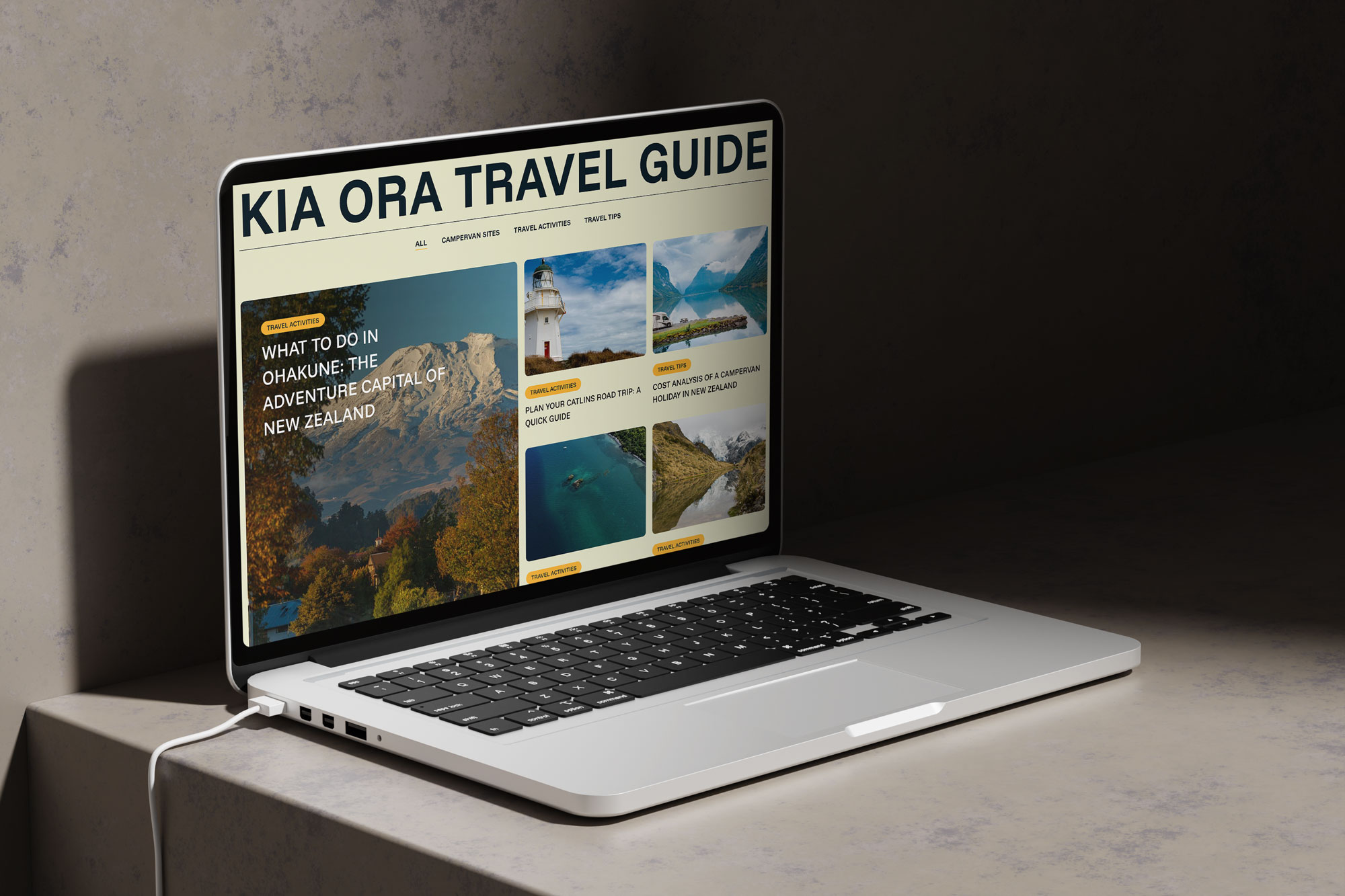
Example of a blog layout we designed for Kia Ora Campers, structured for readability, SEO, and easy content updates.
2. Write blog posts like helpful conversations, not “articles”
Your best blog posts won’t sound like a school assignment. They should sound like you’re helping someone make a decision.
A simple structure that works almost every time:
- Start with the problem (what the reader is worried about)
- Explain what matters (what to look for, what to avoid)
- Give a few clear examples (real scenarios, quick comparisons)
- Wrap it up with next steps (what to do now, how you can help)
If you’re stuck, open your inbox. Look at the questions customers ask you all the time:
- “How much does it cost?”
- “How long does it take?”
- “What’s the difference between these options?”
- “What should I do first?”
- “How do I avoid getting it wrong?”
Those questions are basically ready-made blog topics — and they’re the ones people actually search for.
3. Using images: the biggest mistake is assuming “Google Images equals free images”
This catches so many people out.
Just because you can see an image online doesn’t mean you can use it on your website. Copyright law generally protects creative works like photos, and creators have exclusive rights around how work is used. MBIE New Zealand explains copyright protection and rights at a high level.
So the safe mindset is: Assume an image is copyrighted unless you clearly have permission to use it.
That includes:
- Photos on other business websites
- Images found on Google Images
- Photos from Pinterest
- “Nice lifestyle photos” from random blogs

Unsplash is a popular source of high-quality, free-to-use images suitable for business websites and blogs.
4. Where to get images you can use
You’ve got a few realistic options:
Option 1: Use your own photos (best option)
Even phone photos can work well if they’re clear and authentic. People trust real images of your team, your work, your space, your process.
Option 2: Use a reputable stock library
Some are paid, some are free. The key is understanding the license.
Option 3: Use free-to-use libraries with clear licensing (but still be sensible)
For example, Unsplash allows photos to be used for free for commercial and non-commercial purposes, and doesn’t require permission (attribution is appreciated). But it also has restrictions, like you can’t sell unmodified photos or compile them into a competing service.
5. A simple “image safety checklist” you can follow
Before you upload any image to your website, ask:
- Where did this image come from?
- Does the source clearly state the license/permission?
- Does the license allow commercial use? (Important if your website promotes a business.)
- Do I need to credit the photographer or link back?
- Does it contain recognisable people, brands, or private property? (This can add extra usage considerations even if the photo is “free”.)
If you can’t answer #2 confidently, choose a different image.
A practical tip: Google Images has a “Usage rights” filter and can show license details — but Google also recommends you still review the licensing requirements before using an image. In other words: the filter helps, but it doesn’t replace checking the actual license.
6. What about quoting other websites? This is where people get confused.
Quoting is often okay — copying big chunks is not.
In New Zealand, “fair dealing” exceptions can allow use of copyright material for specific purposes like criticism, review, or news reporting, provided it’s fair and you include an acknowledgement.
But here’s the practical, business-owner version:
- Use short quotes, not whole sections
- Quote for a reason (to comment on it, explain it, compare it)
- Always include credit + a link to the source
- Don’t use quotes as a shortcut to avoid writing your own explanation
And one extra caution: some guidance notes that fair dealing exceptions can be limited depending on the type of work (for example, photographs can be treated differently), which is another reason not to “borrow” images without a proper license.
7. The safest way to use someone else’s idea: paraphrase + add your experience
Let’s say you’ve read a great article and want to cover the same topic.
That’s totally fine, ideas aren’t the issue. The issue is copying the expression of the idea (their wording, structure, examples).
A safe approach:
- Write the point in your own words
- Add a real example from your work
- Add a local angle (NZ context, your industry, your customer questions)
- Add a unique opinion (what you recommend, what you’ve seen go wrong)
This turns “inspiration” into something genuinely original and more useful for your audience.
8. A quick note on AI tools (because yes, people are using them)
AI can help you brainstorm structure, headlines, or ways to simplify explanations. But don’t use it as a copy-and-paste machine.
If AI is involved, your job is to:
- Make sure the final version sounds like you
- Add real details and examples
- Fact-check anything important
- Avoid including long “borrowed” passages from anywhere else
Human editing is what makes content trustworthy.
9. The simplest “do this every time” workflow for blog posts
Here’s a smooth routine that keeps you safe and keeps writing manageable:
- Pick one question your customers ask weekly
- Write 5 bullet notes (your answers, not the internet answers)
- Add one real story, for example, a job, a customer mistake, a common misconception
- Pull in 1 – 2 supporting sources if needed (statistics, definitions, guidelines)
- Write the post conversationally
- Add 2 – 4 images you have rights to use
- If you quote anything, keep it short and credit it
- Re-read the intro and conclusion: make sure it feels like a human, not a brochure
That’s it. No complicated content strategy required.
Final thought: originality isn’t about being “clever”, it’s about being real
The easiest way to write content that passes plagiarism checks isn’t to “rewrite harder.”
It’s to write from your actual knowledge, your actual customers, and your actual point of view, then support it with properly licensed images and appropriately credited sources.
If you want, Sky Media can help in two ways:
- Build you a simple blog template that makes writing easier (intro, headings, CTA, image placement), or
- Review one draft post and help polish it so it’s clearer, more engaging, and safe to publish.
Want us to check a draft before you publish it? Send it through, we’ll point out what to improve and what to avoid.